


This item is no longer available.
Aqara Smart Wall Switch - With Neutral
Light Up Your Life as You Wish
App Remote Control
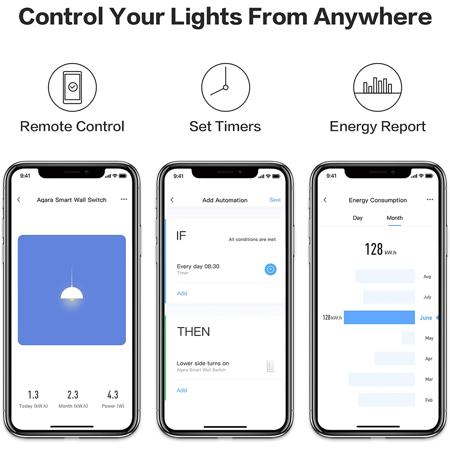
Forgot to turn off the lights No worries. Simply open Aqara Home or Apple Home app, check the status of your home lights, and turn them off right away on the app.
Set Timers
Set timers for your lights and they will turn on automatically as you like.
Voice Control Your Lights
Ask your favorite voice assistant to control the lights in different rooms.
Light Up Your Home When You are Back
The lights will automatically turn on as soon as you arrive home to give you a warm welcome.
Smart Night Lights, Special Care for You at Night
When you get up at night, the Smart Wall Switch will automatically turn on the light for you.
Multi-way Control
Equipped with wireless switch, you can easily control the same lights from two or more locations without new wiring. Even if the network is disconnected, with Zigbee connection, your smart home devices will still function automatically.
Power Consumption Report
The Wall Switch detects the temperature fluctuations, and will automatically power off when it reaches the limit threshold in order to protect you from any harm.
Overload & Overheat Protection
When the wall switch detects fluctuations or high temperature limit, it automatically turns off the power supply.
Multiple Safeguards, Safe and Reassuring
Adopts V-0 grade flame-retardant PC panel and withstands high temperature. Supports up to 100,000 times of physically on/off switching.
3 Steps, Easy Connect
Customize the perfect ambience for every room, from a dm bedroom to a bright kitchen. Five preset modes for your daily life and you can also customize your preferred scene.
• Replace Existing Switch
• Add to the Hub
• Create Automation