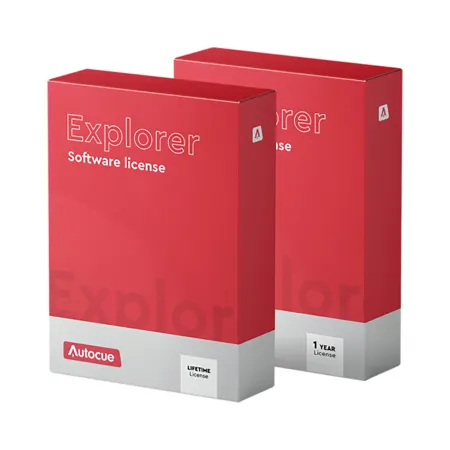

Autocue Explorer Teleprompting Software Perpetual License, USB Stick

SKU: AQP70170022 MFR: P7017-0022
Earn VIP Reward Points

Key Features

  • Experience seamless script delivery with Autocue Explorer Teleprompting Software, a perpetual license for lasting use.
  • Enjoy broad compatibility with Windows 10 and robust system requirements for smooth teleprompting performance.
  • Effortlessly import scripts from Word, RTF, and PDF files, streamlining your workflow for any project.
  • Customize your teleprompter display with extensive editor options, including font, color, and alignment settings.
  • Manage your run order with ease, adding, removing, and tracking stories for perfectly timed presentations.
  • Connect to your prompter via local, NDI, or IP/iPad options, ensuring flexible setup for any production environment.
See More Product Details
Temporarily On Backorder?Expected Availability: 02/2026
Free Shipping

See Options

1

Need help? Ask our experts.

Overview
Compare
Specs
Protection

Reviews about this item

Review Summary

Autocue Explorer Software Specifications

  • License type

    Perpetual License

  • Minimum system requirements

    OS: Windows 10, Processor: i5 7th GEN / AMD: Ryzen 3 2200, 8GB RAM, (for added iDevices: IOS 14)

  • File import

    Word, RTF, PDF

  • Languages

    Multi-language support

  • Multi-script editing

    No

  • Live editing

    No

  • Editor options

    Font type, font size, font format, font color, background color, cut and paste, paragraph alignment, bullet points, set indentation, single story mode, find/replace

  • Global format settings

    Story title, story text, instruction, break, sound on tape

  • Run order options

    Add story, remove story, cloak story, drop story, track live story, drag and drop story, bookmarks, story run time, notes

  • Printing

    Scripts, run order

  • Prompt output options

    No

  • Cue marker options

    Position, icon, color, offset

  • Virtual scroll control

    Scroll, blank screen, invert video, top, next story, previous story, next marker, previous marker

  • Prompter connection options

    Local, NDI, IP/iPad

  • Prompter connections

    Single

  • Image flip option

    Yes

  • Controller connections

    Single

  • Controller settings

    Sensitivity, programme function buttons

  • Newsroom integration

    No

  • Country of Origin

    United Kingdom

  • UPC Code

    5060896404066

About Autocue Explorer Software

Prompt Start
Autocue Explorer is designed to get you started straight away without any fuss. We've included familiar icons and layouts to help you find your way around. Scripts can be created in the software or imported from Word, Text or PDF documents to save time.

Powerful Edits
When you need to make changes to the script, you'll find that most of the time editing is just like any other software you're used to. Changing fonts and colors couldn't be easier. But that doesn't mean it's basic.

We've included all the functions that you'll find in broadcast prompting software, the only difference is that you can't edit and prompt at the same time. So, if you're happy stopping the prompting between takes to make edits Autocue Explorer has everything you need.

All in Order
Autocue Explorer also includes a Run Order pane, just like broadcast prompting software. With this feature you can manage sections of the script as individual stories, moving and hiding the text as a group. It also helps you to navigate quickly when prompting - it's one of many little things that can make a big difference.

In Control
With Autocue Explorer software you can go straight ahead and prompt from day one using the integrated virtual scroll control. It includes all the important function buttons like next story and blank screen. When you're ready to get serious you can upgrade to the ShuttleXpress hand control for more comfort.

Presenting Simplicity
Prompting is what it's all about! With Autocue Explorer you can take one output to feed your gear: HDMI, NDI and iPad connection are available for you to choose from. Connection is simple to manage in the settings, where you can also choose to invert (also known as flip) the image for through the lens prompters. You'll be enjoying all the benefits of prompting in no time. Happier production teams, relaxed presenters, better audience connection, all achieved with the simplicity of Autocue Explorer software.


Autocue Explorer Software Features

  • Easy to use software with familiar icons and features
  • Import Word, Text and PDF documents
  • Fully featured script editor
  • Run Order manager
  • Virtual scroll control included
  • Image flip option

Warranty Information

This product has a limited lifetime warranty.

Key Features

  • Experience seamless script delivery with Autocue Explorer Teleprompting Software, a perpetual license for lasting use.
  • Enjoy broad compatibility with Windows 10 and robust system requirements for smooth teleprompting performance.
  • Effortlessly import scripts from Word, RTF, and PDF files, streamlining your workflow for any project.
  • Customize your teleprompter display with extensive editor options, including font, color, and alignment settings.
  • Manage your run order with ease, adding, removing, and tracking stories for perfectly timed presentations.
  • Connect to your prompter via local, NDI, or IP/iPad options, ensuring flexible setup for any production environment.

What's in the box:

  • Autocue Explorer Teleprompting Software Perpetual License
  • License Activation Card





