


+2
more
more

See Options
Need help? Ask our experts.
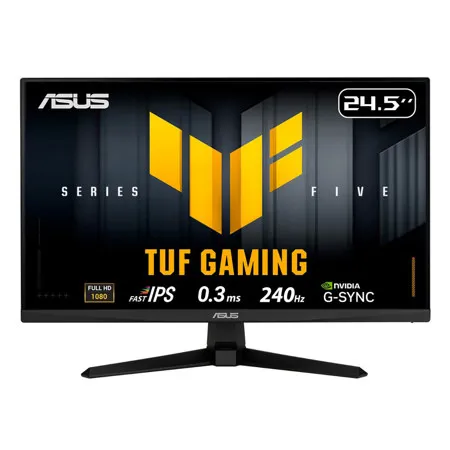
TUF Gaming VG259QM5A is a 24.5-inch Full HD monitor that delivers five advanced upgrades for top-tier gaming. It features a lightning-fast 240Hz refresh rate and 0.3ms response time, along with AMD FreeSync Premium and NVIDIA G-SYNC compatibility for ultra-smooth gameplay. With enhanced color performance, updated Gaming AI, and effortless control via DisplayWidget Center, this monitor keeps you ahead of the competition
Upgraded Speed
Exceptional Gaming Experiences
The Fast IPS panel offers quick response times, supersmooth gameplay, and crisp visuals with 1920 x 1080 resolution to take your game to the next level.
Unstoppable Gaming Performance
Boasting an impressive 240Hz refresh rate and a 0.3ms (min) GTG response time, VG259QM5A delivers lightning-fast gameplay with buttery-smooth, lag-free visual.
Upgraded Fluidity: Game Without Limits
Supports NVIDIA G-SYNC and AMD FreeSync Premium technologies for smooth, tear-free visuals. Additionally, ASUS ELMB Sync eliminates ghosting during high-frame-rate gaming.
Upgraded Colors: Vibrant Colors, Enhanced Gameplay
99% sRGB enables VG259QM5A to showcase vibrant colors and deeper contrast for stunningly-immersive visuals.
Upgraded Gaming AI: Smarter Play, Greater Wins
Dynamic Crosshair
Automatically changes the crosshair to a color that contrasts with the background, so it stands out for more accurate aim
AI Visual
Automatically detects what's onscreen and adjusts to provide the best default or user-preset monitor settings through DisplayWidget Center
Upgraded Simplicity: Easier Control
Displaywidget Center
Easily manage, optimize, and personalize your settings with your mouse in DisplayWidget Center.
User-Friendly
• Firmware Update Notification
• Customizable monitor settings
• Multiscreen Control
Instantly Setup
Instantly import pro streamers' configurations or export your ideal settings to any ASUS monitor.
Game visual
ASUS GameVisual technology provides eight pre-set display modes to enhance visuals for various content types. Easily switch modes via a hotkey or the OSD menu.
• Racing: Reduces input lag for real time racing and fast gaming experience
• Moba: Enhances the color of your opponents' health/mana bars, so that you can simultaneously respond and be the first to destroy the opposing team's main
• Cinema: Enhances contrast and color saturation for lively, vivid visuals - ideal for viewing movies
• RTS/RPG: Enhances color saturation and contrast sharpness to give you better, brighter colors and detailed visuals for real-time strategy (RTS) or RPG games
• FPS Mode: High contrast settings enhance the visibility even in dark scenes to clearly see your enemies
• SRGB: Ideal settings for viewing photos and graphics online
• Scenery: Provides a greater brightness range and introduces more contrast gradations. It tweaks color saturation for greens and blues, making it ideal for viewing photos and videos that depict scenery
• Night Vision: Enhances dark scenery gaming experience by using night vision goggles mode
Game plus
The ASUS-exclusive GamePlus hotkey offers in-game enhancements that have been designed with input from pro gamers-all to help improve your skills and gameplay.
• Crosshair
• Timer
• FPS Counter
• Display Alignment
• Stopwatch
Engineering: Connectivity
Extensive Connectivity
A multitude of connectivity options includes two HDMI 2.0 ports, a DisplayPort 1.4, ensuring wide compatibility with a variety of input sources.
Eye Care Technology
Low Blue Light
ASUS Low Blue Light technology reduces harmful blue light while maintaining superior color performance.
Flicker-Free
Flicker-Free technology reduces flicker to minimize eyestrain, helping ensure comfort during long gaming sessions.







