


+2
more
more

Need help? Ask our experts.
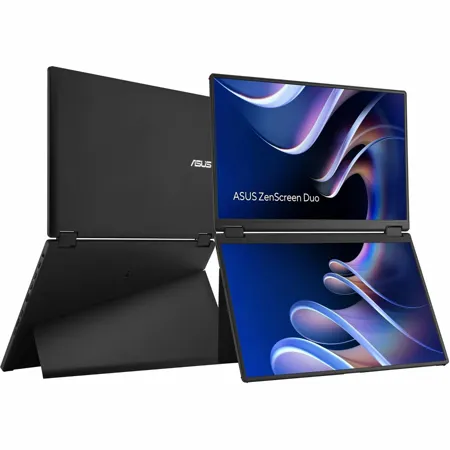
ASUS ZenScreen Duo MB14FCD - Duo, Do more on-the-go
The ZenScreen Duo MB14FCD redefines portable displays with two stunning 14-inch screens, offering a brilliant 1920 x1200 resolution and a 16:10 aspect ratio for a seamless 20-inch workspace. Featuring a versatile folding and portable design, the MB14FCD provides an impressive array of options to elevate your PC experience. Its multiple connectivity options ensure effortless integration into any setup, whether you're enhancing productivity on the go or boosting multitasking efficiency in the office.
Compact and Stylish Design
Stylish and sturdy stand
This integrated fold-up stand exudes elegance and sophistication, providing stability and support.
Unparalleled viewing experience
It can be set up in 270 Degree tent mode, with a display facing each direction. With the content of each display mirrored, that would give you a comfortable way to conduct a one-on-one presentation.
Seamless blend and flexibility
Size matters. A marvel of engineering and innovation finds the sweet spot between productivity and portability.
Seamlessly Intuitive and Expansive Capability
Effortless connectivity
A single USB-C cable is all that's required to duplicate or extend a laptop screen. The USB-C port handles power- and video-signal transmission, so it's simply a matter of plug-and-play when it's time to get work done.
Multiple Display Scenario for Various Usage
MB14FCD dual screen provides various user scenarios that can be easily enabled via OSD control, offering hassle-free multi-screen setups. These include Independent mode, Extend mode, Mirror mode, and Split mode.
SPLIT MODE
Split mode allows the MB14FCD to display content in a single, waterfall-like view. This is perfect for using as an extended monitor for your laptop while coding, reading long documents, or participating in online meetings.
INDEPENDENT MODE
Independent mode is designed for multi-taskers. Each screen can be dedicated to a different device, unlocking a whole new world of workspace possibilities.
MIRROR MODE
With mirrored displays, the MB14FCD provides a convenient way to conduct one-on-one or one-on-two presentations, allowing participants to face each other for better communication.
EXTEND MODE
Extend mode is designed for multitasking on-the-go. It is ideal for working and checking on various windows and screens at once.
Auto Rotate support
With ASUS DisplayWidget Center software it can automatically sense its orientation and switch the display between landscape and portrait modes while connected to your laptop.
Extensive connectivity
The MB14FCD has a rich selection of connectivity options, including two USB-C ports, for display signals and power transmission. In addition, a mini-HDMI port provides broad compatibility with various devices.
