+6
more
more

This item is no longer available.
AAS ULTRA - Raise the limits
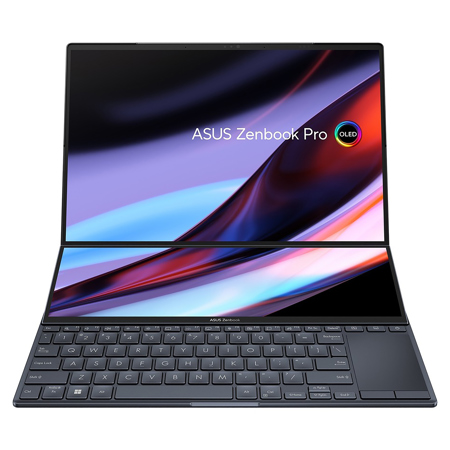
The tilt mechanism has been completely redesigned to create AAS Ultra, with a precision-engineered mechanism that raises the rear of ScreenPad Plus by up to 20 mm, tilting it by 12 Degree when the laptop is opened. This positions ScreenPad Plus at the ideal viewing angle for easy cross-screen operation with the main touchscreen. It also enhances cooling by allowing 38% more airflow than the previous generation. This in turn reduces the laptop's surface temperature by up to 4 Degree C, increasing both comfort and CPU performance.
Display - World's first 16f10 14.5" 120 Hz HDR OLED display
Built for creative excellence, Zenbook Pro 14 Duo OLED delivers superlative visuals by combining the world's first 14.5-inch 2.8K 120 Hz OLED NanoEdge touchscreen with the next-generation ScreenPad Plus. With an expansive 16:10 aspect ratio, the main touchscreen is Dolby Vision certified and PANTONE Validated to ensure accurate color rendering. It's also VESA DisplayHDR True Black 500 certified for the deepest blacks to give you ultra-realistic detail. Its cinema-grade DCI-P3 color gamut delivers ultra-vivid colors, and the 120 Hz refresh rate and 0.2 ms response time make even the fastest action scenes look super-smooth. To keep your eyes comfortable and safe during the longest viewing sessions, it's also TUV Rheinland certified for low blue-light emissions.
Display - Next-generation ScreenPad Plus
The next-generation ScreenPad Plus is a 12.7-inch, full-width secondary touchscreen with support for the latest high-precision styluses, such as ASUS Pen 2.0. We've re-engineered the tilt mechanism to create AAS Ultra, which increases the angle of tilt for comfortable touch operation and reduces the visual separation between ScreenPad Plus and the main touchscreen. The result is seamless cross-screen operation, enhancing your creative workflow even further.
Motion Clarity - World-leading motion clarity with 120 Hz OLED display
The world's first 120 Hz refresh rate, 0.2 ms response time OLED laptop display gives you so much more on top of the best colors and quality for any content - gaming, creation, day-to-day work and media entertainment can all benefit from the smoother-than-ever experience. In a word, it's awesome!
Motion Clarity - Ultimate 120 Hz / 0.2 ms for exceptional motion clarity
The new premium ASUS OLED display with 120 Hz refresh rate and 0.2 ms pixel response time is incredibly smooth and clear. In fact, both surprisingly and counter-intuitively, the 120 Hz / 0.2 ms OLED display is faster than a 165 Hz / 3 ms LCD IPS display - because it reduces ghosting to an indiscernible level. Simply put, this means even fast-moving visuals are smoother and clearer than ever.
Motion Clarity - How 120 Hz / 0.2 ms OLED display has better motion clarity than 165 Hz / 3 ms LCD display
It seems counter-intuitive that a 120 Hz / 3 ms OLED display could outperform a 165 Hz / 3 ms LCD display rival - so how is this possible? Well, the LCD panel takes precisely 6.06 ms to refresh each frame, but it takes another 3 ms of response time to process the correct colors. That's a total of 9.06 ms to fully load the image. A 144 Hz / 12.5 ms LCD display takes even longer, at 19.44 ms to show the full, final frame of each image. But with its extreme-speed response, a 120 Hz / 0.2 ms OLED display takes just 8.5 ms to process the same - making it even faster than a 165 Hz / 3 ms LCD display.
ASUS Splendid Technology - Customizable color gamut for every need
The display's color gamut can be quickly and easily switched for different tasks or preferences. On top of the ultravivid native color setting, choose sRGB for creating web content or browsing, DCI-P3 for cinema content, or Display P3 for movie-grade colors finessed to fit everyday viewing in the real world.
• 100% DCI-P3 best-in-class color gamut
• 70% less harmful blue light
• 120 Hz / 0.2 ms ultimate motion clarity
• Clearer images at any brightness
• DisplayHDR True Black 500
ScreenPad Plus - Upgrade your productivity
ASUS ScreenPad Plus with AAS Ultra is powered by the new ScreenXpert 3 software, which now makes cross-screen multitasking and creative workflows even more efficient. Boost your productivity with the built-in apps, and take full advantage of every feature with the intuitive and powerful Control Panel app.
App Switcher
Drag an app onto the App Switcher icon to launch the app on ScreenPad Plus. When external displays are attached, you can choose which screen you want the app to move to.
App Navigator
Tap the App Navigator icon to view all open apps on the main screen and ScreenPad Plus, even on your extra displays.
ViewMax
Maximize your viewing experience by dragging an app onto the ViewMax icon to view it on the main display and ScreenPad Plus.
Touchpad Mode
A three-finger tap temporarily turns ScreenPad Plus into a large full-width touchpad. You can turn this feature on or off in Settings.
Task Group
Customize app groups and use the Task Group icon to open multiple apps with one tap.
Window Flick
To move apps between the two screens, simply flick the top of an app to send it instantly to the other screen.
Link to MyASUS
Link to MyASUS in ScreenPad Plus gives you easy access to your phone, so you can make or receive calls seamlessly.
Control Panel
ASUS Control Panel gives you precise and intuitive creative controls for compatible apps on the main screen.
ScreenPad Plus - Designed for you
Whatever your creative needs, the next-generation ScreenPad Plus will make your task easier. Its flexibility and versatility means it's only limited by your imagination!
Photographer
Put tools, references and source files on ScreenPad Plus for the ultimate editing interface.
Programmer
Enjoy an enlarged visual workspace for your code, previews and other programming content.
Video Editor
Scroll through your video timeline on ScreenPad Plus, with plenty of extra room for your pro tools.
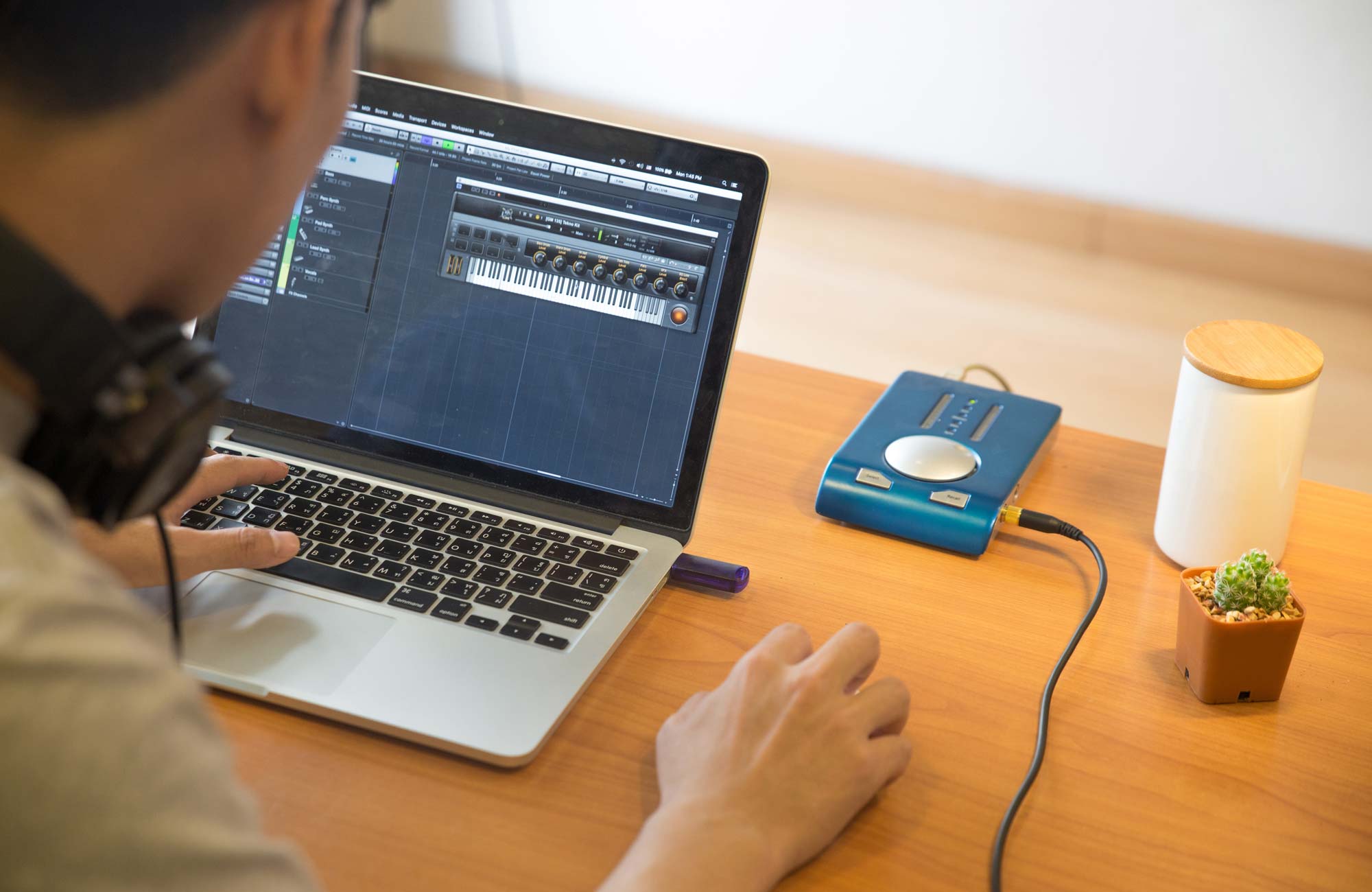
Music Artist
Record, mix and master on ScreenPad Plus, with more space for track controls.
Game Streamer
Drag your live-streaming windows onto ScreenPad Plus without interrupting the main game display.
ScreenPad Plus - Level up with Control Panel
With Control Panel you can enjoy precise and intuitive control over your creative apps. It lets you easily change brush size, change saturation, adjust layer opacity, and much more. There are four types of control - Dial, Button, Slider, and Scroll - to integrate seamlessly with any kind of creative workflow. Control Panel is fully customizable and works with Adobe Photoshop, Illustrator, Lightroom Classic, Premiere Pro and After Effects - and there are more compatible apps on the way!
Performance - Take it to the max
When every second counts, the Intel Evo-certified8 Zenbook Pro 14 Duo OLED won't let you down. Its flagship 12th Gen Intel Core i7-12700H processor delivers extreme performance for every creative task, and it's a perfect match for the studio-grade NVIDIA GeForce RTX 3050 Ti graphics. To unleash the full capabilities of this powerful combination, the ASUS IceCool Plus cooling system works with the AAS Ultra to keep everything cool and unthrottled, even at the maximum 85-watt combined TDP. Additionally, 16GB of fast RAM and an ultrafast 1TB PCIe 4.0 x4 SSD ensure there are no memory or storage bottlenecks to slow your creativity down.
CPU - Extreme creative power
Your creativity will be supercharged by the latest 12th Gen Intel Core i7-12700H processor, which has fourteen cores for effortless multitasking and a Turbo Boost speed of up to 4.7GHz. Its 60 W maximum TDP gives you the edge when it comes to CPU-heavy tasks, so you'll be able to spend less time waiting and more time creating.
GPU - Studio-grade graphics
A high-performance GPU is essential when it comes to graphics-intensive graphics tasks such as 3D rendering and video editing. The studio-grade GeForce RTX 3050 Ti GPU in Zenbook Pro 14 Duo OLED has advanced features and capabilities that help it blitz through the toughest visual tasks. And for peace of mind, the best compatibility, performance and stability are assured by the NVIDIA Studio drivers
Thermal Technology - Best cooling system with AAS Ultra and IceCool Plus
All these powerful components need to be cooled effectively in order to reach their full potential. This starts with the ASUS IceCool Plus cooling system, which uses two quiet IceBlades fans with up to 97 3D-curved blades. These cool the two 8 mm heat pipes from the CPU and GPU, and 38% more hot air is vented to the exterior via the increased 20 mm lift of the new AAS Ultra mechanism. The result is that the CPU and GPU can run at up to an 85 W combined TDP, without throttling!
Design - Professional elegance
With its sophisticated matte Tech Black livery, glossy detailing and all-metal construction, Zenbook Pro 14 Duo OLED looks and feels totally professional. The anti-fingerprint coating on the outer surfaces keeps the elegant finish pristine, and the lid features the iconic spun-metal finish with our new illuminated monogram logo.
Portability - Creativity on the go
With Zenbook Pro 14 Duo OLED, you're always ready for creative action - anywhere, anytime. Whether you're editing videos on top of the world, checking out new plans on site, or setting up a studio session, ScreenPad Plus, ASUS Pen 2.0 and Control Panel are there to support your inspiration!