+2
more
more
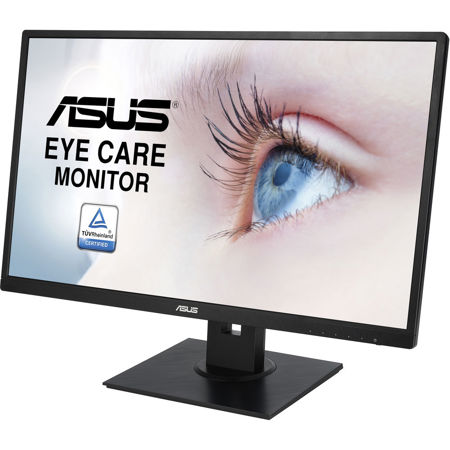

This item is no longer available.
Vivid, lifelike visuals 178 Wide-view angles
VA279HAEL feature with a 178 Degree wide-view angle that minimizes color shift on both horizontal and vertical planes to ensure quality visuals from almost any direction.
3,000:1 Ultra-High Contrast Ratio
With 3,000:1 and 300cd/m 2 brightness, VA279HAEL augments display contrast and sharpness by adjusting backlighting luminance to achieve the deepest blacks and brightest whites for truly lifelike visuals.
ASUS-exclusive SplendidPlus Technologies
We've raised the bar by incorporating some of our proprietary technologies into the ASUS VA279HAEL series to give you a truly vivid visual experience. The VA279HAEL features the new SplendidPlus Video Intelligence Technology that optimizes videos and images by enhancing color brightness, contrast, and sharpness.
SplendidPlus features two new modes - Reading and Darkroom - in addition to the Scenery, Standard, Theater, sRGB, and Night View modes. Low-blue Light and Flicker-free technologies also reduce the strain on your eyes after long periods of use.
Reading
Creating comfortable experience as if reading actual books by adjusting the monitor's color temperature and brightness levels, simulating paperback books.
Darkroom
Best choice for soft ambient light environment for visual pleasure.
Scenery
Increases the brightness range, introducing more contrast gradations and selectively tweaking color saturation for more lush landscapes.
Theater
Enhances the contrast and color saturation of the image - delivering livelier and more vivid visuals for greater immersion.
sRGB
Provides the best performance Provides the best performance.
Game
Night ViewBrings out dark hard-to-see areas while leaving well-lit portions untouched - allowing you to see opponents lurking in obscure corners.
Night View
IntelliNight Viewgently raises V-luminance to highlight poorly-lit details, capturing each scene's beauty in a crisp and vibrant fashion.
Standard
Delivers clear document viewing and web browsing experiences with optimized color and contrast.
Protect your eyes with ASUS Eye Care technology
Ultra-low Blue Light Monitor
The T V Rheinland-certified ASUS Blue Light Filter protects you from harmful blue light, and you can easily access its four different filter settings via a hotkey. VA279HAEL has undergone stringent performance tests and has been certified by T V Rheinland laboratories, a global provider of technical, safety, and certification services, to be flicker-free and to emit low blue light levels.
Flicker-free Technology
It's time to say goodbye to those tired, strained eyes. VA279HAEL features T V Rheinland-certified ASUS Flicker-Free technology to reduce flicker for a comfortable viewing experience. This technology helps minimize instances of eyestrain and other damaging ailments, especially when you spend long, countless hours in front of a display watching favorite videos.
Exclusive GamePlus function
Exclusive GamePlus functionhotkey to enable OSD crosshair and timer functions. Select from four different crosshair to suit your gaming environment, and keep track of spawn and build times with the on-screen timer.
This function is co-developed with input from pro gamers, allowing them to practice and improve their gaming skills.
Space Saving and Cable Management
VA279HAEL with MiniPC kit for those who need to mount mini PCs on the monitor, to make the desktop clutter-free and space saving. Cable management design can help you to organize various cables to keep your desk area tidy.(MiniPC and MiniPC Kit are optional)
Ergonomic Design
ASUS VA279HAEL are ergonomically-designed to give you the best viewing position possible. You can even pivot the screen to portrait mode - handy when it comes to working with websites or long documents.