



See Options
Need help? Ask our experts.
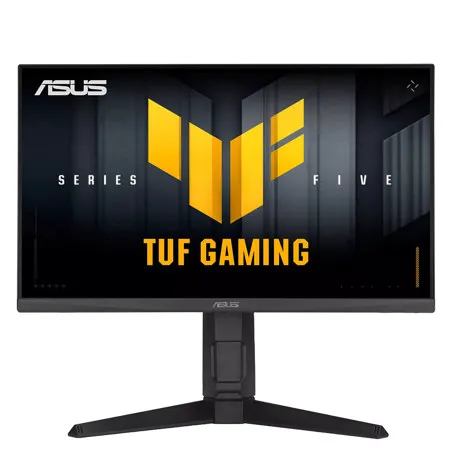
TUF Gaming VG249QML5A is a 23.8-inch Full HD monitor that delivers five advanced upgrades for top-tier gaming. It features a lightning-fast 240Hz refresh rate and 0.3ms response time, along with AMD FreeSync Premium and NVIDIA G-SYNC compatibility for ultra-smooth gameplay. With enhanced color performance, updated Gaming AI, and effortless control via DisplayWidget Center, this monitor keeps you ahead of the competition.
Upgraded Speed: Exceptional Gaming Experiences
The Fast IPS panel offers quick response times, supersmooth gameplay, and crisp visuals with 1920 x 1080 resolution to take your game to the next level.
Upgraded Speed: Unstoppable Gaming Performance
Boasting an impressive 240Hz refresh rate and a 0.3ms (min) GTG response time, VG249QML5A delivers lightning-fast gameplay with buttery-smooth, lag-free visual.
Upgraded Fluidity: Game Without Limits
Supports NVIDIA G-SYNC and AMD FreeSync Premium technologies for smooth, tear-free visuals. Additionally, ASUS ELMB Sync eliminates ghosting during high-frame-rate gaming.
Upgraded Colors: Vibrant Colors, Enhanced Gameplay
99% sRGB enables VG249QML5A to showcase vibrant colors and deeper contrast for stunningly-immersive visuals.
Upgraded Gaming Ai: Smarter Play, Greater Wins
Dynamic Crosshair
Automatically changes the crosshair to a color that contrasts with the background, so it stands out for more accurate aim
Ai Visual
Automatically detects what's onscreen and adjusts to provide the best default or user-preset monitor settings through DisplayWidget Center
Upgraded Simplicity: Easier Control
Displaywidget Center
Easily manage, optimize, and personalize your settings with your mouse in DisplayWidget Center.
User-Friendly
• Firmware Update Notification
• Customizable monitor settings
• Multiscreen Control
Instantly Setup
Instantly import pro streamers' configurations or export your ideal settings to any ASUS monitor.
Gamevisual
ASUS GameVisual technology provides eight pre-set display modes to enhance visuals for various content types. Easily switch modes via a hotkey or the OSD menu.
• Racing: Reduces input lag for real time racing and fast gaming experience
• Moba: Enhances the color of your opponents' health/mana bars, so that you can simultaneously respond and be the first to destroy the opposing team's main
• Cinema: Enhances contrast and color saturation for lively, vivid visuals - ideal for viewing movies
• RTS/RPG: Enhances color saturation and contrast sharpness to give you better, brighter colors and detailed visuals for real-time strategy (RTS) or RPG games
• Fps Mode: High contrast settings enhance the visibility even in dark scenes to clearly see your enemies
• SRGB: Ideal settings for viewing photos and graphics online
• Scenery: Provides a greater brightness range and introduces more contrast gradations. It tweaks color saturation for greens and blues, making it ideal for viewing photos and videos that depict scenery
• Night Vision: Enhances dark scenery gaming experience by using night vision goggles mode
Gameplus
The ASUS-exclusive GamePlus hotkey offers in-game enhancements that have been designed with input from pro gamers-all to help improve your skills and gameplay.
• Crosshair
• Timer
• Fps Counter
• Display Alignment
• Stopwatch
Engineering: Connectivity and Ergonomics
Extensive Connectivity
A multitude of connectivity options includes two HDMI 2.0 ports, a DisplayPort 1.4, ensuring wide compatibility with a variety of input sources.
Ergonomic Design
The ergonomic stand offers tilt, swivel, pivot, and height adjustments, plus VESA compatibility for wall mounting.
• Tilt: Yes (+23 Degree --5 Degree)
• Swivel: Yes (+15 Degree --15 Degree)
• Height: 0-120mm
• Pivot: +90 Degree --90 Degree
Eye Care: Eye Care Technology
Low Blue Light
ASUS Low Blue Light technology reduces harmful blue light while maintaining superior color performance.
Flicker-Free
Flicker-Free technology reduces flicker to minimize eyestrain, helping ensure comfort during long gaming sessions.







