


+1
more
more

See Options
Need help? Ask our experts.
Steadfast Durability, Immersive Gaming
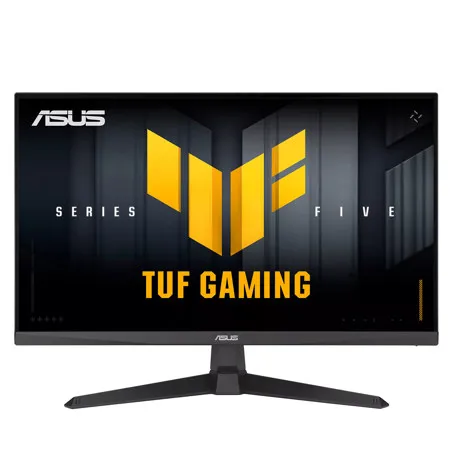
The 27-inch TUF Gaming VG279QE5A Full HD gaming monitor featuring a IPS panel for blistering-fast overclock to 146 Hz refresh rate gaming. ASUS Extreme Low Motion Blur Sync (ELMB Sync) enables ELMB and variable-refresh-rate technologies to work simultaneously to eliminate ghosting and tearing for buttery-smooth gaming. In addition, it has a 125% sRGB gamut to offer exceptional colors and contrast.
Gaming key spec: 146HZ Refresh Rate and 1MS (GTG) Response Time
With overclock to 146Hz refresh rate decimates lag and motion blur to give you the upper hand in first person shooters, racers, real-time strategy, and sports titles.
Gaming key spec: Adaptive-Sync
VESA AdaptiveSync technology ensure supersmooth, tear-free visuals with low latency.
Exclusive gaming feature: ELMB Sync
ELMB Sync software that enables ELMB to work simultaneously with adaptive-sync technology to eliminate ghosting and tearing for extraordinarily sharp, high-frame-rate gaming.
Exclusive gaming feature: Variable Overdrive
Integrated ASUS Variable Overdrive technology allows the display to dynamically alter its overdrive setting as frame rates fluctuate, ensuring optimal results for any game. You choose how strong you want the overall effect to be, then let the monitor take it from there.
In-game enhancements
DisplayWidget Lite: Intuitive Controls
DisplayWidget Center software upgraded the user interface so that users can easily change monitor settings via a mouse - so there's no need to access the OSD menu.
Shadow Boost
ASUS Shadow Boost technology clarifies dark areas of the game without overexposing brighter areas, improving overall viewing while also making it easier to spot enemies hidden in dark areas of the map.
GamePlus
The ASUS-exclusive, integrated GamePlus hotkey offers in-game enhancements that help you get more out of your game. This function is co-developed with input from pro gamers, allowing them to practice and improve their gaming skills.
GameVisual
ASUS GameVisual Technology has seven pre-set display modes to optimize visuals for different types of content. This unique feature can be easily accessed through a hotkey or the on-screen display settings menu.
Flicker-Free technology
Flicker-Free technology reduces flicker to minimize eyestrain for improved comfort when you're embroiled in long gaming sessions.
Low Blue Light
ASUS Low Blue Light technology reduces the amount of potentially harmful blue light emitted by the display. Four different filter settings are available to control the amount of blue light reduction.
Engineering
Extensive Connectivity
A multitude of connectivity options, including HDMI 2.0 and DisplayPort 1.2, ensures wide compatibility with a variety of input sources.
Ergonomic Design
With an ergonomically-designed stand, it provides tilt so you can easily find your ideal viewing position. The display is also VESA-compatible for wall mounting.







