Orders placed during Passover Holiday (Wed 4/1 after 4PM ET – Thurs 4/9) will ship Fri 4/10. View our holiday shipping schedule.

Overview
Compare
Specs
Protection
Q&A

Questions & Answers

FAQ

What is the primary use of the Media Composer | Symphony Option?

The Media Composer | Symphony Option is primarily used for professional video editing and post-production. It offers advanced color correction and mastering tools for refining video projects.

What are the main features of the Media Composer | Symphony Option?

The main features include advanced color correction tools, full color grading, powerful mastering capabilities, precision control with support for 4:4:4 HD-RGB processing, and universal mastering for real-time format and frame-rate conversion.

Is the Media Composer | Symphony Option suitable for team use?

Yes, the Media Composer | Symphony Option Floating License, 5-Pack - Electronic Download is ideal for team use. It allows multiple users to access the software across different workstations, making it suitable for collaborative editing environments.

What is the benefit of the universal mastering feature?

The universal mastering feature offers real-time format and frame-rate conversion on both output and playback. This allows for seamless transitions between formats and ensures high-quality output regardless of the original format.

Can I use the Media Composer | Symphony Option with my existing Media Composer subscription?

Yes, the Media Composer | Symphony Option is compatible with both Media Composer subscriptions and perpetual licenses. It integrates seamlessly into your existing workflow to enhance your editorial toolkit.

Reviews about this item

Review Summary

2017-08-22T09:28:33

Rated 4 out of 5

What David thinks of avid

It's a lil complicated but I'm really eager to learn and try my best.

david m.

Avid Media Composer Specifications

  • Delivery Method

    Download

About Avid Media Composer

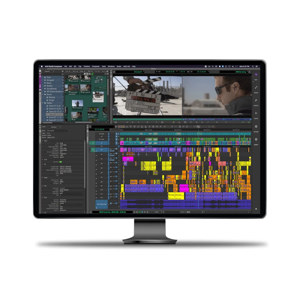
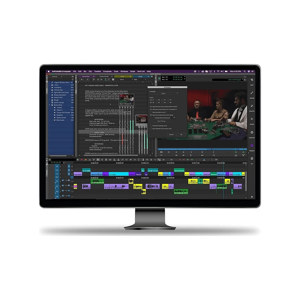
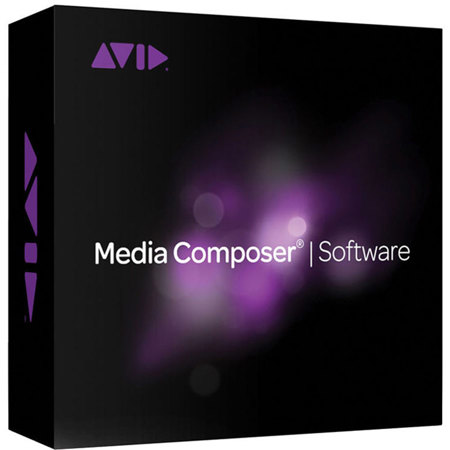
After elevating your video editing and post-production capabilities with the Media Composer | Symphony Option, you'll discover a world of professional, advanced color correction and mastering tools designed to refine your projects to perfection. This sophisticated software option is compatible with both Media Composer subscriptions and perpetual licenses, seamlessly integrating into your existing workflow to enhance your editorial toolkit.

Dive into full color grading with an array of high-quality, shape-based color correction tools that allow you to achieve the precise look you desire. Utilize advanced secondary and relational color tools, along with NaturalMatch, to stylize shots, set the desired mood, or perform intricate color corrections with ease.

Experience powerful mastering capabilities that streamline your process, enabling you to transition from offline to online effortlessly and export high-resolution masters directly from the software. The precision control offered by the Symphony Option allows for detailed fine-tuning of shots, featuring animatable and shape-based color correction. Moreover, the support for 4:4:4 HD-RGB processing ensures that your projects maintain the highest quality throughout the editing process.

The universal mastering feature of the Media Composer | Symphony Option is particularly innovative, offering real-time format and frame-rate conversion on both output and playback. This feature is further enhanced when paired with Avid Artist | DNxIQ, optimizing your workflow for efficiency and flexibility.

With the Media Composer | Symphony Option Floating License, 5-Pack - Electronic Download, teams can access these robust editing features across multiple workstations, fostering a collaborative and dynamic editing environment. This package is ideal for professional video editing studios and post-production houses seeking a reliable, sophisticated toolset that is backed by the reputable Adorama brand, known for its commitment to high-quality professional gear.

Elevate your video editing projects with the Media Composer | Symphony Option and deliver content that stands out in today's competitive media landscape.
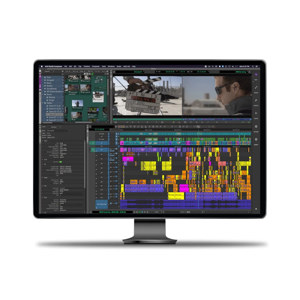
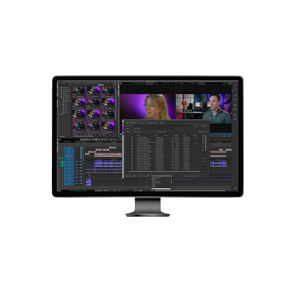
Avid Media Composer Features

  • Advanced color correction tools for professional video editing and post-production
  • Full color grading with secondary, relational, and NaturalMatch tools
  • Powerful mastering capabilities for high-resolution output
  • Precision control with support for 4:4:4 HD-RGB processing
  • Universal mastering for real-time format and frame-rate conversion
  • Multi-user access with the 5-pack floating license for collaborative editing environments

Key Features

  • Advanced color correction tools for professional video editing and post-production
  • Full color grading with secondary, relational, and NaturalMatch tools
  • Powerful mastering capabilities for high-resolution output
  • Precision control with support for 4:4:4 HD-RGB processing
  • Universal mastering for real-time format and frame-rate conversion
  • Multi-user access with the 5-pack floating license for collaborative editing environments