Overview
Compare
Specs
Protection
Q&A

Questions & Answers

FAQ

What types of media codecs does the Media Composer 2018 support?

The Media Composer 2018 supports a wide array of media codecs, including those from Panasonic, Sony, RED, Canon, and more.

What is the floating licensing feature in Media Composer 2018?

The floating licensing feature allows large-scale media enterprises, post-production houses, and educational institutions to purchase 'packs' of shared licenses to deploy across their entire facility using a single system ID. This enables multiple editors to use Media Composer simultaneously on any number of workstations when licenses are available.

Does the Media Composer 2018 offer any automation for complex tasks?

Yes, the Media Composer 2018 is designed to automate complex tasks and render effects in the background. This allows you to focus purely on your storytelling, without getting bogged down by time-consuming tasks.

Can I work with high-resolution, high frame rate media with Media Composer 2018?

Yes, the Media Composer 2018 offers powerful 64-bit performance, groundbreaking Avid DNxHR and Avid Resolution Independence technologies, plus background rendering and transcoding. These features ensure that your media and creativity keep flowing, even when working with high-resolution, high frame rate media.

Does Media Composer 2018 support HDR?

Yes, Media Composer 2018 supports a variety of High Dynamic Range (HDR) color specs, profiles, and workflows. This enables you to achieve richer, more dramatic imagery with exceptional detail in the shadows and highlights.

Reviews about this item

Review Summary

Avid Media Composer + License Specifications

  • System Requirements

    Avid-qualified Mac or Windows-based computer

  • Supported Codecs

    DNxHD, H.264, AVC-Intra 50, AVC-Intra 100, AVC Long GOP 12, AVC Long GOP 25, AVC Long GOP 50, DV 100, DV 50, DV 25, MPEG-4 SStP (Simple Studio Profile), DNxHD/VC-3, DV 25 411, ProRes 422, ProRes 422 HQ, ProRes 422 LT, ProRes Proxy, ProRes 444, AVC-Intra (H.264), DV PAL 420, DV NTSC 411, DV 50, DV 100, DVPRO 50, MPEG-2 I-frame, MP4, XDCAM HD, XDCAM HD 422, DNxHR, REDCODE

  • Supported Codecs (Cont.)

    CBG Class 300, VBR Class 300, CBG Class 480, VBR Class 480, AVC-Long G25, AVC-Long G35, AVC-Long G50, MPEG-4, MPEG-2 I-frame 30, MPEG-2 Long-GOP, MPEG-2 I-frame 40, MPEG-2 I-frame 50, D10, HDV, MPEG 40, MPEG 50, MPEG-2 HD Long-GOP 50, MPEG-2 HD I-frame 100, stereoscopic 3D formats

  • Export Formats

    QuickTime (.mov), graphic, AAF, ALE, AFE, shot log, SCC, TTML, AMA, DPX, AS-11 MXF OP1a, DNxHD MXF OP1a, DNxHR MXF OP1a, J2K MXF OP1a, export to device

About Avid Media Composer + License

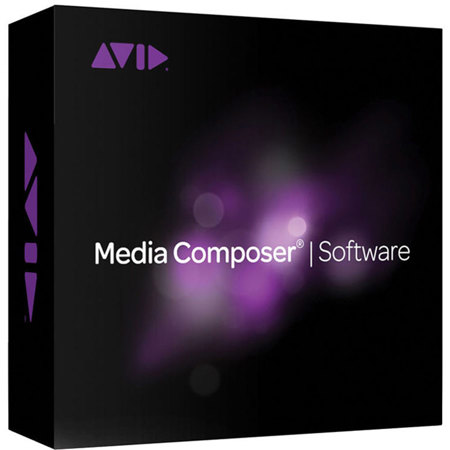
While the Media Composer 2018 Video Editing Software with Production Pack Floating License is already a well-known tool in the media and entertainment industry, it's worth delving into the specifics that make it the most used video editing software. This software accelerates high-resolution, HDR, and HD workflows, making it an essential tool for professional storytelling.

The Media Composer 2018 is designed to empower you with a suite of industry-standard editing tools, making it the perfect choice for both beginners and seasoned professionals. Whether you're working on a small indie film or a big-budget movie, this software allows you to edit and deliver high volumes of high-res media quickly. It supports a wide array of media codecs, including those from Panasonic, Sony, RED, Canon, and more.

One of the key features of Media Composer 2018 is its ability to automate complex tasks and render effects in the background. This allows you to focus purely on your storytelling, without getting bogged down by time-consuming tasks. It simplifies high-res workflows and manages media, providing you with time-saving tools that work the way you want.

The Media Composer 2018 is not just about editing; it's also about creating compelling stories. It's equipped with ACE-certified tools and unique timesaving workflows, making it the most reliable media management tool in the business. It supports SD and HD, 2K through 8K and beyond, even stereoscopic 3D and HDR. This means you can acquire and turn around content faster, without the need for copying or transcoding media first.

This software also offers powerful 64-bit performance, groundbreaking Avid DNxHR and Avid Resolution Independence technologies, plus background rendering and transcoding. This ensures that your media and creativity keep flowing, even when working with high-resolution, high frame rate media.

The Media Composer 2018 also offers a host of built-in effects, color, and title tools, allowing you to add dramatic flair to your stories. With support for a variety of High Dynamic Range (HDR) color specs, profiles, and workflows, you can achieve richer, more dramatic imagery with exceptional detail in the shadows and highlights.

For large-scale media enterprises, post-production houses, and educational institutions, the Media Composer 2018 offers floating licensing. This allows you to purchase "packs" of shared licenses to deploy across your entire facility using a single system ID. This feature enables multiple editors to use Media Composer simultaneously on any number of workstations when licenses are available.

In conclusion, the Media Composer 2018 Video Editing Software with Production Pack Floating License is a comprehensive tool that empowers you to create the best story possible. It's a fast-growing technology and an important way to future-proof your valuable content.
Avid Media Composer + License Features

  • Accelerates high-resolution, HDR, and HD video editing workflows
  • Offers industry-standard editing tools for professional storytelling
  • Supports a wide array of media codecs, including Panasonic, Sony, RED, Canon, and more
  • Automates complex tasks and renders effects in the background for efficient editing
  • Features ACE-certified tools and unique timesaving workflows for reliable media management
  • Provides floating licensing for large-scale media enterprises, post-production houses, and educational institutions

Key Features

  • Accelerates high-resolution, HDR, and HD video editing workflows
  • Offers industry-standard editing tools for professional storytelling
  • Supports a wide array of media codecs, including Panasonic, Sony, RED, Canon, and more
  • Automates complex tasks and renders effects in the background for efficient editing
  • Features ACE-certified tools and unique timesaving workflows for reliable media management