Orders placed during Passover Holiday (Wed 4/1 after 4PM ET – Thurs 4/9) will ship Fri 4/10. View our holiday shipping schedule.

Overview
Compare
Specs
Protection
Q&A

Questions & Answers

FAQ

What is the Media Composer 2018 Video Editing Software used for?

Media Composer 2018 is a professional video editing software used for creating high-quality videos. It is designed to streamline high-resolution, HDR, and HD workflows and is trusted by the media and entertainment industry.

Who can use the Media Composer 2018 Video Editing Software?

Media Composer 2018 is designed for both professionals and beginners. It offers a suite of industry-standard editing tools that cater to everyone, from seasoned professionals to those just starting out in video editing.

What types of media codecs does Media Composer 2018 support?

Media Composer 2018 offers native support for a wide array of media codecs, including those from Panasonic, Sony, RED, Canon, and more.

Does Media Composer 2018 offer collaboration features?

Yes, Media Composer 2018 has collaboration features that allow you to share media, projects, and bins with other Media Composer, MediaCentral / Editorial Management, MediaCentral / Production Management, Final Cut Pro, and Premiere Pro editors and contributors.

Does Media Composer 2018 support high-resolution media?

Yes, with Media Composer 2018, you can edit and deliver high volumes of high-resolution media quickly. It also offers greater performance with high-res media, reducing the time spent on rendering or transcoding media to lower resolutions.

Reviews about this item

Review Summary

Avid Media Composer + License Specifications

  • System Requirements

    Avid-qualified Mac or Windows-based computer

  • Supported Codecs

    DNxHD, H.264, AVC-Intra 50, AVC-Intra 100, AVC Long GOP 12, AVC Long GOP 25, AVC Long GOP 50, DV 100, DV 50, DV 25, MPEG-4 SStP (Simple Studio Profile), DNxHD/VC-3, DV 25 411, ProRes 422, ProRes 422 HQ, ProRes 422 LT, ProRes Proxy, ProRes 444, AVC-Intra (H.264), DV PAL 420, DV NTSC 411, DV 50, DV 100, DVPRO 50, MPEG-2 I-frame, MP4, XDCAM HD, XDCAM HD 422, DNxHR, REDCODE

  • Supported Codecs (Cont.)

    CBG Class 300, VBR Class 300, CBG Class 480, VBR Class 480, AVC-Long G25, AVC-Long G35, AVC-Long G50, MPEG-4, MPEG-2 I-frame 30, MPEG-2 Long-GOP, MPEG-2 I-frame 40, MPEG-2 I-frame 50, D10, HDV, MPEG 40, MPEG 50, MPEG-2 HD Long-GOP 50, MPEG-2 HD I-frame 100, stereoscopic 3D formats

  • Export Formats

    QuickTime (.mov), graphic, AAF, ALE, AFE, shot log, SCC, TTML, AMA, DPX, AS-11 MXF OP1a, DNxHD MXF OP1a, DNxHR MXF OP1a, J2K MXF OP1a, export to device

  • Delivery Method

    Card with Software Keycode

  • Duration

    1-Year Subscription

About Avid Media Composer + License

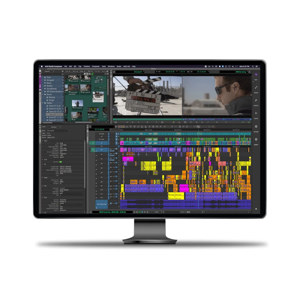
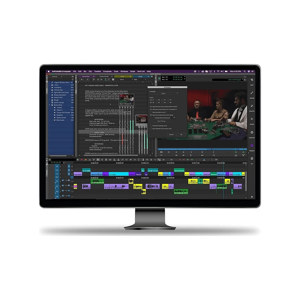
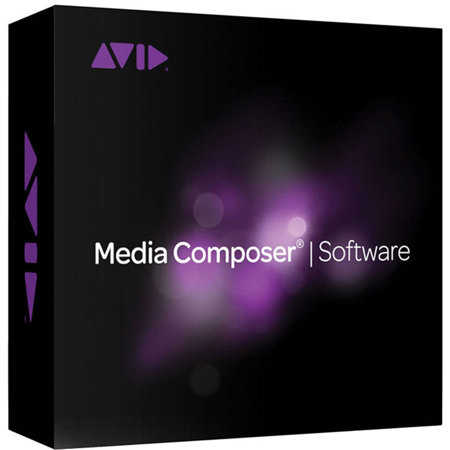
How can you elevate your storytelling to new heights Discover the innovative Media Composer 2018 Video Editing Software, a trusted tool in the media and entertainment industry, designed to streamline high-resolution, HDR, and HD workflows. Experience the thrill of inspired storytelling with advanced features that empower you to craft the best story possible.

Whether you're a seasoned professional or just starting out, Media Composer 2018 offers a suite of industry-standard editing tools that cater to everyone. This advanced video editing software is designed to handle any media resolution, work with HDR and 3D content, and create impactful scenes, effects, and soundtracks with unmatched ease.

With Media Composer 2018, you can edit and deliver high volumes of high-resolution media quickly. It offers native support for a wide array of media codecs, including those from Panasonic, Sony, RED, Canon, and more. This efficient software takes care of the time-consuming tasks for you, automating complex tasks and rendering effects in the background, so you can focus purely on telling your story.

Media Composer 2018 is more than just a video editing tool; it's a platform for limitless storytelling. With new features and workflow breakthroughs, it offers big-budget creative editorial power in a small-budget solution. It delivers greater performance with high-res media, so you can spend less time rendering or transcoding media to lower resolutions.

Collaboration is key when it comes to creating compelling content, and Media Composer 2018 makes it a breeze. Share media, projects, and bins to complete projects faster, together. It supports collaboration with other Media Composer, MediaCentral / Editorial Management, MediaCentral / Production Management, Final Cut Pro, and Premiere Pro editors and contributors.

Media Composer 2018 welcomes the widest range of file/camera formats, codecs, and resolutions, so you can acquire and turn around content faster. It offers powerful 64-bit performance, groundbreaking Avid DNxHR and Avid Resolution Independence technologies, plus background rendering and transcoding, to keep your media and creativity flowing.

With Media Composer 2018, you can design stunning visuals, work in HDR, create studio-quality soundtracks, and expand your creative possibilities. It also includes the Media Composer / Symphony Option, providing advanced and secondary color correction tools and Universal Mastering to finish and deliver projects.

Experience the fastest editorial workflows in the industry with Media Composer 2018, the reliable, professional, and efficient video editing software that empowers creative storytelling like no other.
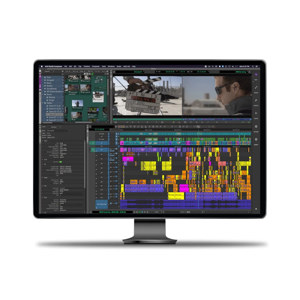
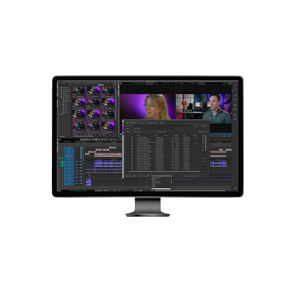
Avid Media Composer + License Features

  • Advanced video editing software trusted by the media and entertainment industry
  • Streamlines high-resolution, HDR, and HD workflows for efficient editing
  • Offers a suite of industry-standard editing tools for professionals and beginners
  • Supports a wide array of media codecs, including Panasonic, Sony, RED, Canon, and more
  • Features collaborative tools for sharing media, projects, and bins
  • Provides powerful 64-bit performance, Avid DNxHR and Avid Resolution Independence technologies for seamless editing and rendering

Key Features

  • Advanced video editing software trusted by the media and entertainment industry
  • Streamlines high-resolution, HDR, and HD workflows for efficient editing
  • Offers a suite of industry-standard editing tools for professionals and beginners
  • Supports a wide array of media codecs, including Panasonic, Sony, RED, Canon, and more
  • Features collaborative tools for sharing media, projects, and bins