Overview
Compare
Specs
Protection
Q&A

Questions & Answers

FAQ

What is the Media Composer Perpetual Floating License CROSSGRADE to Ultimate Floating used for?

This software is used for creating and editing various types of media content such as video, audio, and images. It's a professional tool that provides a comprehensive set of features for composing, editing, and delivering high-quality media content.

What type of media codecs does the Media Composer support?

The Media Composer supports a wide array of media codecs, including those from Panasonic, Sony, RED, Canon, and more. It provides native support for high-res media editing and delivery.

Does the Media Composer offer collaborative features?

Yes, the Media Composer Ultimate is designed for collaboration. It allows you to share media, projects, and bins to complete projects faster, together. You can collaborate with other Media Composer, MediaCentral Editorial Management, MediaCentral Production Management, Final Cut Pro, and Premiere Pro editors and contributors.

What are some of the built-in tools in the Media Composer Ultimate?

The Media Composer Ultimate comes with a host of built-in effects, color, and title tools for creating stunning visuals. It also includes advanced audio editing tools, allowing you to record, edit, and mix up to 64 audio tracks in 7.1 surround.

Does the Media Composer support High Dynamic Range (HDR)?

Yes, the Media Composer supports a variety of High Dynamic Range (HDR) color specs, profiles, and workflows, enabling you to achieve richer, more dramatic imagery.

Reviews about this item

Review Summary

2017-08-22T09:28:33

Rated 4 out of 5

What David thinks of avid

It's a lil complicated but I'm really eager to learn and try my best.

david m.

Avid Media Composer Specifications

  • System Requirements

    Avid-qualified Mac or Windows-based computer

  • Supported Codecs

    DNxHD, H.264, AVC-Intra 50, AVC-Intra 100, AVC Long GOP 12, AVC Long GOP 25, AVC Long GOP 50, DV 100, DV 50, DV 25, MPEG-4 SStP (Simple Studio Profile), DNxHD/VC-3, DV 25 411, ProRes 422, ProRes 422 HQ, ProRes 422 LT, ProRes Proxy, ProRes 444, AVC-Intra (H.264), DV PAL 420, DV NTSC 411, DV 50, DV 100, DVPRO 50, MPEG-2 I-frame, MP4, XDCAM HD, XDCAM HD 422, DNxHR, REDCODE, CBG Class 300, VBR Class 300

  • Supported Codecs (contd.)

    CBG Class 480, VBR Class 480, AVC-Long G25, AVC-Long G35, AVC-Long G50, MPEG-4, MPEG-2 I-frame 30, MPEG-2 Long-GOP, MPEG-2 I-frame 40, MPEG-2 I-frame 50, D10, HDV, MPEG 40, MPEG 50, MPEG-2 HD Long-GOP 50, MPEG-2 HD I-frame 100, stereoscopic 3D formats

  • Export Formats

    QuickTime (.mov), graphic, AAF, ALE, AFE, shot log, SCC, TTML, AMA, DPX, AS-11 MXF OP1a, DNxHD MXF OP1a, DNxHR MXF OP1a, J2K MXF OP1a, export to device

  • Delivery Method

    Electronic Download

  • Duration

    1-Year Subscription

About Avid Media Composer

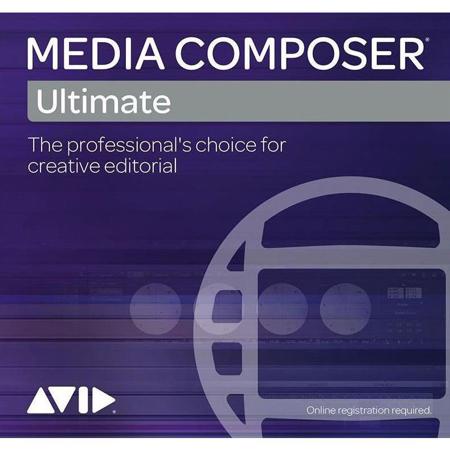
A comprehensive solution for media professionals, the Media Composer Perpetual Floating License CROSSGRADE to Ultimate Floating, 1 Year Subscription, 5 Seat, Download is your gateway to advanced, high-quality media editing. This innovative software is the industry's most utilized video editing tool, trusted by top movie, television, and broadcast editors worldwide.

The Media Composer Ultimate offers a sophisticated platform for high-resolution, HDR, and HD workflows. It's designed to streamline your creative process, allowing you to work with any media resolution, from HD to 4K and beyond. This software supports a wide array of media codecs, including those from Panasonic, Sony, RED, Canon, and more, providing native support for high-res media editing and delivery.

This professional software is not just about editing; it's about telling compelling stories. From the first cut to final finishing, Media Composer sparks your creativity, enabling you to create impactful scenes, effects, and soundtracks with unmatched ease. It automates complex tasks, simplifies high-res workflows, and manages media, freeing you to focus purely on your storytelling.

The Media Composer Ultimate 2018 version breaks down barriers to accelerate real-time production. It offers new MediaCentral collaborative capabilities and high-efficiency workflows, making it an ideal choice for editorial teams and collaborative environments. With your 1-, 2- or 3-year subscription, you gain access to Media Composer PhraseFind, ScriptSync, Symphony, and NewsCutter options.

This software also offers seamless integration with Adobe Premiere, making it easier to manage and share Media Composer projects and media. It supports four real-time streams of XAVC-I media, delivering superior performance with high-res media, so you can spend less time rendering or transcoding media to lower resolutions.

Media Composer Ultimate is designed for collaboration. It allows you to share media, projects, and bins to complete projects faster, together. You can collaborate with other Media Composer, MediaCentral Editorial Management, MediaCentral Production Management, Final Cut Pro, and Premiere Pro editors and contributors.

With Media Composer Ultimate, you can create stunning visuals with a host of built-in effects, color, and title tools. It supports a variety of High Dynamic Range (HDR) color specs, profiles, and workflows, enabling you to achieve richer, more dramatic imagery. Plus, it includes advanced audio editing tools, allowing you to record, edit, and mix up to 64 audio tracks in 7.1 surround.

In summary, the Media Composer Perpetual Floating License CROSSGRADE to Ultimate Floating, 1 Year Subscription, 5 Seat, Download is a comprehensive, advanced, and professional solution for all your media editing needs. It's the tool of choice for industry professionals, designed to enhance your creativity and streamline your workflow.
Avid Media Composer Features

  • Operating System: Macintosh, PC/Windows
  • Version Type: Subscription Video Editing Software (Floating CROSSGRADE to Ultimate)
  • Delivery Method: Electronic Download

Key Features

  • Advanced media editing software trusted by industry professionals
  • Supports high-resolution, HDR, and HD workflows for versatile editing
  • Native support for a wide array of media codecs, including Panasonic, Sony, RED, Canon, and more
  • Automated complex tasks and simplified high-res workflows to enhance productivity
  • Collaborative features for shared projects, media, and bins for faster completion
  • Built-in effects, color, and title tools for creating stunning visuals and professional polish