
See Options
Need help? Ask our experts.
Mac Colors, in Fluid Motion
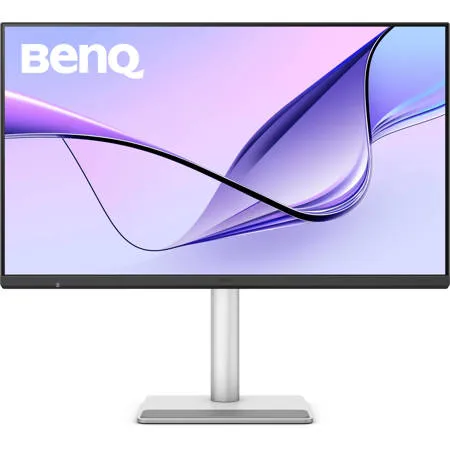
Bring the smoothness you love on your MacBook to a 31.5-inch monitor, for a more responsive experience that feels faster across daily tasks.
Colors Not Matching? Plug in and Get the Right Colors
Most external monitors show colors differently from your MacBook. As the best color-matching monitors for all MacBook generations, BenQ MA Series stays in tune with your Mac's colors, with BenQ's Mac color-tuning technology and a wide P3 color gamut. No surprises. No second guesses. Only colors that look just as you intended.
Sync with MacBook Control
Now you can synchronize controls between your MacBook computer and monitor with simple keystrokes, just like you would on your MacBook Pro and MacBook Air. Simply press the brightness or volume key, and both displays will adjust simultaneously.
Get it Done with Display Pilot 2
Experience Mac-like simplified settings with BenQ Display Pilot 2 software.
Nano Gloss Panel - Mac Colors, in Full Clarity
Love the way your Mac looks? You'll see it here, all in stunning detail. The Nano Gloss surface brings crystal-clear depth, true blacks, and brilliant highlights, revealing every nuance with natural contrast. Even from the side, colors stay accurate and lifelike, so every angle feels unmistakably Mac.
A Powerful Hub Connects All
One cable brings everything together, display, power, and connection. You can keep your MacBook, Mac Mini, Mac Studio, iPad, iPhone, and more charged and ready.
2 HDMI
Get connected to various devices for multitasking.
2 USB-C
Built-in 35W and 15W USB-C ports keep your devices charged and your setup connected.
2 Thunderbolt 4
Connect your Mac world with 40 Gbps speed, dual 4K display support, and up to 96W charging, plus 15W power for connected devices.
Daisy Chain: Expand Your Vision
See more of your timeline, your creative space, your world. Daisy Chain spans your work across dual 4K displays, delivering smooth 120Hz performance on both screens for a responsive, unified workflow.
Built-in Smart KVM
One Flow. Across Two macOS devices. Move between macOS devices without losing your rhythm. No reconnecting. No rethinking. Just stay in your flow as your MacBook and Mac mini work like one system. One keyboard. One mouse. One uninterrupted workflow.
We Adjust Easily. You View Comfortably
No more bad posture. BenQ's best monitors for MacBook Pro and MacBook Air go beyond screen limitations, offering greater freedom with multiple angles and height adjustments for an improved viewing experience.
Notes
• Since Apple Silicon M1 and M2 chips do not support multiple monitors natively, Daisy Chain cannot be applied on M1 and M2-based devices. Daisy Chain can be applied on Apple Silicon Pro, Max, and Ultra-based devices
• USB-IF certified USB-C ports ensure safe charging and reliable connectivity without risking damage to your Apple devices







