
This item is no longer available.
The DICENTIS System Software is used as a platform for controlling the entire DICENTIS Conference System. Basic functions are included; additional functions can be added depending on the required functionality.
The DICENTIS Conference System can be kept up to date by means of regular software updates. These software updates are free of charge for the first year after activating the DICENTIS system. After the first year, Software Maintenance Agreements (SMAs) can be purchased for one (DCNM-1SMA), two (DCNM-2SMA) or five (DCNM-5SMA) years.
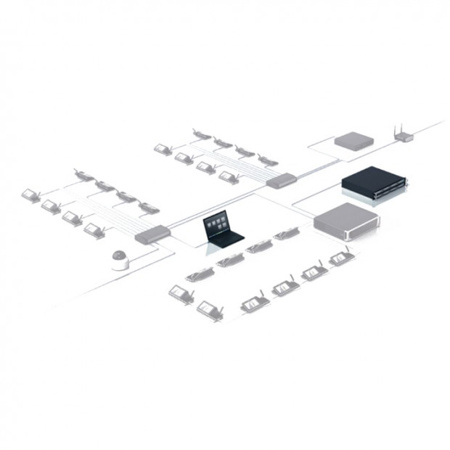
DICENTIS System Software is a server client solution and consists of two main components: The Server Software and the Meeting Application.
Server Software
The Server Software is a set of Windows services. The individual services do not have user interfaces and are run in the background to control and monitor all DICENTIS components and optionally the Meeting Application(s) running on client PCs. A user interface is present for system state and diagnostics. The Server Software also contains a license activation module. This module is needed to activate the license of a complete DICENTIS Conference System. Once, the Server Software has been configured by means of the Meeting Application, the Server Software can run autonomic without any user intervention.
Meeting Application
The Meeting Application acts as a PC user interface and is used to configure the system and manage and prepare meetings. Besides the Multimedia device, this application is the user interface of the system. To prepare and manage a meeting from the Meeting Application, the DICENTIS Meeting Preparation and Management software module is needed. If required, the software server and meeting application(s) can be run on separate computers. This allows functionality to be assigned to different users and/or PCs - for instance, one or more users can configure the system (configure), while other users:
• Register persons and assign them as participants (prepare meeting)
• Manage the meeting (manage meeting) on a separate PC
The system software contains the following basic functionally:
Configuration from the Meeting application
• Devices are automatically discovered and can be automatically or manually assigned to a seat.
• Setup chairperson seat.
• User management.
• Setup volumes of multimedia loudspeakers and sound reinforcement output on DCNM APS (both Line Input /Output and Dante Input / Output are available).
• Enable/disable Acoustic feedback suppression.
• 5 band parametric room equalization.
• User definable priority and summon tones.
• Speech timer per speaking turn, to distribute speaking time more evenly amongst participants and make the meeting more efficient.
Functions that can be accessed from a multimedia device which is setup as a chairperson seat:
• Microphone modes: - Open mode automatic, Open mode manual managed, Override mode, Voice mode.
• Number of open microphones: 1 to 25.
• Number of waiting speakers: 0 to 200.
• Enable/disable automatic microphone off after 30 seconds.
• Enable/disable priority tone.
• Master volume control.
• Initiate a summon chime.
The PC running the software server must be activated with a license before it can be used. When DCNM LSYS DICENTIS system software is ordered, it is sent by e mail; the e mail contains all information how to activate the system. If the PC running the software server needs to be replaced, an easy to use solution is in place to activate the replacement PC, without the need to order new software. Your Bosch representative can provide more information on this, if required.
Web based synoptic microphone control
The Server also hosts a web server which allows for web based synoptic microphone control. The web based synoptic microphone control has the following functionality:
• Enabling and disabling microphones
• Displaying the microphone state of the seat
• Uploading a background to mimic the room layout
• Automatically scaling the layout to the used target device
• Displaying if the discussion device is in error state
• Updating the user rights automatically upon activating and deactivating meetings
• Displaying participant pictures
Web server for meeting documents
The Server also hosts a web server that allows for storing and retrieving documents related to the meeting. Web based synoptic microphone control. The web server has the following functionality:
• Uploading meeting related documents
• Linking web pages and documents to meetings and agenda items