
See Options
Need help? Ask our experts.
Review Summary
Accidents happen where life happens. Protect your favorite Adorama products and purchase a protection plan to stay covered from accidental damage, mechanical or electrical failure, and more.
If we can’t fix it, we’ll replace it at no additional cost.
Protect your product from drops, spills, and more.
Enjoy your gear without fear. We have you covered!
When regular use of your product over time results in mechanical or electrical failure.
We will never charge you a deductible after the purchase of a plan.
Our claims process is simple & easy and our customer service team is happy to help.
Adorama Protect powered by Extend is available for purchase to customers in the United States. Not available for purchase Internationally or in U.S. Territories.
Browse our FAQ
2x 10G RJ45 Ethernet connections
Supports 2110 IP video and audio plus analog audio in and out of panel
1x 1G RJ45 for computer connection, configuration and software updates
1
1x 3-pin XLR for mic level analog audio
1x 5-pin XLR for talkback headset
2x 3-pin XLR for line level analog audio
1x 5-pin XLR for talkback headset
2x 6.35mm headphone jack
1x USB Type-C for computer connection, software configuration and software updates
1x HDMI Type A
2x IEC C14 power inputs
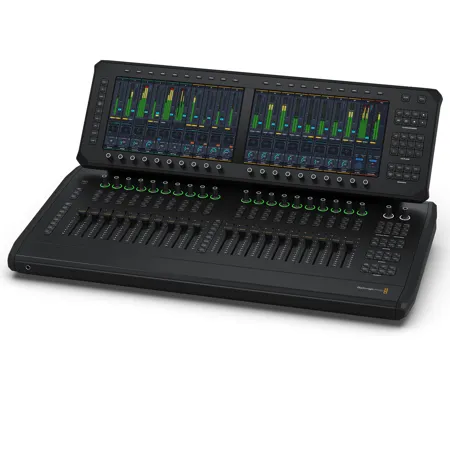
2x 11.6" 1920 x 1080 LCD touch screen
HD or Ultra HD
720p50, 720p59.94, 720p60
1080i50, 1080i59.94, 1080i60
1080p23.98, 1080p24, 1080p25, 1080p29.97, 1080p30, 1080p50, 1080p59.94, 1080p60
2160p23.98, 2160p24, 2160p25, 2160p29.97, 2160p30, 2160p50, 2160p59.94, 2160p60
20 flying faders
20 multi function rotary knobs with ring LED indicators
Select, Solo and Mute for each channel
Processing and input controls for selected channel
20 rotary knobs to adjust associated parameters appearing on lower row of focus and view screens
20 buttons to activate functions or adjust parameters appearing on upper row of focus and view screens
Online mode follows timecode from external source
On Air mode locks panel
Controls for the Player/Recorder support recording performances/rehearsals, playback for Virtual Sound Checks
Cue Player controls - Jingle/Cart player for SFX stingers plus supports MIDI cues for triggering external devices
Store and recall mixer settings and configurations
Controls for source selection and monitor circuit selection
Controls for master views and enabling masters on faders. View Only selection sends metering views to screen, when off selection targets faders
Global controls include forward, back, undo and escape plus access the setup screen and 3 x USER defined buttons
Controls for talkback to 4 groups, direct to channel and ALL. Dedicated cue mode button plus access the talkback setup screen
1x Built in talkback microphone
1x 5-pin XLR headset
1x 3-pin XLR Mic input
2x 6.35mm headphone sockets
2x 3-pin XLR audio monitor outputs
Talkback groups, direct to channel, or all
4
Fairlight Live
Blackmagic OS
Internal software upgrade via updater application
Mac 15.0 Sequoia, Mac 26.0 Tahoe or later.
Windows 11
Fairlight Live software when connected by Ethernet or USB
2x 100 - 240V AC 50/60Hz internal power supplies
2x IEC C14 sockets
32 to 104 Degree F (0 to 40 Degree C)
-4 to 140 Degree F (-20 to 60 Degree C)
0% to 90% non-condensing
18.82 x 17.91 x 10.75" (47.80 x 45.49 x 27.31cm)
9338716010657
Fairlight Live, a new software-based live audio mixer with spatial audio mixing and SMPTE-2110 broadcast workflows. Fairlight Live easily handles thousands of audio channels, working with standard computer audio or USB audio from ATEM live production switchers. Fully customizable, it has built-in effects and professional features such as a cue player, talkback busses, snapshots and more!
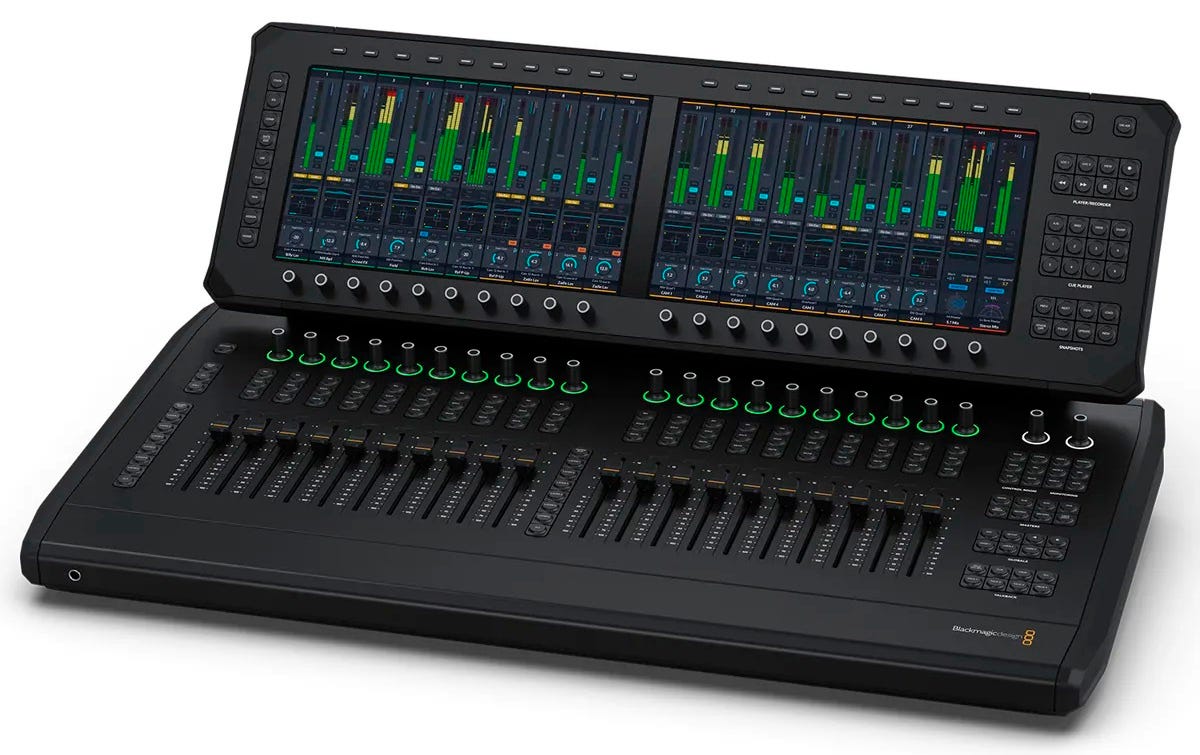
Fairlight Live makes it easy to design a custom mixer with flexible audio workflows that are perfect for any project from stereo to 5.1 surround or immersive formats. Add, modify or move inputs and busses at any time. Customers can easily change a four host panel show into a remote guest setup, or route a stereo input to an ambisonics bus in seconds. Audio channels can be managed in the tracks index to show, hide or rearrange inputs and busses.
https://www.blackmagicdesign.com/
408-954-0500






