


+1
more
more
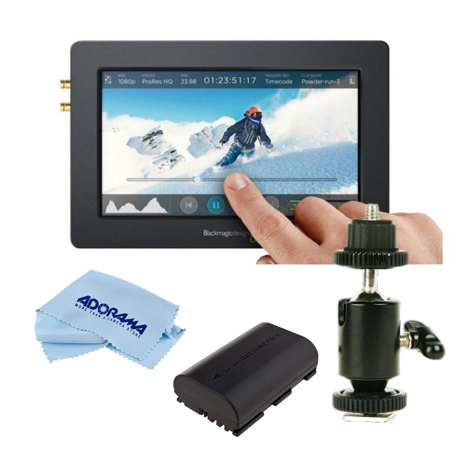

This item is no longer available.
Review Summary
2019-11-01T06:40:52
This was a great monitor for the price when it came out. There are many other options available now, so it's value isn't what it used to be. Regardless, the image quality is pretty good, the LUT support is wonderful and ability to record ProRes is fantastic. Unfortunately, the DC input jack on mine is faulty so I can only operate it via the Canon EP-6 batteries...and battery life with this is extremely short. I can only recommend this monitor if you have an external power option.
DAVID P.
2019-03-08T11:13:21
We are using this as a backup digital recorder in a meeting room and it works perfectly for that. We haven't been able to find a codec with a small compression rate so we end up with huge video files. That's really the only issue we've encountered (and it could be user error honestly), otherwise no complaints!
JOSH H.
2018-04-23T11:54:24
It you want to overcome the 29min record limit for DSLRs, or have a camera without a internal recorder. This one is for you! Record in various awesome formats FULL HDMI in and out ports SDI in and out ports (be careful of which cable you use. pick the right one) Double battery powered External power cord included
HENNY W.
2017-05-18T13:04:07
works great, easy to use. keep extra fast sd cards older sd cards don't work that great.
KAUSIK B.
2017-01-26T10:39:30
Very happy with the build quality, weight and features of this device. Have used it almost daily for over a month with no issues at all.
Deepak C.
2016-11-30T06:44:48
The Video Assist has worked great so far. The screen is easy to see and touch controls make it very easy to operate.
JOSHUA S.
2016-06-02T08:44:53
I like this for the very sturdy hefty build and recording to SD cards. The screen is bright and very clear and you can use it to focus. It would be nice to have other battery options besides the Canon. YES, the screen is skewed toward green and I'm amazed BM does not give the option to adjust tint, probably the biggest downfall of the unit rendering it unreliable for critical decisions about the color temperature of a scene. There is a fan that runs but I did not find the sound level objectionable. Be careful of dropped frames, recording at the highest data rate (ProRes HQ or DNX145) I had consistent dropped frames using a Lexar UHS-I SDHC U3 Memory Card (Class 10) 633x rated at 95MB/s - which is the card specified by Adorama for the unit. Go to BM website for specified cards that can handle these high data rates. An actual waveform (as opposed to Histogram) would be most welcome.
John P.
2016-05-16T13:29:55
A great monitor AND recorder in one at ($) is an absolute steal. The display is crystal clear, has great colors, good battery life, is easy to use, has HDMI pass through, hot swappable batteries, quiet fan, and uses SD (rather than SSD). I think the most common complaints are lack of LUT support, lack of vectors, etc., and no full-sized SDI, but again - this thing only costs ($)! One thing people should be aware of: some cheap HDMI cables will not support 60p between this and some cameras. 24/30p works fine with any cable, though.
Landon L.
2016-03-31T02:21:07
Pros: sharp, bright, clean, true color image. Peaking works very good. I like sensor display Cons: - If you are using a Ronin upside down you will see the picture upside down, too! And you just can not control it! Even the cheap TFT displays capable of it! Please blackmagic make software upadate, that fix this issue! - Noisy fan. Display fan is louder than 5 fans in my computer. I think about to remove it, or replace it with a more quiet. Especially it heard to write on the camera microphone in a quiet room. - No sunhood! You have to do it myself using paper or fabric. - Many people have problems with recording. Personally, I can't write Prores on my card, writes well only DNxHD and only 50 frames per second on my a7s. Yes, I know that is Sony problem, that you can't write 25 fps in recorder. - If weight is important for you, i have to know that recorder is heavy - 360 grams.
Evgenij
2016-02-08T21:52:00
I recently picked up the Blackmagic Video Assist at the start of January. Upon opening, I felt how solid this monitor is made. I really like the mounting points on the top and bottom, the ports are well placed, and the screen is amazing! I have taken this out on a few shoots already and I have noticed how handy this can be. Whether I'm framing, operating, or pulling, this monitor meets all my needs. I have even used it as a client monitor during interviews. The director was blown away by how crisp the image is! Recently they (Blackmagic) updated the firmware, now version 1.2. They fixed most of the bugs and added in the avid DNxHD codec. Having that now helps with more professional post houses when they want dailies. My one gripe with it is that it auto rotates/image flips without the ability to turn it off. I've taken this out on Vice jobs and we typically rig the cameras (Nikon D750s) upside down to fit in tight spots inside a car. The auto rotate is a pain to deal with. Other than that, I am really happy with my purchase! Any other firmware update will just be icing on the cake!
Chris W.

Accidents happen where life happens. Protect your favorite Adorama products and purchase a protection plan to stay covered from accidental damage, mechanical or electrical failure, and more.

If we can’t fix it, we’ll replace it at no additional cost.

Protect your product from drops, spills, and more.

Enjoy your gear without fear. We have you covered!

When regular use of your product over time results in mechanical or electrical failure.

We will never charge you a deductible after the purchase of a plan.

Our claims process is simple & easy and our customer service team is happy to help.
Adorama Protect powered by Extend is available for purchase to customers in the United States. Not available for purchase Internationally or in U.S. Territories.
Browse our FAQ