
This item is no longer available.
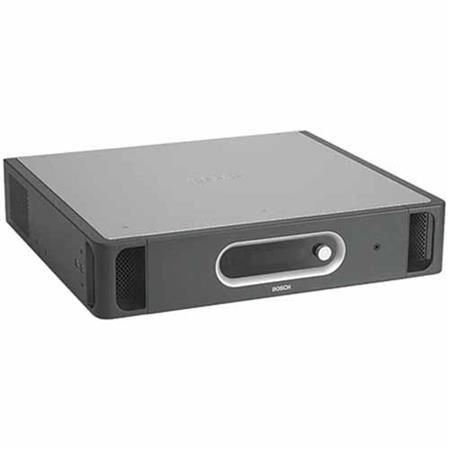
The Central Control Unit (CCU) includes features for controlling wired and wireless delegate microphones, distributing simultaneous interpretation and conducting voting sessions, all without an operator. In combination with a PC, this control unit brings greater sophistication to conference control. Users can access an extensive range of software modules, each with a specific function in controlling and monitoring a conference. These modules greatly expand the capacity to manage a conference. In the event of PC failure, this control unit will revert to its stand-alone operation mode, enabling the conference to proceed.
• For DCN Next Generation or DCN wireless systems or a combination of the two
• In single-CCU; maximum 245 wired contribution units, plus 245 wireless delegate units
• For multi-CCU systems, with up to 30 CCU's and a total of 4000 contribution units
• Voice activated microphone mode for wired and wireless systems
• Ethernet connection for configuration and control computers
Functions
• For DCN Next Generation or DCN wireless systems or a combination of the two (Maximum one DCN-WAP per system)
• Basic microphone management facilities
• Four operational microphone modes:
• Open: microphone button control with requestto- speak (Auto)
• Override: microphone button with override of activated microphones (FIFO)
• Voice: voice activated microphones
• Push-to-talk (push and hold button to speak)
• Number of open microphones between 1 and 25
• Configuration of CCU and system via a display and a single rotary push button
• Basic voting control for parliamentary voting procedure. Delegates can register Present', Yes', No' and Abstain'. The Concentus Chairman unit can start, stop and suspend the voting. The total results can be displayed on hall displays and on the LCD screens of the units
• A page function which activates a voting tone. With this tone the chairman can indicate that a voting round is about to start
• Simultaneous interpretation function with 31 language channels plus one floor channel
• Distribution of up to 10 language channels plus floor to DCN wireless discussion units
• Distribution of up to 31 language channels plus floor to Integrus receivers, DCN wired channel selectors
• Basic intercom function with function to assign intercom operator and intercom chairman (both can be called from the interpreter desk)
• Stand-alone automatic camera control
• Extended conference facilities when using control PC software or remote controllers
• Adjustable sensitivity for the audio inputs
• Adjustable level for the audio outputs
• Audio insertion facility to connect external audio processing devices or telephone couplers
• The CCU can be assigned a unique name by the installer for easy identification
• VU meter readings to monitor audio inputs and audio outputs. The audio can be monitored using a headphone
• 19" (2U) housing for tabletop or rack mounting
• Handgrips for easy transportation
Controls and Indicators
Front
• Power on/off switch
• 2x 16 Character LCD display for status information and configuration
• Rotary control to navigate through the LCD menus
Back
• Three red LED overload indicators for the DCN network outputs
• Two red LED overload indicators for the optical connections
• Green and yellow LED indicating Ethernet activity
Interconnections
Front
• One stereo headphone output 3.5mm (0.14")
Back
• Euro power socket with built-in fuse
• Three DCN outlet sockets including locking facility for connection of units
• Two optical network connections for connection of Integrus, various audio expanders, CobraNet interfaces and Wireless Access Point
• Two three-pole XLR balanced audio line inputs with galvanic separation
• Two stereo Cinch unbalanced audio line inputs
• Two three-pole XLR balanced audio line output with galvanic separation
• Two stereo Cinch unbalanced audio line outputs
• One Ethernet connection for Control PC, Open Interface or slave CCU
• One RS-232 serial data connector for controlling cameras
• One error switch, galvanic separated cross-over switch to trigger external equipment in case of errors detected by the CCU