
This item is no longer available.
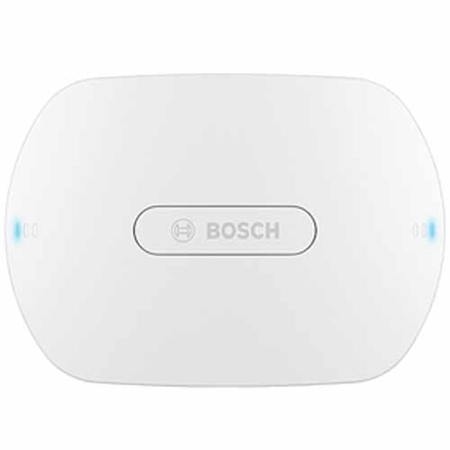
The Wireless Access Point (DCNM-WAP) is the central device of the DICENTIS Wireless Conference System. It links the Wireless Devices (DCNM-WD and DCNMWDE) by means of a secure wireless WPA2 communication. Only a DCNM-WAP with built in web interface is needed to setup, configure and control the DICENTIS Wireless Conference System. The Wireless Access Point attractive design enables it to be placed unobtrusively on a wall, ceiling or tripod floor stand by using the included universal mounting bracket.
• Stand alone usage, no central control unit needed
• Based on standard Wi-Fi according IEEE 802.11n
• WPA2 encryption for secure communication
• Seamless frequency switching in the 2.4 GHz and 5 GHz band
• Powering via power supply adapter, Power over Ethernet or DCN multimedia System Network Cable
Functions
Easy to use
• Truly wireless, no need for an additional Wi-Fi router for tablet control.
• Easy and intuitive web interface for system set up, configuration, control and licensing
• Native support for camera control
• Range test function to guarantee that all Wireless Devices are in range, independent of the selected Wi-Fi frequency
• Remote interfacing using API to control microphones and 3rd party camera systems
Zero Interference
• Seamless automatic wireless frequency channel switching
• Operating in the 2.4GHz and 5GHz (UNII1, 2 (extended) and 3) (license free) band
• Packet Loss Concealment to mask the effects of lost or discarded packets
Standard Wi-Fi
• Visibility in the IT infrastructure
• Co-existence with other Wi-Fi networks
System cameras
• For giving a clear visual overview of the proceedings.
• Native support for a maximum of six HD Conference Domes with SDI connection can be connected to the system
General
• Powering via either: Power supply adapter, Power over Ethernet (PoE) or DCN multimedia System Network Cable
• Typical wireless coverage area range of 30m x 30m
• Functionality is modular expandable via licensing
Web interface
The DCNM-WAP supports the following software functions which are available trough the web interface (Some functions are not supported when a tablet device is used).
Configuration
• User management which gives the possibility to create several users with user specific access to functionality
• Line input/output and routing settings
• 5-band parametric equalizer
• Camera control and HD-SDI switcher configuration
• Wireless network SSID and WPA2 settings
• Wired network host-name setting (DHCP and zero-config protocol based on Bonjour, fixed IP address is not supported)
• Upload of custom logo which is shown in DCNM-WDE Wireless Device Extended
• GUI language setting
• Factory default
• Device subscription using standard WPS protocol
• Seat naming including priority setting for the chairperson (Maximum up to 15 Wireless Devices can have priority)
• Dual-use setting (requires DCNM-LSDU per DCNM-WD/WDE)
• Camera preposition assignment to seats (Requires one DCNM-LCC per DCNM-WAP)
• Date and time settings. Automatically date and time synchronization through ntp server from the internet or supplied by the local DHCP server
• Firmware upgrade of all devices and the DCNM-WAP using the wireless network (Not supported when using the web interface on a tablet)
• License activation (Not supported when using the web interface on a tablet)
• Logging with export functionality (Export is not supported when using the web interface on a tablet)
Preparation
• Discussion mode settings, open, override, voice and Push-To-Talk
• Maximum 10 of open microphones
• Participant names
• Participant identification by use of NFC tags (requires DCNM-LSID per seat)
• Identification on assigned seat or at any seat
• Range test to guaranty device coverage in case of channel switching
Management and monitoring
• Add/remove participant/seat to the waiting and/or speaking list
• Shift from waiting list to speaker list
• Monitor of battery life time and signal strength per Seat
• Power off all Wireless Devices
• Voting control with subject, answer set and results Presentation
Web interface general
• System information
• Supports multiple language
Controls and Indicators
• 2x 3 LEDs on the front side showing the status of the Wireless Access Point / system
• Equalizer control
• 3rd party control, API and voting
Interconnections
• 1x Ethernet/PoE/DCN multimedia socket
• 1x DC power supply adapter input socket
• 2x 6.3 mm jack sockets for audio line input and audio line output external system connections
External system connections
Additional facilities are provided for the connection of external system equipment. These facilities comprise:
• An application programming web interface for control of external equipment such as video cameras (via a SDI control matrix), video displays
• One audio line (balanced) output for connection to a sound reinforcement system, audio mixers or to a voice logging system for audio registration of all spoken conference proceedings
• One audio line (balanced) input to allow connection of audio sources
• Use of a telephone coupler for connection to a remote participant or conference system
• Insertion of an external sound processing device such as an additional graphic equalizer in the audio path of the wireless device loudspeakers