


+5
more
more

See Options
Need help? Ask our experts.
Accurate Colors, Right Out of the Box
Every Corner and Every Shade, Reliable for Studios
Developed beyond standard compliance, BenQ AQCOLOR technology ensures corner-to-corner uniformity and precision with 99% Adobe RGB, 99% DCI-P3, and 100% Rec.709 coverage. This gives professionals confidence that their colors remain consistent from first draft to client delivery.
Corner-to-Corner Uniformity
No dim corners, no uneven tones. Just consistent brightness and color across the screen, thanks to BenQ corner-to-corner uniformity. Now you can create with confidence.
Dark Tone Reproduction
Smooth gradients, natural transitions, and shadow details that stay true for 2D and 3D work, powered by BenQ-exclusive dark tone calibration. The result: sharp focus and immersive storytelling.
Precision from Panel to Production
• Corner-to-Corner Uniformity Control: Human Vision-Matched Uniformity Calibration
• Color Tolerance Management: High-Precision Instrument Alignment
• Industry Standards Compliance: From Rec.709, DCI-P3 to Adobe RGB and Beyond
Certified Accuracy by Leading Third-Party Authorities
Pantone Validated & Pantone SkinTone Validated
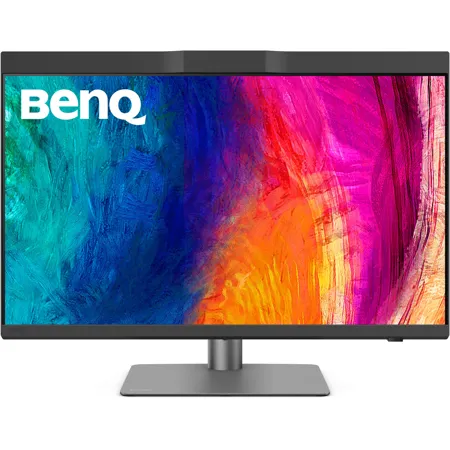
Featuring Pantone Validated and Pantone SkinTone Validated, PD2770U delivers real-world colors that achieve the utmost authenticity for professionals.
Calman Verified
Every BenQ professional monitor is fully Calman Verified. Creative professionals demand excellence, and BenQ delivers.
Pantone Connect Premium
Go digital with BenQ, the first brand to partner with Pantone on a mobile app. Existing owners and new purchasers of BenQ professional monitors get one year of free Pantone Connect Premium for digital mobile color consistency and accuracy.
Key to Consistent & Drift-Free Studio Color
Color Management Simplified
For lean creative teams, every color decision matters. BenQ color management solutions keep colors consistent across projects, with no extra tools, no added workload, and no wasted hours.
Hardware Calibration - Accuracy That Doesn't Drift
By adjusting the monitor's LUT directly, hardware calibration keeps colors consistent across devices and over time. It prevents drift, reduces rework, and ensures client-ready results every time.
Built-in Calibrator - Pro Accuracy with Zero Hassle
With calibration built directly into the monitor, you get pro-level accuracy without extra devices or added cost, just reliable precision at your fingertips.
Light-Adaptive Calibration - Calibration Optimized for Your Lighting
Our Light-Adaptive Calibration senses your studio lighting, then adjusts automatically with optimal settings. The result is precise, environment-specific color-effortless and ready to use.
Automatic Scheduling - Calibration on Your Schedule
Manual calibration is easy to forget and can disrupt tight deadlines. With automatic scheduling, the monitor calibrates after hours, so your studio starts each day with precise, ready-to-use color.
DMS Local - Centralized Color Management Simplified
With DMS Local, a single PC manages every monitor in your studio. Sync color settings across the team and schedule automatic calibrations over your network, ensuring long-term consistency without manual effort.
Zero Setup. Full Focus.
Magnetic Shading Hood: Snap On and Focus Instantly
This one-piece magnetic shading hood snaps into place instantly-no tools or assembly required. By blocking ambient light and glare, it ensures accurate color evaluation and distraction-free workflow, helping designers stay fully focused.
Nano Matte Panel: Accurate Colors, Comfortable Eyes
BenQ's Nano Matte Panel diffuses ambient light to preserve color accuracy and contrast while reducing glare, keeping your eyes comfortable during long design sessions.
Control Your Workflow Instantly
BenQ Display Pilot 2
Display Pilot 2 lets you organize key functions like ICC sync and Desktop Partition into streamlined workflows that adapt to your design needs in a faster, smoother, and more flexible way.
Wireless Hotkey Puck
Hotkey Puck syncs with Display Pilot 2 for effortless monitor control. Three customizable keys provide instant access to Color Mode, Input, KVM, or app launch, while the rotation dial adjusts brightness, contrast, and volume-no menus needed. So you stay focused on work without distraction.
Less Clutter, More Control
All-in-One USB-C for Mac Compatibility
Transfer data and up to 96W power via one USB-C. Thunderbolt 3/4 works seamlessly with BenQ displays for smooth workflow.
Reliable RJ45 Wired Connection
With RJ45, connect monitors for networked management, synced color settings, and scheduled auto-calibration to keep team-wide consistency.
Built-in KVM - Seamless Mac & PC Control
Onboard KVM for seamless Mac and PC control. Switch effortlessly using one keyboard and mouse, keeping your workflow smooth even during heavy rendering or design tasks.
Comfort That Keeps You Creating
Adjust your monitor to the perfect angle with flexible tilt, swivel, and pivot controls. Whether designing or presenting to clients, you'll always enjoy the right view to work comfortably and confidently.
Boost Your Creative Productivity
• Palette Master Ultimate: More accurate and faster calibration with a calibrator
• Display Pilot 2: Take control of your display settings efficiently
• Display QuicKit: Easily update your monitor's firmware to stay up-to-date
BenQ's Green Commitment: A Vision of Sustainability
BenQ prioritizes eco-friendly practices in our product development, underlining our commitment to sustainability. BenQ Professional Monitors incorporate eco-friendly technology, recycled materials, and energy-efficient design.
85% PCR
The housing of monitors is made with 85% PCR (Post-Consumer Recycled) materials, contributing to eco-friendly production.
Recyclable Packing
We package our monitors in fully recyclable cardboard for minimal environmental impact.
Auto Power Off
Conserves energy by automatically shutting down the screen after 10, 20, or 30 minutes of inactivity, promoting sustainability.







