
This item is no longer available.
Review Summary
2018-07-29T20:00:00
After downloads, following support, etc. This machine will not shake hands with my Wi-Fi. It used to, but it went on vacation
trout b.

2018-07-10T20:00:00
This machine won't stay out of sleep and deep sleep mode which makes it very unreliable. When it works, however, it works well. I've noticed many others online (YouTube, etc. trying to figure out how to keep it permanently out of sleep mode. Now, it has been discontinued.....interesting.
TXTER
2018-06-20T20:00:00
Unfortunately, this item is DISCONTINUED. Wish me luck! No, I cannot recommend this product because it is discontinued!!!!
Jiggady
2018-06-20T20:00:00
This printer is everything I hoped it would be. It's compact so it doesn't take up as much room on the desk. It prints pretty quickly and the quality is great.
Coatsraleigh
2018-06-19T20:00:00
I enjoy this product, but do miss not being able to get color copies.
Mary 2.
2018-06-18T20:00:00
Great compact laser printer which does duplex printing. Works well with Mac and PC and iPad.
RobRoy
2018-06-17T20:00:00
I need a B&W printer that was low cost to use, fast and dependable for my home office. My Brother printer has been all 3 of these things. I'm actually shocked by the speed given how quiet it is. The power down feature I thought would be a pain as it would likely need to warm up, but instead, less noise & heat, no significant delay in printing. It has been a long time since my last Brother printer, back when laser printers were hot, slow and expensive per page. (FYI - that old printer was a solid buy I had for years, only the cost per page moved me to lower cost ink-jets when I finaly wore it out.) I'm glad I came back.
Knightinus
2018-06-15T20:00:00
The printer works great whether single or double sided. The old style interface for data entry (WiFi password sucks. How about something a little more user friendly!
Ski m.
2018-06-15T20:00:00
Fairly easy set-up. Super reliable. Cranky help desk and tedious password and IP input. One power surge too many killed connectivity.
Ann A.
2018-06-15T20:00:00
Wish it were easier to set up different features. Typing in WiFi pass codes, changing features is difficult and frustrating. As far as print quality it is very good and cartridge life is excellent. I'd recommend this for anyone who uses a tablet and needs a printer.
DLG166
2018-06-13T20:00:00
So far it's been fine except for times when the printer doesn't get my instructions, or something is amiss. Then it can be a disaster as it's very hard to turn off. It's a Huge design flaw to have not provided an easy, clearly visible, simple on/off switch. By the time i find it & then have to forcefully deeply press in the very tiny poorly accessible button - too small for my finger - then have to hold it for an interminably long time, by then the printer has printed an excessive amount of unwanted print sheets. I am going to see if i can find an on/off switch i can add to the cord, which i'll then have to position so it's is clearly visible & reachable so i don't waste a huge amount of paper & ink yet again... i also would much prefer having a real, physical instruction manual i can read & study. One of my main reasons for having a simple, monochrome laser printer is because i don't like reading on line. i print out reading material so it's easier on my eyes. I can highlight, make notations, rearrange, study, actually take time to learn material in a more relaxed comfortable way, where i don't have to be tied to an electronic device. Not being tied to a device is a far more relaxed way to read & understand what i'm reading. I would feel better to have information easily ready in a clear, well formatted, physical book. I hate being forced to have to use the web to get information that should have come with the printer. Feels chinzy to not provide a decent manual. And there's not even one available to buy... yuck yuck yuck
anonymous e.
2018-06-13T20:00:00
I would not hesitate to recommend this printer to friends or a family member.
Bob 1.
2018-06-12T20:00:00
Really good product, i am very happy with my purchase.
Little J.
2018-06-12T20:00:00
The printer is good quality and a reasonable price for personal home use.
Queenie
2018-06-12T20:00:00
Overall great printer, still happy going with Brothers (I had the HL-2270DW before this one. No complaints, just couple recommendations for things that would give me, personally, better experience. I miss the on/off switch that I had on the previous model. I don't print often and I use to turn the device off after using it. On this model I can do that by holding down the power button but won't work on the spot, just if done at the right time - i.e. when the display shows "deep sleep". Sorry to be spoiled, but I want the to turn it off immediately rather than waiting for the printer to get in the right mood. Another recommendation would be make the LCD display visibility better. The way it is requires one to look down from above the printer. The more diagonally you look at it the more difficult is to read. In my case I have the printer tucked into a shelf, with another shelf above it (since the printer is compact, I want to take advantage of that quality). This makes it inconvenient for me to read the display. Maybe place the display closer to the front of the printer, below rather than above the buttons?
Mitch N.
2018-06-12T20:00:00
I was so tired of my HP printers using all their colored ink to make back and white copies. This printer has saved me about $40/month for the last year. Customer service when I had a hook up question was easy to work with.
Stratofaster
2018-06-12T20:00:00
The unit continues to work hard and steady. The only things standing in its way of full performance satisfaction are updates for the unit. Updates should be straight forward, for example, "Here is the update you need for your unit!" Nope, not for Brother updates though. One must go through a gaggle of pages and then follow icons upon icons, never in the end knowing if what you're downloading is the most recent update and pages of icons. KISS - Keep It Simple Stupid.
JDoubleU
2018-06-12T20:00:00
The printer keeps saying it is out of paper when it is not- very frustrating!!
lynchstar
2018-06-11T20:00:00
Most wireless printers are difficult to connect to the internet, not this one!! easy!
Jimmya
2018-06-10T20:00:00
When I disconnected Wi-Fi in my home, I lost the Wi-Fi use of the printer. Now I must run a cable. I wish that it worked with Wi-Fi hotspot but it doesn't.
BJBx
2018-06-08T20:00:00
This is a great little printer. The user guides are totally lacking. Also their troubleshooting guides need revamping or easier access. The firmware update tool is the worst l've seen. Aside from this the printer is quite good.
jvile
2018-04-20T20:00:00
Purchased for my Daughter and Grandson to print his schoolwork, so far the product is working great and the wireless seems to work well ... as I have had no complaints!
BOB147
2018-04-19T20:00:00
I purchased simply because of price and reviews. It has been an excellent printer for my needs. My ink jet printer took several minutes to print reports and used excessive ink... this laser printer makes a huge difference in my print jobs.
SAscarbro
2018-04-17T20:00:00
Toner depleted less then 2 months I probably barely print 2 or 3 hundred pages and new toner is almost price of the printer!!
Hasan
2018-04-15T20:00:00
The Brother HL-L2360DW is reliable when connect to computer via USB cable. That is not the case with connection via Wi Fi.
Stisse
2018-04-11T20:00:00
I wasn’t ready to retire my 2005 HL2040 laser printer. It needed a drum unit (#2 and it occasionally didn’t feed paper properly. My wife was asking for a printer with wi-fi connectivity, So I gave in and replaced my beloved (printer) with the L2360. I hope it lasts as long as the 2040, which I am looking for a place to ‘continue serving’. I am happy with the new printer. No loss in print quality and I am getting used to the delay before it prints. (my only complaint.) Keep up the good work, brother!
jaslaw
2018-04-09T20:00:00
Do consulting projects and have had excellent results. Also their tech support has helped out, when software additions from other sources have interfered with printing. Keep up the good work!!
Victorla
2018-04-07T20:00:00
This machine is excessively difficult to get set up with Wi-Fi, and once I did (after calling spport), it will not print anything I ask it to. It will, however, spit out pages of information about the printer's inner workings. I thought I had signed up for automatic toner ordering, but obviously not since no new toner has been sent. I can only disregard this printer altogether at this time, and so this has been a total waste of money!
EMFahel
2018-04-03T20:00:00
Got this at Christmas as our bank started charging for mailing statement in January. It's so dependable can go a week or two between print jobs, NO MORE hazzles with dried ink or having to clean print heads!!! Would of gave it a 5 Star, but my LED panel is not back lite, so I have to use an external light to read panel!! Thought it was just mine, but went back to Best Buy and their display didn't have a back lite either. They didn't have a display out at time of purchase.
dhorton
2018-03-31T20:00:00
Support helped me resolved the issues so I can now print from three computers and two iPhones
Drrod
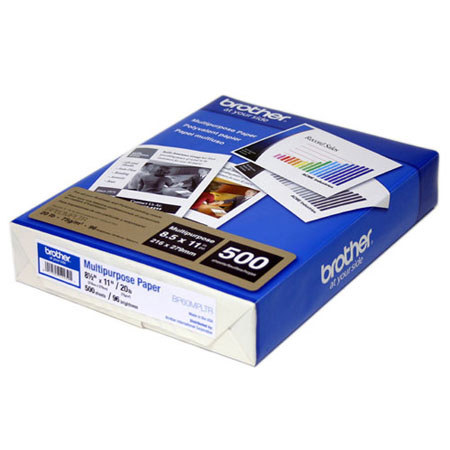
Letter A Size (8.5 in x 11 in)
Ink-jet
75 g/m2
96
Brother MFC printers
The Brother Multi-Purpose Paper is designed for use with MFC printers.