


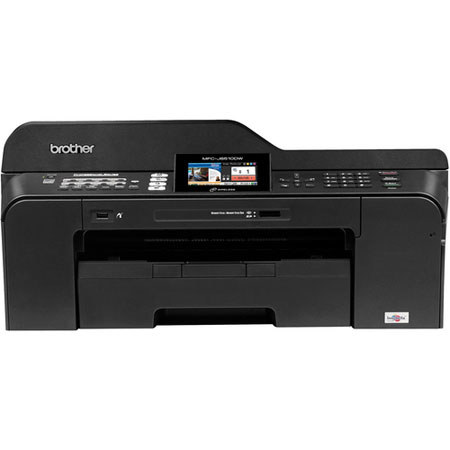

This item is no longer available.
Review Summary
2014-04-13T20:00:00
This printer was purchased for a small law firm. I usually put out about 200 pages a day of printed material and copies. This machine takes approximately 30 seconds after copying to set itself up for the next document. This has been a big problem as I find myself constantly waiting to copy the next document. Thirty Seconds doesn't sound like a lot, but when you are in a hurry it really makes a difference. Also, it eats Brother ink. I have never had a machine that consumes black ink so quickly. I put a black XL in on 3/28 and it was empty on 4/7 (10 days. This was using the machine regularly and not cleaning the heads or anything. None of the machines I have ever used have used ink that quickly. I can say that support has always been good and the color quality of the print is good. We loved our old Brother black and white printers, but I'm not happy with this color printer.
Legalsec

2014-01-19T19:00:00
So far this printer has out performed any of my previous printers that cost a great deal more. The support also is superior to the popular brands that I have owned.
printfax
2013-09-29T20:00:00
I cannot get my computer to work with this printer as I cannot plug in the USB port to the printer. I can copy but cannot print from computer. Ifeel it will be great if I could get it plugged in.
dotty
2013-08-31T20:00:00
Large footprint, long and noisy start-up and shut-down, and a pain with only one paper tray. That being said, works fine and, so far, lasts a long time. Print speed and quality are good and ability to do large size documents/art is super. Would buy again.
HomeUser25
2013-06-08T20:00:00
Easy to use this machine - faxing, printing and copying. The colors are as expected. So glad I choose this model.
Flowers
2013-04-16T20:00:00
I love this printer! It is a joy to use, and does everything well. It performs scans easily and flawlessly, even legal size. I am so pleased that I purchased this printer -- it was a bargain considering its features and the quality of its construction, and it has enabled me to do so many functions easily and with excellent results.
termite
2013-02-13T19:00:00
This is a great choice for a home mfc. It was easy to install and easy to connect to wirelessly with all of our devices. The printing is adequate, but I am use to a solid ink printer not an inkjet so there is a big difference. I would definitely recommend this machine!
WalkeratHome
2013-02-05T19:00:00
This is almost identical to my former multifunction. Both do many things well. The old one died of an ink clog after 2 years: hope this one lasts longer. The new one is noisy in handling paper: hope this does not indicate an early failure. Having said this, these Brother machines do many wonderful things well, have a reasonable price, and I will probably stick with them.
Reca
2013-01-11T19:00:00
The MFC-J6510DW is superb. If someone is able to istall the Printer and the driver, the you are good to go. It is easy to use, It prints and scans fast, and beautifully well. These are the features that I have used so far.
GAME
2012-12-28T19:00:00
This product was very easy to set up. No problems with installation on any of the computer systems including Windows 8. Does an excellent job of giving a choice of printing functions. This is the first copier that actually accomodates 11x17" paper with no problems.
ok4now
2012-12-12T19:00:00
I have bought and owned nothing but brother for the last 15yrs. Loved everyone, UNTIL I bought this one, the most expensive one I ever bought talked for yrs I wanted one like this. The only printer I ever owned that will not feed card stock of 65lbs I have to manually feed each peice and it rarely prints straight. Jams more then any printer I ever owned. I am a business owner and print my tags on card stock, they look like bad now, I use this printer.
Trulyunhappy
2012-12-03T19:00:00
Machine is a good buy. Only printer that I can afford that will print my mechanical drawings on one sheet of paper. Only "problems" that I have with it are that it won't copy/fax duplex - just one side at a time - and doesn't have a second paper drawer. Actually, about 4.5 stars.
Eric10
2012-12-03T19:00:00
I bought it because I wanted a wireless device. It was easy to link up to my router and two computers. I only print a few pages per week. The only flaw I've noticed is that at times it may try to pull more than one piece of paper through at one time and will then jam. Cleaing the jam means going through a series of steps, some of which are not required but still must be done in order to satisfy its internal instruction set. To mitigate this, I open the paper tray and riff the paper in it a few times every week or two.
Bentwaters
2012-12-03T19:00:00
Just keeps on working. More reliable than any other printer I have used. Takes everything I can throw at it and keeps on kicking. Print quality not as good as some others, but makes up for that with pure reliability
Racetalker1320
2012-12-02T19:00:00
Set up on wireless network in home office. Printer is used for printing 11x17 plans, scanning documents, and copying. This machine performs flawlessly. Economical ink usage. Does everything the promotion said.
RoyalRanger
2012-12-02T19:00:00
A friend recommended brother to me when i was in market for a new one...found this one and it has been a wonderful unit. It was easy to set up, i like how you can load different size inks in the front of unit...can make beautiful photos in two loadable sizes. And I can print from my ipad wirelessly! So far it works great, its pretty quiet and fast. Thank you! Its hard to find good products nowadays.
VictorS
2012-12-02T19:00:00
This machine does exactly what I want it to do. Scan and print 11" x 17" documents.
Propwinder42
2012-12-02T19:00:00
printer does it all, and I'm well pleased with the quality of printing. I would highly recommend this printer for home/office use.
curlyl
2012-12-02T19:00:00
Reliable printer from my Windows - 7 PC. We do have occasional problems printing from the Ipad, although this is likely an Ipad related issue. We've had one paper jam in 12 months. Unit has a footprint a bit larger than most since it will print 11x17. Ink use and cost seems reasonable.
Jesse
2012-12-02T19:00:00
Printer works well, although fax does not work unless I am at the unit and press a button to receive a fax.
mcfrocke
2012-12-02T19:00:00
The ink flow in this printer is very poor in operation. When starting to use the printer you MUST start the ink cleaning process in order to get a printed page. Brother wants you to use the ink which they produce ,but it is very poor quality.
ranger
2012-12-02T19:00:00
This printer is a piece of junk. The paper feed jams no matter what type of paper used. The ink ports require constant cleaning.
GTB1
2012-12-02T19:00:00
I love the 11X17 capability. That is why I bought it. I was greatly dissapointed in the tremendous ink usage and rather poor quality of prints. It is reliable and so far I've had no problems. That is a plus with all Brother products.
Mario
2012-11-25T19:00:00
I am very happy with it- prints very fast and you can load a lot of paper in the tray. I would recommend this to anyone who needs to print a lot of copies on a semi frequent basis. Cons: will not print or scan if one of the colors is too low on ink.
tvwc
2012-11-25T19:00:00
Had some difficulty with set up, but once completed, it's been great. Very easy to use.
dank
2012-11-25T19:00:00
Great printer use it primarily for drawings on 11 x 17 great resolution, and quick job time. Duplex 2 sided printing very nice for submitals.
Lovethisprinter
2012-11-25T19:00:00
Good value for an all-in one and good quality printing and additional options on this product.
Ginger2012
2012-11-25T19:00:00
Replaced old individual copier, scanner & FAX machines with single all-in-one, which takes up less space than the old copier alone. Additionally I can now process 11" X 17" paper, and do color work, neither of which I could do previously. Wired network set-up was fast and easy, and quality is great. All of this for a very low initial, as well as operating, cost.
popoid
2012-11-25T19:00:00
Great All In One printer. Easy to use and great quality printing. The ink cartridges last a long time too.
BillA
2012-11-24T19:00:00
We scanned 1326 11"x17" photo album sheets for gifting on a thumbdrive to our children. The scanner worked perfectly from start to finish.
space
Color Inkjet Technology
Up to 11" x 17" (Ledger)
4-Cartridge Ink System
35ppm Black
27ppm Color
12 ppm (ISO/IEC 24734)
10 ppm (ISO/IEC 24734)
6000 x 1200 dpi
Yes
Up to 250-Sheet Input Capacity
Single Sheet Manual Feed Slot (up to 11" x 17")
Yes (up to 11" x 17")
Hi-Speed USB 2.0, Pictbridge, Wireless (802.11b/g/n), Ethernet, Media Card Slots and USB Flash Memory Drive
Yes
Windows / Mac OS
Brother iPrint&Scan free app download for wireless printing (JPEG, PDF & web page) from and scanning to your Apple, Android or Windows Phone 7 (JPEG only and scanning not available) mobile device
GDI
Yes
12,000 Printed Pages
250 - 2000 Printed Pages
B/W & Color Faxing
Hi-Speed Super G3 33.6K bps Fax Modem
Approx. 3 Sec. Per Page
Yes (up to 400 Pages)
No
No
Yes
No
Yes
Yes
Yes
Yes (266 locations)
Yes
Yes (B&W Only)
Yes
Yes (B&W Only)
Yes
Mono: 64, Color: 256
Mono: MH/MR/MMR/, Color: JPEG
Yes (B&W only)
Up to 400 Page Fax Memory
Yes/24 Hours
B/W & Color Copying
Flatbed
35-Sheet ADF
23cpm
20cpm
6 ppm (ISO/IEC 24735)
6 ppm (ISO/IEC 24735)
No PC Required
25% - 400%, in 1% increments
Yes
2in1 / 4in1 / ID Copy
Yes
Ledger (11.7" x 17")
B/W & Color Scanning
B/W & Color Scanning
19,200 x 19,200dpi
2400 x 2400 dpi (flatbed); 2400 x 1200 dpi (ADF)
48-Bit
Windows/Mac OS
Brother iPrint&Scan free app download for wireless printing (JPEG, PDF & web page) from and scanning to your Apple, Android or Windows phone 7 (JPEG only and scanning not available) mobile device
Includes Scansoft PaperPort v12 SE with OCR for Windows (PaperPort v 11SE for Windows 2000) and Presto! PageManager for Mac
Includes Scansoft PaperPort v12 SE with OCR for Windows (PaperPort v 11SE for Windows 2000) and Presto! PageManager for Mac
TIFF, JPEG, BMP, MAX, HTM, PCX, DCX, PNG, FPX,PDF
Built-in Digital Media Card Slots, PictBridge Interface and USB Flash Memory Drive
Memory Stick, Memory Stick Duo, Memory Stick Pro, Secure Digital (SD), Secure Digital High Capacity (SDHC), MultiMedia Card, MultiMedia Card Plus, MultiMedia Card Mobile, USB Flash Memory
Color: PDF/JPEG, Black & White: TIFF/PDF
ARP, RARP, BOOTP, DHCP, APIPA (Auto IP), WINS/NetBIOS Name Resolution, DNS Resolver, mDNS, LLMNR Responder, LPR/LPD, Custom Raw Port/Port9100, FTP Client and Server, SNMPv1, TFTP server, SMTP Client, APOP, POP before SMTP, SMTP-AUTH, ICMP, Web Services (Print), LLTD Responder, CIFS Client
(Turned off as default) NDP, RA, LPR/LPD, Custom Raw Port/Port9100, mDNS, FTP Server, TELNET, SNMPv1, TFTP, Scanner Port, Web Services (Print), SMTP Client, POP before SMTP, SMTP-AUTH, POP3, APOP, FTP Client
SSID (32 chr), WEP 64/128bit, WPA-PSK (TKIP:AES), WPA2-PSK(AES)
Wi-Fi Protected Setup, AOSS
Network (Ethernet) Interface (10/100 Base-TX), Wireless (802.11b/g/n)
Secure Function Lock (Print / Scan / Copy / Fax)
Letter, Legal, Ledger, Executive, Envelope (C5 Envelope, Com-10, DL Envelope, Monarch, JE4 Envelope), A3, A4, A5, Photo 4"x6", 3.5"x5", 5"x7", 5"x8", (Tray 2) Letter, Legal, Ledger
3.5"/5.0"
Ledger 11" x 17"
17-58 lbs.
17-28 lbs.
5.8"/5.8"
Ledger 11" x 17"
17-24 lbs.
50-Sheets
3.3" Widescreen Color LCD Display
Yes
Yes
AC 100-120V 50/60Hz
3.5/7/26 W
Yes
50-95deg. F
20-80% (w/out condensation)
50dB or Less
21.3 x 19.3 x 10.1" / 54.10 x 49 x 25.6 cm
34.8 lbs / 15.7 kg
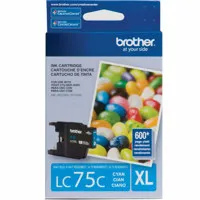
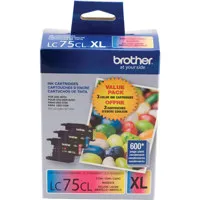
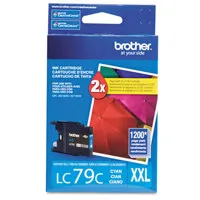
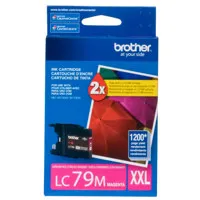

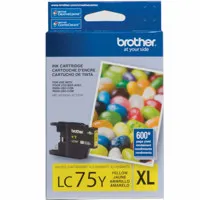
The Brother MFC-J6510DW Color Inkjet Multifunction Printer is a budget-friendly, space-conscious All-in-One printer. In addition to producing printouts up to 11 x 17", the MFC-J6510DW also acts as a copier, scanner and fax machine. The printer also features wireless and Ethernet networking for a fast and efficient work flow, for everyone in your work space. In addition, the MFC-J6510DW also has a 3.3" color LCD display. Standard paper capacity of the J6510DW is approximately 250 sheets, while the auto document feeder (ADF) can hold up to 35 pages at a time. Color documents print at 27 pages-per-minute, while black and white documents print at a speed of 35 ppm.