2026-05-02T20:00:00
Rated 5 out of 5
I'm in love
Great price, fantastic product, superior service. Hard to beat that
.
Fred
Originally posted at

2026-05-02T20:00:00
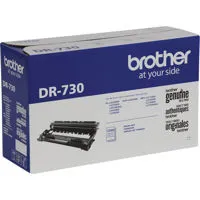
Replaced cartridge And it still says need to replace toner cartridge,,, will not reset no matter what I do . Tried u tube and chat gpt ,, after 1 hour i give up ,, will not reset !!!!!
John
Originally posted at
2026-04-29T20:00:00
Rated 4 out of 5
Almost perfect for a small office.
I have two of these in my small office after problems with OEM toner failed to make one work and I assumed the printer gave up the ghost. I have one on the subscription replacement service and the other gets toner from local store.
1) I doubt the subscription service is well suited for lower usage. It is convenient to receive a new toner as the last one begins to run low.
2) FAX over VOIP will not work no matter what is done with it. Just get a Fax app and save your paper.
Dr R.
Originally posted at
2026-04-19T20:00:00
Rated 3 out of 5
Expectations not met but could be my own fault
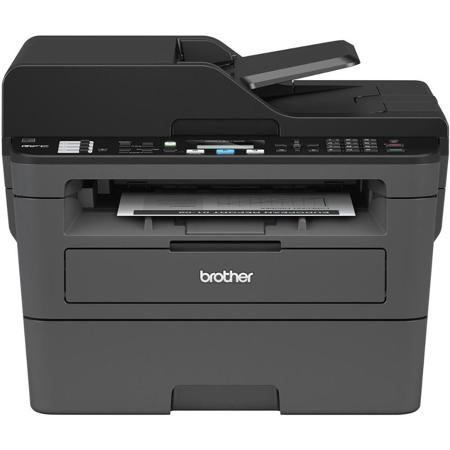
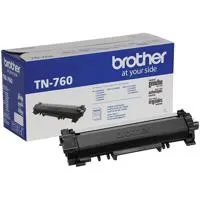
I fully gave up on HP printers many years ago and have been totally loyal to Brother. I've had several multi-use machines, fully utilizing the print and copy functions. I have other machines dedicated to fax and scan. My use is seasonally quite heavy and fully in the midst of that madness my MFC-L2750 had an unrecoverable error. Since I had several of its toner on hand, I wanted a similar machine that accepted the TN-760 toner. Unfortunately, when I chose this replacement machine, I did Not pay attention to its model number to notice its a lower number, obviously an earlier model. Now I notice!! Even though I paid 2½ times the original cost of my MFC-L2750 only 4+ years ago, my expectations were high that it was comparable. However, this machine is so slow to print the first page each time plus does not have automatic duplex copies with its ADF. Two-sided will work with the printer function, but not copy, so it will not work with my other work duties. Its 2-sided copy functionality is only with each page separately on the glass. To add to my sorrow, I purchased this through WalMart online, only to find out they have a 15-day replacement/return policy.
Carol
Originally posted at
2026-04-13T20:00:00
Rated 5 out of 5
Simple, Affordable and very Capable!
If your needs are not extensive or complex this little printer, copier and scanner is very capable of handling all your personal or small business needs.
Jeffrey
Originally posted at
2026-04-11T20:00:00
Rated 5 out of 5
Property Manager
The cartridge lasts a long time and works great, price fair
K L.
Originally posted at
2026-04-07T20:00:00
Rated 5 out of 5
Performance opinion
Long lasting excellent performance in my opinion the best in the marketplace
Peter
Originally posted at
2026-03-21T20:00:00
Hard to follow directions when printing or faxing on key pad.
Gene
Originally posted at
2026-03-11T20:00:00
Once I removed the software and reloaded it, everything works! Difficult to find it on the website!
James
Originally posted at
2024-10-13T20:00:00
Rated 3 out of 5
Works fine but draws a lot of power.
Works fine but draws a lot of power. I own a new home and my lights flicker when I use this printer. In my old home, I couldn't even use it without tripping the breaker.
PSLBrother
Originally posted at
2024-09-20T20:00:00
Rated 4 out of 5
Good all around But......
good all around BUT, every time I go to scan a document I swear there's a new update that needs to be installed. In all honesty, I bet there's an update every 5 days. What's the deal rother?
MWCBOSTON
Originally posted at
2024-03-20T20:00:00
Rated 5 out of 5
mfcl2710dw
this laser printer has been the best printer I ever bought it so much better than hp office jet pro 8035e
Metal
Originally posted at
2024-02-23T19:00:00
Rated 5 out of 5
mfcl2710dw
this is best printer I ever bought I been very happy with brother customer service this printer is so much better than hp office jet pro models I recommend it
Metal
Originally posted at
2024-02-20T19:00:00
Rated 5 out of 5
Best printer on the market
I came to Brother All-in-One printers after having to recycle four printers from a competitor who shall not be named. The quality is unmatched by any brand. Sturdy printer that handles most print jobs. People complain about the price of ink, but you know what? I would rather have a printer that actually works than get cheap ink with one that doesn't! I am so impressed with the quality that now if I need a product that Brother makes, I do not hesitate to select it because I know that I can trust the equipment to work and to work well, and last.
Minnerva
Originally posted at
2024-02-10T19:00:00
Brother is great with product but truly LOUSY with support. Cannot find the manual to my printer on their website.
lflanaganski
Originally posted at
2024-01-23T19:00:00
Rated 1 out of 5
Lousy Printer
This is the poorest Brother printer we have ever owned. It is brand new, but the scan and copy quality is not even as good as the MFC-L2700DW, let alone the MFC8810DW
Totin T.
Originally posted at
2023-11-15T19:00:00
Rated 1 out of 5
Warning - Not AFCI breaker compatible AVOID
installed this printer with no issues, install was straight forward. Used it a few times and the wall outlet breaker tripped. I thought this was a fluke so I reset the breaker only to have it continue to happen. A little research into the issue and Brother laser printers have a nasty habit of tripping AFCI breakers. AFCI breakers are required to be used in most bedrooms due to code. A call to Brother customer service was futile, with them claiming my wiring in my house was faulty and I should have someone look at it. I have been running an HP laser without issue for 9 years. Poor customer service to quickly blame your issues on something else, rather than acknowledge the issue (which can be found on your own website). When I plug YOUR device into my wall and start having problems, YOUR device is the problem. Do not blame others...
We bought this from Brother and requested an RMA due to their response to the problem. Printer was packaged up and returned via UPS. They have confirmed they received the device back.. Now about my refund? This was 2 months ago and still waiting for them to refund my money for the defective product. Keep getting the run around.. Really you need my $$ that bad?
Overall extremely poor experience. Customer service blames the customer, product will not work when connected to an AFCI outlet (which is common in most bedrooms aka home office), and will not return money when you return their product.. I would avoid this company all together and go to another brand.
TickedOffInFL
Originally posted at
2023-11-11T19:00:00
Rated 4 out of 5
Great Printer/Copier
Great printer and copier. If you don't need color it is a smooth and accurate printer. Easy setup. The wireless works great and even from my phone. I haven't had it long so not sure about number of pages or ink replacement yet. I would buy again.
JJofJax
Originally posted at
2023-11-07T19:00:00
Rated 4 out of 5
Good quality output for home/small office
Beautiful all in 1 copier, fax, scanner and printer.
Moni
Originally posted at
2023-11-07T19:00:00
Rated 1 out of 5
Bad printer - even worse Brother support services
Bad printer - bad support from Brother - Put printer in garbage after one day of use
Mark
Originally posted at
2023-11-02T20:00:00
Rated 5 out of 5
GREAT BROTHER PRINTER
One of the best printers i have..works great EACH TIME...EVERY TIME
PHIL
Originally posted at
2023-10-31T20:00:00
Rated 5 out of 5
Fantastic Printer!
Great Printer ...no problems with it at all. We can print from our wireless Mac Laptop and from our Phones
Dado
Originally posted at
2023-10-31T20:00:00
Rated 5 out of 5
Smooth sailing after an easy set up.
Easy to set up. Use it right away. I was hesitant first but it's true as advertised. One of the best printers.
PJ n.
Originally posted at
2023-10-28T20:00:00
Easy printer to use and set-up and print quality is very good.
Ken E.
Originally posted at
2023-10-27T20:00:00
Rated 3 out of 5
Good printing but has some shortcomings
This is the first laser printer I have purchased for use at home. I bought it to replace an inkjet all-in-one that was slow and kept locking up with errors. I have used it with Windows 10.
Pros:
--Starts up printing quickly, prints multiple page documents quickly.
--Print quality is good.
--Approximately 250 pages and six months in, I am still on the original toner cartridge and drum without any issues.
--It has a manual feed.
Cons:
--I have used the flatbed scanning functionality through the included iPrint&Scan software. The settings took some tweaking to get nice looking scans. One big disappointment for me is that the scans always crop 0.12 inches off of each side of the scan. For example, if you scan an 8.5" x 11" letter-sized page, it produces an 8.26" x 10.76" pdf document. This causes any information at the edges of the page to be cropped off. There is an "edge fill" setting in the iPrint&Scan software, but it can only increase the amount of the cropping, not turn it off altogether. After chatting with support and researching this issue on my own, I have not found a way around this. Previous all-in-ones I have used scanned all the way to the edge, so I am curious what the rationale is for this limitation.
--Setting up the manual feed takes a lot of effort. You have to flip open the front slot, and also flip open a back door and press down a couple tabs in the back which are difficult to access, being on the back. And make sure you don't press down the wrong tabs by mistake. And then you have to put it back to go back to normal print jobs.
--Toner does not fuse well to envelopes processed through the manual feed.
--The printer uses a lot of power warming up, which makes my lights dim. Though it hasn't happened, I am always afraid it might trip the breaker. The specs say its peak power consumption is 1104 watts, which works out to 9.2 amps if I am not mistaken. That's quite a big chunk of the available 15 amps.
--The small low-resolution display makes it somewhat difficult to access menu options.
Summary:
Not a terrible printer, but due to the shortcomings mentioned above, I am thinking about looking for another printer.
Steve A.
Originally posted at
2023-10-27T20:00:00
Rated 3 out of 5
Not that great
Got this copier in a rush because my old one died. It had all the features I needed but not happy that the set up was a bit confusing and the paper doesn't really come out that far. You have to actually reach in the opening to get the paper out. The other feature I'm not liking is you have to hold down the off button for the unit to shut off. The third this is the noise it makes when you fax something. Way to loud. The last thing is the print when making a copy is smugged all around the outside of the paper. But now it's too late to return it so I guess I'll have to live with it. :(
Ricky
Originally posted at
2023-10-24T20:00:00
Rated 5 out of 5
Excellent product.
Excellent black and white printer. Easy set up for immediate use. Smooth quick response printer.
Brother U.
Originally posted at
2023-10-22T20:00:00
Rated 5 out of 5
Unbeatable
Brother Printers are the best, hands down. I owned one years ago that lasted me a very long time. Only when I tried other brands and settled with one of them that I realized the absolute stand apart quality of Brother. So glad I bought this one. It gave me zero issues connecting or printing.
Cindybob
Originally posted at
2023-10-22T20:00:00
Why did the salesman push getting the fax machine? I don't even have a land line. Just an extra nothing.
Raymond
Originally posted at
2023-10-21T20:00:00
Cannot scan or copy 2-sided pages using ADF.
This fact is not emphasized in features list of the printer.
Be aware that having an ADF doesn't necessarily means there's 2-sided copying/scanning.
dissapointed d.
Originally posted at