
Orders placed during Passover Holiday (Wed 4/1 after 4PM ET – Thurs 4/9) will ship Fri 4/10. View our holiday shipping schedule.
This item is no longer available.
Review Summary
2018-05-04T08:20:16
Many Pros and Cons from all sort of users, but when you're an experienced videographer, and you know what you are looking for you'll know it when you find it. I know what I can and can't use this camera for, and so far it has performed extremely well for me. If I want to go under water or aerial views, then I'd get something else. It has lots to offer if you use it correctly with the right platform.
javier h.
2017-10-19T20:25:17
I just don't understand what technology companies are thinking. This camera is a major upgrade from my other camcorders, but I don't know how good it is because I can't get the photos or video off of the camera. Canon has decided to require you to use their software to connect to a computer and transfer images and clips, but in this huge box they apparently can't manage to fit a CD containing the software. My workhorse computer does not have an internet connection, so now I have to load up the whole system and take it to a friend's house to install software that I shouldn't even need. Until then the camcorder is useless to me. What's worse, it requires separate software for pictures, MXF and MP3. I have always been a fan of Canon, but this stunt has me rethinking that loyalty.
James D.
2017-08-31T20:00:00
With the latest firmware (1.0.3.0 there's some very bad noise reduction artifacts. This same issue was just fixed on the C100 with a firmware update. I've been in contact with Canon's support and they are currently investigating the problem and will hopefully release a similar firmware update soon, although it has been over a month since I've heard from them. If they do release an update, I'll change my review to 5 stars because this is an otherwise very good camera. But with this noise reduction artifact problem, the image quality really suffers and I can't recommend it. Search youtube for "Canon XC10 noise reduction ghosting" to see an example. I am a fulltime professional photographer/videographer, by the way, and have shot several weddings and commercial video projects with this camera.
rjophoto

2017-06-29T11:33:17
Like a lot of other reviews online, Its important to re-iterate that the lack of assignable buttons does make it hard to make on-the-fly adjustments. A 'surprise' to me was that the Mic port does not provide phantom power, and I wish there was more consistency in the menu-screens/functions between Canon models (file/folder management, on screen displays cycling through, etc.). Many others say it's a good b-camera, and that's probably true, I'm just not quite there yet.
Sandy C.
2017-03-22T11:38:24
Great camera! Very light weight, good for run and gun. Great all all around camera for 4K and UHD and HD and slow mo/ timelapse. only negatives: Not the best in low light and you can NOT change the lenses, which if you are buying this camera, is definetly something to consider. I do like it a lot though despite...
Edward F.
2016-12-12T15:38:37
I bought this camera for my business to take video and stills. I wanted a high quality camera that could do both well, and this is the best I could find. First, it is relatively compact. Its about the size of an SLR. I needed a video camera that I could take HD video on the move of moving objects. Second, I needed a very reliable auto focus system that could focus on a moving object against the sky. I found this to be a problem with other video camera without an optical eyepiece. This camera solves that problem with a hood that covers the lcd screen that you can view through an eyepiece with a diopter adjustment. This has proven to be very effective, especially combined with the peak function that highlights the edges of objects in focus. The autofocus is not really fast, but once it locks on it seems to stay focused on that object, even though the object is moving against the background. The camera also has a powerful optical zoom and a focus ring that allows you to adjust focus, even in autofocus mode. As a still camera, the XC10 seems about the same a my Nikon D5100. It does everything I want and takes excellent stills. One problem with the XC10 for me is the 4K capability. This may be required for pros, but it is completely unnecessary for me. It produces 4K video only on Cfast card in the MXF format. Both of which are useless for me. Most video editing programs won't even read MXF files. HD video files are huge, and you have to shoot them in the MP4 format to be able to work with them. Also, the XC10 is a bit of a power hog. It comes with a big li-ion battery that doesn't last for much more than an hour of constant use. Fortunately, you can use the camera while its plugged into AC power. That helps a bit. Nevertheless, the XC10 is a quality camera and works for what I need.
JAMES L.
2016-06-06T20:00:00
I bought this a year ago and it is still going strong, however I think that if you were to buy a camera like this you should be sure that you truly want it. It is a great camera and I would definitely reccomend it to someone that wants good pictures or for someone who is just taking pictures but wants a good view. I have used this on multiple trips that I've went on and photographed so many awesome pictures! It is a great product even though it is very expensive
iloveblue05

2016-04-21T20:00:00
I have mixed feelings about this camera. It has features a more professional camera should have: 4k and fast frame rates. So it's a bit strange that a lesser camera than the C100 (my workhorse), has a few better functions. I bought it as a "B" camera in hopes it will match my C100 footage, and so far it doesn't disappoint. PROS: - 4k shooting to Cfast 2.0 - HD shooting to SD cards - High frame rates at 720p (120 fps), but it's not really 720p - small and easy to balance on steadicam - nice ergonomics - easy menu system CONS: - 1" sensor is only decent, even in C-Log, it's a bit soft - no detachable lens and you're stuck with a f/2.8 - f/5.6 zoom (the 2.8 is great) - an odd looking distortion all the way wide at 24mm around edges - mini jack audio input (pro camera?) So, for what it is I think it's a decent, fun camera, albeit a bit higher priced than it should be. I don't know if I would call this a professional camera.
baldstunter

2016-02-09T15:55:18
EXCELLENT;COMPACT;WOULD HAVE LIKED ROOM FOR TWO RECHARGEABLE BATTERIES INSTEAD OF ONE;FIRMWARE INSTRUCTIONS ARE NON EXISTENT IN USER MANUAL.
JOSEPH R.
2015-11-22T19:00:00
I've used this product a couple of times for Disney, E!, and Whistle Sports, and the codec is a problem. MXF has become pretty standard, but this camera shoots a weird version that Final Cut 7, and any Mac before 2011 can even view.
WillyB

2015-11-18T19:00:00
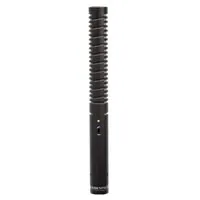
I have been using this little monster a lot lately. But first let me address some issues that have been spread about it on the internet. First, people say ISO adjustment is hard to do. They say you cant adjust it from the wheel on top. Well there is a setting for the wheel in the menu. Just set the wheel to do ISO. It will work in manual mode. Since the f stop moves when zooming, you dont need it on the wheel. However, when set in AE mode the f stop is adjustable by the wheel and also when in TV mode the shutter speed is adjustable by the wheel. How easy is that? As far as the video image...it is quite nice and very cinematic. Even in HD, which is what I shoot most, but I am glad to have the 4K there when I need it. The XC10 has a nice solid weight to it, just enough for very steady hand held shots. Matter of fact, I got more stable shots hand held than with my mono pod supported on my waist belt. This camera also works well with a steady cam, I have a Neewer version which is similar to a Glidecam. What about good depth of field? It can do it but you have to use the long lens approach...step back a bit and zoom in. Since the aperture closes down a bit when zooming, either select your shot before filming or dont zoom in while recording. If you do zoom in while recording I use P mode, program mode. It adjust automatically to where you dont see exposure changes while zooming. Or just set it on f5.6 and it will be constant aperture throughout the entire zoom range. In other words, on f5.6 it is a constant aperture lens. Works better outdoors doing this, but is workable indoors with the right lighting and ISO settings. The ND filter is one big stop, so far no issues with it and I have used it on several occasions. I hear people complain about the "small" sensor. It is a one inch Canon sensor. A little bigger than the Black Magic super 16 sensor. Why everyone praises the BM sensor and dog the Canon sensor? It is almost the same! But the Canon sensor is much better in my opinion. And to get the most out of this little monster, instead of recording at an awesome 305 mbps internally, you can record externally at 8-10 bit 4.2.2 color at a whopping 880 mbps of ProRes! Of course internally in 4k and HD it is still 4.2.2. A much under rated camera this XC10 is. I think most of the complaints come from DSLR users, that don't really undertand that this is a Camcorder first and a photo camera second and just basically love to change lenses that they are emotionally attached to. I understand that... For my 3 user assigned buttons I have then as ND filter on/off (1). Peaking on/off (2). And number 3 button, which is on the hand grip I have it as 2x telephoto on/off. I am quite suprised at using telephoto at 2x is very good. Using it at max 540mm, 35mm eqiv. Iti is still decent image, but to maintian best video quality don't go all the way in, but for web use it is still ok. What about the photos? Well it is not a full frame, or even an APS-C. But it is quite good and has a lot more detail than I thought it would. Crisp color and warm color with 12 stops of D range, it holds up good. What would the photos from the XC10 be used for if Pro's would not use it? Well, for websites, any online stuff and any news gathering as well as events and documentary stuff. Using pics in a video for stills, I shoot pics in 16x9, not 4x3 to match my videos. What else? The pics are good enough for magazine adverts print, but not the stuff you would use a full frame or bigger for like product pictures for layouts or professional modeling. But for low budget adverts they are quite nice. I was especially shocked at the 4K frame grab. I took a picture from a 4K video that I filmed with 2x tele on and zoomed at full 540 mm and it is quite crisp and clear with good color, and this was indoors! By the way, the menu is minimal and very easy to learn and simple but very effective with just enough features to get professional video but not much stuff to bog you down. Best run and gun menu out there! Pros : All in one, Not Much To Carry, 4K hi bit rate video, Crisp On Board Audio, Touch Screen, Constant Aperture at F5.6, C-log, One Lens Cons : Auto Noise Reduction, No 60p In 4k, F2.8-5.6 Lens Best Uses : Weddings, Short films, Online Photography, Events, Documentaries, Online video and Youtube. So what do I use my Canon XC10 for mainly? Weddings, events, short documentaries, live bands, Short films, News gathering if I am in the right spot at the right time, Pro YouTube stuff, etc...Great with a steady cam set at 24mm wide at f5.6 to maintain focus at all times! Accessories I Recommend:: Rode video mic pro Steady cam Mono pod
AJM

2015-10-31T20:00:00
I love my Canon XC10. It's basically everything I want in a camera. Great 4k, 8 bit 4:2:2, 10x zoom even if its not constant, the ergonomics and the color science all great. But if there's one thing I need Canon to fix in the next firmware is the bad ghosting afterimage when shooting at night. The camera is great during the day and at dusk/dawn but at night it's just terrible. It might just be the small sensor or an accumulation of image stabilization, autofocus and auto noise reduction. Maybe allow user to manually turn on and off noise reduction. I just want that afterimage ghosting gone. But besides that, EVERYTHING the camera has is aces.
theoc

2015-09-09T20:00:00
This is a great camera packed with some impressive features at its price. It's not something you would necessarily want to use as your primary camera, but an awesome 2nd camera for shooting b-roll and the perfect size for using with a slider or glidecam, etc. There are certainly some features that could make it a better camera such as being able to swap lenses or having both an LED monitor and viewfinder, I also don't like the .MXF file format since everything must be re-encoded before you can import into Premiere, but at this price you really can't complain. It is very solid in construction and feels good in your hands. This is a superb little camera that captures amazing 4k footage and has far more additional features than any other camera at this price.
VDOMKR

2015-07-02T20:00:00
I can't believe al the negativity heaped on this little munchkin before it was even released. I do a lot of handheld work and I can hold this camera all day long. the stabilization is great and I love having such a long focal range in such a small package. the 4K footage is awesome, though for now, I'm using it to do nice slow digital zooms in post for my 1080 productions. Great job Canon! thanks for my new favorite camera.
Ed

Accidents happen where life happens. Protect your favorite Adorama products and purchase a protection plan to stay covered from accidental damage, mechanical or electrical failure, and more.
If we can’t fix it, we’ll replace it at no additional cost.
Protect your product from drops, spills, and more.
Enjoy your gear without fear. We have you covered!
When regular use of your product over time results in mechanical or electrical failure.
We will never charge you a deductible after the purchase of a plan.
Our claims process is simple & easy and our customer service team is happy to help.
Adorama Protect powered by Extend is available for purchase to customers in the United States. Not available for purchase Internationally or in U.S. Territories.
Browse our FAQ
CMOS sensor (single panel)
l.0-inch (16.0mm on the diagonal)
Approx. 13.36 megapixels (4224 x 3164)
Movies: approx. 8.29 megapixels (3840 x 2160)
Photos: approx. 12 megapixels (4000 x 3000)
RGB primary color filter (Bayer array)
10x
8.9to 89 mm
[Movies] 27.3 to 273 mm
[Photos (4:3)] 24.1 to 241 mm
f/2.8-5.6
8-blade iris diaphragm
Mechanical shutter incorporated
1 unit (single density)
Optical system + electronic system
Focus ring/zoom ring
Mode: In the Auto / programmed AE (P) / shutter priority AE (Tv) or aperture priority AE (Av) / manual exposure (M) / SCN (Portrait / Sports / Night Scene / Snow / Beach / Sunset / Low Light / Spotlight / Fireworks)
Other: Exposure lock/AE shift/Highlight AE
AF/Manual (Focus ring)
TTL-video signal sensing system
Face detection & tracking, AiAF (in photo mode), PUSH AF, touch focus function provided
3.0-inch (7.66 cm on the diagonal) color LCD (with 3:2 aspect ratio)
Approx. 1,030,000 dots, 100% view field coverage
Electrostatic capacitance-type touch panel, variable-angle supported
Auto / Daylight / Shade / Cloudy / Fluorescent / Fluorescent H / Tungsten / Flash () / Color Temperature / set (1/2)
MXF
MPEG-4 AVC/H.264
(1) 4K recording (size: 3840 x 2160), (2) HD recording (size: 1920 x 1080)
(1) 4K recording:
305 Mbps and 205 Mbps: 29.97P/23.98P
(2) HD recording:
50 Mbps: 59.94P
35 Mbps: 29.97P/23.98P/59.94i
YCC422, 8-bit
Linear PCM (16-bit/48kHz), 2ch
JPEG
[3:2] 4000 x 2664 (10.66M)
[4:3] 4000 x 3000 (12M) / 640 x 480 (VGA)
[16:9] 3840 x 2160 (8.29M)
Photo recording in movie recording mode and photo capture during movie playback also possible (In these cases, the image size will be the same as the size of the images in which the movies are recorded and played back.) Single shot. Continuous or AF Continuous available with drive mode setting
Cfast: 4K recording
SD Card: Recording of HD video images, photos (JPEG), menus, etc. possible
lSO160 - 20000/Gain 0.0dB - 42dB
Auto ISO limit/AGC limit functions incorporated
Count-up Operation mode: Drop frame or non-drop frame
Rec run, free run, regeneration
(settings that give the images a particular "look"): In the movie mode; Standard, EOS Std., Wide DR, Cinema EOS Std., Canon Log, User Setting (1/2)
In the photo mode: Standard, Portrait, Landscape, Neutral, Sepia, Monochrome, User Setting (1/2)
Rotating grip (rotated approx. 90 deg. ), Slow & Fast motion recording, pre-recording (only in the HD recording mode), interval recording (only in the Photo mode), Audio Scene, powered IS, Magnification (Moving the position to be enlarged is possible), Color bar, peaking, Zebra pattern display, Function customizing, assign button (3x), marker display, digital teleconverter (2x), GPS support (GP-E2)
Normal playback, fast forward (at speeds of 5x, 15x, 60x), fast reverse (at speeds of 5x, 15x, 60x), frame forward, frame reverse, forward skip, reverse skip
3x4 (clip) index screen
[4K Clips, HD Clips, photo playback indexes]
Enlargement zooming (in photo mode), HD image extraction playback (in 4K Clips playback mode)
Deletion only
Provided (5 GHz/2.4 GHz dual band)
Speedlite supported
HDMI OUT connector, USB connector, MIC jack, headphone jack, DC-IN socket
DIGIC DV5
Battery Pack: LP-E6N(7.2V 1865mAh)
Battery Charger: LC-E6
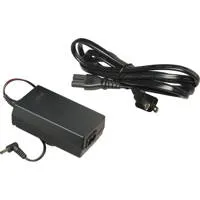
Compact Power Adapter CA-570
4.9 x 4 x 4.8" (125 x 102 x 122mm) body
2.1 lbs (930g) body
840014180219


Enjoying my new Canon XC10 Camcorder
By AJM
I have been using this little monster a lot lately. But first let me address some issues that have been spread about it on the internet. First, people say ISO adjustment is hard to do. They say you cant adjust it from the wheel on top. Well there is a setting for the wheel in the menu. Just set the wheel to do ISO. It will work in manual mode. Since the f stop moves when zooming, you dont need it on the wheel. However, when set in AE mode the f stop is adjustable by the wheel and also when in...
View full Review
It does what it does
By javier h.
Many Pros and Cons from all sort of users, but when you're an experienced videographer, and you know what you are looking for you'll know it when you find it. I know what I can and can't use this camera for, and so far it has performed extremely well for me. If I want to go under water or aerial views, then I'd get something else. It has lots to offer if you use it correctly with the right platform.
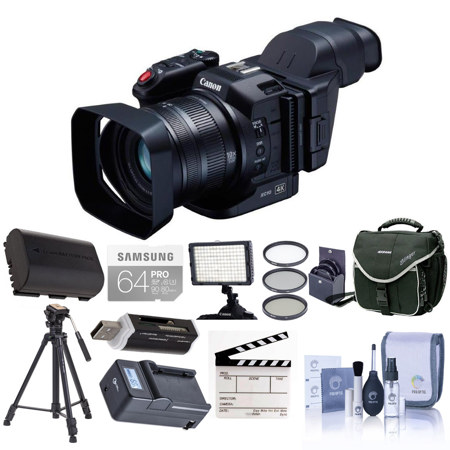
The Canon XC10 4K Camcorder features a compact, lightweight and versatile design for convenient 4K/Full HD video shooting and 12 Megapixel digital still photography. This all-in-one ergonomically convenient camcorder can satisfy a broad range of video and still production needs. The XC10 4K Camcorder is for everyone from next-generation advanced amateurs to professional 4K and HD videographers, from digital filmmakers needing a cost-effective 4K/HD "B" or "C" camera to multimedia journalists and news agencies seeking a 4K video camera. The XC10 4K Camcorder also appeals to the needs of cross media professionals in that it can also capture 12 Megapixel still images and provide 8 Megapixel stills extracted from 4K motion video.
The XC10 Camcorder's 4K imaging system is purpose-built of proprietary components, including a Genuine Canon 10x Wide-Angle Zoom Lens with 2x Digital Teleconverter and Optical Image Stabilization. Employing a special Canon compact optical system, the lens offers a zoom ratio of 27.3-273mm for movies and 24.1-241mm for photos. The XC10 4K Camcorder also features a specially designed Canon 12 Megapixel one-inch CMOS sensor that can deliver 12 stops of exposure latitude. And the new DIGIC DV5 signal processor that provides the image-processing power and speed to deliver high image quality, performance and innovative new features like the Canon XF-AVC codec for 4K and HD recording.
Operability innovations designed into the XC10 4K Camcorder further facilitate creative expression and the ability to capture superb 4K/HD video and high-resolution still images. These include a Vari-Angle LCD monitor with a capacitive touch-panel for simple intuitive control, a rotating hand grip to support both movie and still-image shooting, a built-in ND filter, built-in dual-band Wi-Fi and much more. The camcorder can be hand-held or used with a wide range of camera-support accessories, including car mounts and drones.
Offering slow- and fast-motion recording, multiple custom picture settings including Canon log and Canon Wide DR Gamma and interval shooting for time-lapse still photography, the XC10 4K Camcorder offers a wide range of workflow option. The camcorder can record H.264 4:2:2/8-bit MXF 4K (QFHD) 3840 x 2160 movies to internal CFast cards or Full HD 1920 x 1080 video to SD cards at multiple frame and bit rates (up to 305Mbps in 4K). The XC10 4K Camcorder also offers 4K 30p movie playback output via its HDMI 1.4 output.
Still-photography features include a mechanical shutter to help eliminate rolling-shutter distortion, up to 2.8 fps performance, support for multiple aspect ratios and compatibility with such EOS accessories as Speedlite flash units, Canon GPS receivers, remote controllers and LP-E6 series batteries and chargers. Versatile, compact and convenient, the XC10 4K Camcorder is a lightweight 4K/HD/still photography hybrid delivering high image quality and convenience to meet the diverse imaging needs of today's expanding universe of budget-conscious digital content creation professionals.
4K Wide-Angle 10x Zoom Lens with Image Stabilizer
The Canon XC10 4K Camcorder incorporates a Canon 4K video lens that leverages proprietary Canon optical technologies derived from years of experience in developing Cinema, Broadcast and EF Series lenses. This 10x wide-angle optical zoom lens offers a focal range of 24.1-241 mm for photos and 27.3-273 mm for movies. The use of UD (Ultra-low Dispersion) and Hi-UD lens elements helps compensate for chromatic aberrations and provides a compact size. An innovative retractable lens barrel structure integrating internal guide bars helps facilitate precise lens movement during zooms and extends the lens barrel by a mere 36.2mm.
The XC10 Camcorder's 4K Wide-Angle 10x Zoom lens features separate focus and zoom rings for professional-style manual lens operation. (Auto Focus can also be engaged and focus can be controlled via the optional Canon RC-6 wireless remote controller or web browser via the XC10 4K Camcorder's Wi-Fi connection.) The rotation angle of the zoom ring is approximately 71deg., allowing for rapid manual zooming. Clearly engraved focal length marks and the WIDE and TELE mechanical ends combine to further improve usability.
Built-in Canon Optical Image Stabilization enhances the one-person operation ease of the XC10 4K Camcorder. Three modes of Image Stabilization are offered (Dynamic, Standard and Powered) to suit a range of shooting situations. Canon AF (Auto Focus) with Face AF tracking mode provides additional operator assistance. The XC10 4K Camcorder's 10x zoom lens also includes a 2x digital teleconverter that can be switched on in MOVIE mode for added image magnification.
12 Megapixel One-Inch 4K-Compatible CMOS Image Sensor
The XC10 4K Camcorder features a new Canon 12.0 Megapixel 1-inch CMOS image sensor with 12 stops of dynamic range and video and photo shooting functionality. The hybrid design makes the XC10 4K Camcorder a true crossover capable of satisfying the needs of both video and still workflows. With capture that includes both 4K and Full HD (FHD) video and still capture up to 12.0 Megapixels, the XC10 4K Camcorder is a strong contender in both market categories. The advanced CMOS sensor uses Over-Sampling HD Processing for 1920x1080 capture, the same high-image-quality signal-processing system used by the high-end Canon EOS C500 4K Cinema camera.
The effective pixel total for the sensor's area ratio is approximately 6.8 times larger - and its area ratio per pixel approximately 1.6 times greater - than previous Canon HD CMOS PRO sensors. The result is low noise for low-light shooting, an impressive signal-to-noise ratio and greater flexibility for creative shallow depth-of-field focusing effects.
DiG!C DV 5 Image Processor
The Canon XC10 4K Camcorder incorporates Canon's new DiG!C DV5 processor. This advanced core technology component provides the image-processing power and speed that enables such features as 4K video acquisition, Image Stabilization, slow and fast motion recording and precision AF. DiG!C DV 5 is integral in providing high image quality, advanced performance and convenient operability.
XF-AVC Codec for 4K 30p and Full HD 60p
The Canon XC10 4K Camcorder incorporates the new Canon XF-AVC Codec to balance ease of workflow with a high standard of image quality. For 4K recording, the high-image-quality XF-AVC Intra-Frame encoding is used, which captures all the detail and resolution of the CMOS sensor on a frame-by-frame basis, enabling edits to be made at any point in a motion sequence and high-quality stills to be extracted from any 4K motion-image frame.
For HD recording, the camera's AVC Long GOP (Group of Pictures) encoding is used to help maintain outstanding quality and efficient data rates. Both XF-AVC codecs deliver H.264 4:2:2 8-bit MXF recording for full 4K recording up to 30p and HD recording up to 1080/60p HD.
Multiple Recording Modes and Frame Rates
Multiple Recording Modes, Resolutions and Frame Rates make the XC10 Canon 4K Camcorder creatively flexible in a variety of production environments.
Compact and Ergonomic Design
The Canon XC10 4K Camcorder is compact, ergonomic and light weight, broadening the range of possibilities for image expression- offering innovative shooting potential in situations where a larger camera can't be used.
Viewfinder
The included viewfinder unit helps make shooting outside a breeze. This new accessory uses two reflecting mirrors to optically refract the image on the LCD monitor. It also supports low-angle shooting and provides a user-friendly viewing environment.
Freestyle Rotating Handgrip
The rotating handgrip on the XC10 4K Camcorder can be rotated to various positions and stopped at different points to allow for comfortable shooting at high angles, low angles and even in between. The grip contributes to the camcorder's intuitive user (UI) interface with multiple easy-to-see and easy-to-adjust controls based on the familiar UI design of Canon EOS series cameras. Handgrip controls include the record button (clearly marked in red), a multi-selector thumb-control dial with a mechanical lock and a design similar to those of still cameras for quick-operation settings and highly visible profiles, a menu button and other smoothly recessed buttons that stay out of the way but are always there when you need them.
Integrated LCD with Touch Panel
A three-inch 1.03-million-dot tilting LCD monitor provides Canon XC10 4K Camcorder with a bright, vivid-color display for shooting and playing back footage. The LCD's innovative two-axis parallel hinge mechanism allows the display to be placed in optimal positions for shooting at a variety of angles, from low to high. This LCD also integrates a highly advanced capacitive touch-panel for easy fingertip control of all camera functions and settings.
Camera information can be displayed on-screen for clear and easy visual recognition of selected menu items and users can also swipe from one menu page to another without vertical scrolling. The user interface of the XC10 4K Camcorder borrows many of the concepts from the Canon EOS system making the camera intuitive and easy to operate for users familiar with other Canon products.
Built-In Microphone
A built-in stereo microphone delivers linear PCM 48 kHz 16-bit audio recording. A separate mini-jack on the camcorder body also enables users to connect an external microphone.
Join VIP PRO
Earn 2X Points + Exclusive Perks!
Request a Callback
Chat one-on-one with an expert
Sell or Trade your Gear
Get started in 3 easy steps