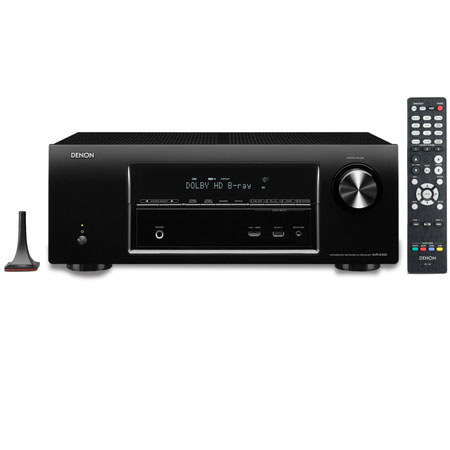
About Denon AVR-E400
The Denon AVR-E400 7.1-Channel Network Home Theater Receiver supports identical power amp circuitry for all channels with a maximum power output of 185W per channel. It's equipped with Apple AirPlay technology, as well as streaming support from a variety of other Internet sources. The receiver features six HDMI inputs with 1080p, 4K and 3D pass-through. Plus, a sophisticated video processor features SD-to-HD 1080p and 4K upconversion.
The receiver also supports Dolby and DTS high-definition surround sound decoding. You can listen to music in two different rooms as well, thanks to the 5.1/2.0-channel multi-zone configuration option. The receiver also features an AM/FM tuner, multiple analog audio and video inputs, a coaxial audio input and an optical audio input. It supports Audyssey MultEQ as well, which provides automatic room acoustic measurement and correction.
The receiver also works with the Denon Remote App for iOS and Android mobile devices. There is also a front panel USB port for digital music playback from your iPod, iPad, iPhone or other USB audio device. The USB port supports device charging as well. There is also an on-screen display that combines clear text and easy to understand graphics.
Denon AVR-E400 Features
7-Channel Power Amplifier Design: Denon uses identical power amp circuitry for all channels, including their all-discrete power amplifier output stage design. Rated at a maximum of 185W for each of the seven channels, the AVR-E400 provides high power and wide dynamic range with low distortion
Listen to Music In Two Different Rooms: You can configure the it for a full 7.1 channel system, or you can choose to have a 5.1 channel system in the main room and connect a pair of stereo speakers that are located in another room. You will still be able to enjoy rich surround sound in the main room
Six HDMI Inputs with 1080p, 4K & 3D Pass-Through: The AVR-E400 is equipped with six HDMI inputs, including five on the rear panel and one on the front panel, which lets you quickly and easily connect your HDMI-equipped camcorder, smartphone or other portable multimedia device
Video Processor with SD-to-HD & 4K Upconversion: The sophisticated video processor includes SD-to-HD 1080p upconversion, as well as 4K Ultra HD (3840 x 2160) upconversion for next generation 4K Ultra HDTVs
Audyssey MultEQ, Audyssey Dynamic EQ & Audyssey Dynamic Volume: For fast setup, the AVR-E300 features the Audyssey MultEQ automatic room acoustic measurement and correction system. It provides your listening environment with optimal tonal balance. Plus, Audyssey Dynamic EQ
Denon Remote App for iOS & Android Devices: Using the Denon Remote App, the AVR-E300 can be controlled by your iOS or Android mobile device. The app allows you to control almost every aspect of your multimedia experience, including browsing Internet radio and files on a media server
Front Panel USB Input: Thanks to the front panel USB port, the AVR-E300 supports digital music playback and charging from an iPod, iPhone, iPad or USB device. The USB input is "Made for iPod/iPhone Certified" as well
Icon-Based Graphical User Interface & Setup Assistant: You can easily make all necessary adjustments and settings during setup using the text and graphical on-screen display. It also features a Setup Assistant that supports easy optimization for your particular speaker setup
Supports Streaming from Multiple Sources: The receiver supports audio streaming from iTunes with Apple AirPlay technology. And you can stream from Internet music sources including Pandora, SiriusXM and Spotify Internet Radio (subscriptions required for certain services)
Easy Connect Speaker Terminals & Supplied Matching Color Cable Tags: The Denon Easy Connect speaker terminals on the rear panel are spring loaded and color-coded for quick and easy connection and the supplied color-coded speaker cable labels ensure correct hook-up the first time
Easy-to-Use Remote Control: The remote control features discrete source selection buttons that let you choose your preferred source with the touch of one button. There's no need to toggle through all the inputs to get to your preferred source component