



See Options
Need help? Ask our experts.
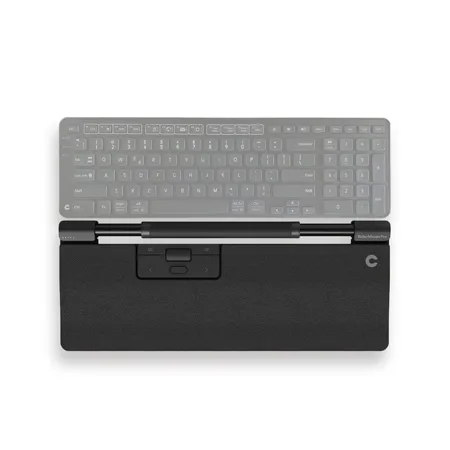
Combining design and functionality for ergonomic impact - Take a proactive approach to your health at work with a centered mouse that allows you to do desk work comfortably and ergonomically. With the RollerMouse Pro, you control everything; cursor navigation, programmable buttons and a large scroll wheel are all centralized right in front of you. We have built it like this to prevent you from stretching, twisting and straining.
Programmable buttons for a customized experience
The RollerMouse Pro is the original centered, ergonomic computer mouse - and it's still top-of-the-line.
The unique design keeps your hand and wrist in a natural position, and the rollerbar allows for precise cursor control without having to move your hand back and forth. The built-in copy/paste buttons make it easy to quickly transfer text or images between applications, and the dedicated buttons for forward/backward navigation make web browsing a breeze.
Plug & Play installation
Connect the RollerMouse Pro to your PC or Mac via Bluetooth, the USB receiver orcable depending on your preferred method. Fits both full-width and compact keyboards. Control multiple screens and customize the programmable buttons to your favorite shortcut functions.
Individual needs, individual solutions
Customize your RollerMouse Pro to your personal preferences with the unique magnetic wrist rests, allowing you to easily change between the various models without using any tools. Our wide selection of wrist rests is designed to support your physical needs and stylistic desires. It is easy to switch click sounds, cursor speed and click resistance, finding the style that works best for you.
