



This item is no longer available.
Celestron Partners with The Imaging Source
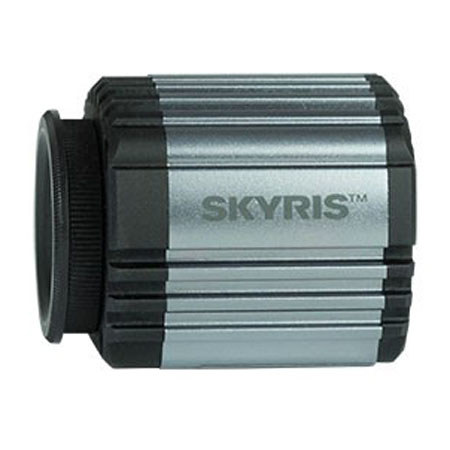
For years, The Imaging Source has produced astronomical CCD cameras known for quality, performance, and value, elevating planetary imaging from a casual hobby into an art form. Now, The Imaging Source design team in Germany has joined forces with Celestron's engineers in California to create the Skyris line.
Skyris combines the unmatched expertise of The Imaging Source, with Celestron's innovative industrial design. And of course, it's backed by Celestron's world-class product support and 2-year warranty. Whether you're an advanced user or a beginner, you'll love creating beautiful astroimages with these easy-to-use cameras. Capture the Sun, Moon, and planets like never before and create crisp, high-resolution images.
More Data, Faster with USB 3.0 and Lightning-Fast Readout Skyris is capable of super-fast image download thanks to USB 3.0 connections. Even more impressive, Skyris' Sony CCDs are capable of capturing exposures in as little as 1/10,000th of a second. You'll be able to capture brief moments of steady air to deliver the sharpest possible images.
Ultra-Sensitive Sony ICX445ALA Monochrome CCD Sensor
Perfectly suited for planetary imaging due to its sensitivity, CCD technology remains the trusted choice of the world's top planetary imagers. The world-acclaimed Sony Exview HAD CCD sensors in Skyris cameras are also the preferred sensors for scientific and industrial imaging. CCDs provide no-compromise performance, especially towards the red spectrum.
The Skyris 445M's chip features a larger detection area, small pixels, and a larger pixel array, providing more detail per pixel, even when used with smaller telescopes. Skyris 445M is a monochrome camera, offering you the most senstivity for capturing the best possible astroimages. Attach the specially designed Skyris Filter Wheel to image in color.
Skyris also features a Celestron-designed camera body, which helps dissipate heat to minimize the effect of thermal noise on the CCD. Skyris cameras do not have an optical window, which makes cleaning your camera easier and ensures maximum light transmission with no risk of internal reflections.
A Complete Imaging Solution—Just Add Your Telescope and PC!
All Skyris cameras include Celestron iCap capture software and stacking software (for Windows systems only). This software suite allows you to easily control the camera, capture, and export your images or movie files. Next, you'll filter your images and stack the best shots to create your masterpiece.
With a 1.25" nosepiece and 10' USB 3.0 cable included, Skyris has everything you need to get started with lunar, solar, or planetary imaging.
Using Skyris as an Autoguider
Equipped with Sony Exview HAD CCD sensors, Skyris cameras make excellent autoguiders. If used with a Celestron mount, Skyris connects as a DirectShow device or WDM-style webcam. Just plug the hand control into the supplied serial cable using an optional USB to RS-232 Adapter. Skyris works with popular software like MaxIm DL or freeware like PHD Guiding. Or, plug the camera into the ST-4 autoguider port on select non-Celestron mounts, turning your Skyris into a high-end autoguider. Learn more on our Support Tab.