
This item is no longer available.
The all-in-one PDF creator toolkit
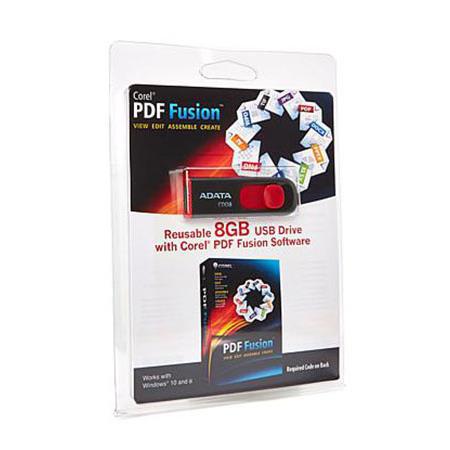
Boost your productivity with Corel PDF Fusion, an all-in-one PDF creator that lets you assemble, edit and create PDFs. Open more than 100 different file types just by dragging and dropping them onto the Welcome Screen. Take pages from multiple files, including documents, spreadsheets and presentations and combine them into a single PDF to share with anyone. Add new text, bookmarks and comments. Plus, convert files to PDF, PDF/A, XPS and DOC formats with just a click.
• Save money by viewing over 100 file types without purchasing additional software
• Easily create and edit PDFs
• Drag and drop to combine multiple file types in one PDF document
• Save time by easily re-purposing content, instead of retyping and cutting and pasting
• Share files with anyone by converting to PDF, PDF/A, XPS or Microsoft Word formats
• Open 100+ file formats
• Assemble files into a single document
Assemble new documents with ease
• Drag and drop to easily add content from multiple sources and file types - including documents, spreadsheets, presentations and images - into a single PDF document to share with anyone
• Quickly assemble new documents using pages from existing material
• Export and email PDF documents
• Convert to PDF or XPS
Open over 100 file types
• Open over 100 file types - even if you don't have the software used to create the file
• Open Microsoft Word, Microsoft Excel, Microsoft PowerPoint, Adobe Photoshop, Microsoft Visio and other popular file types
• Choose from Page, Assembly or Flick views to work with your document
Edit and rearrange content
• Just select a line of text and start typing to make changes
• Edit or add text anywhere in a document
• Easily add bookmarks and comments
• Mark up documents using highlighting and sticky notes
• Redact sensitive information and save securely
• Add watermarks
• Insert hyperlinks to other pages in your document, other files or websites
• Rearrange, rotate or crop pages
Create files in PDF, DOC and XPS formats
• Create new PDF documents from within any application that can print
• Organize and send related files in a single PDF document
• Convert multiple files at once with the Corel PDF Batch Converter
PDF Fusion for Business
Every day, thousands of businesses around the world turn to PDF Fusion to handle their important PDF and document tasks. Whether you're a large enterprise customer or a small, dedicated office, PDF Fusion is an all-in-one PDF solution that will help your business save money and function more effectively. Discover how PDF Fusion offers everything today's businesses need to handle PDFs - all for a significantly lower cost than the competition!
Volume Licensing Program
Whether you're a company of 10 or 10,000, PDF Fusion has affordable volume pricing to suit any size and any budget. To see what kind of savings your organization can achieve, use the PDF Fusion Volume License Calculator. To learn how you can increase productivity and save your organization time and money using PDF Fusion.
Maintenance and Support
PDF Fusion offers comprehensive technical support to handle all your needs, including online assistance and a toll-free help line staffed by knowledgeable experts. For added support, take advantage of flexible and cost-effective maintenance plans, which offer priority technical assistance as well as upgrade protection that ensures you always have the latest product patches, updates and versions.
Flexible Deployment and Installation
Choose the deployment and installation method that best suits your business's needs. PDF Fusion is available with Windows Installer File (.msi) packaging, enabling your IT staff to build a standard image for installation on multiple machines. Updates and upgrades are also available for instant download, ensuring your organization always has access to the latest versions. For added flexibility, PDF Fusion can be hosted on a Windows Server with access through Terminal Services or Citrix XenApp. With PDF Fusion, installation is quick, easy and painless.
Easy to use and learn
Using new software often means taking the time to train employees. PDF Fusion, however, is incredibly easy to use, with an intuitive drag-and-drop interface that lets users become proficient in just minutes. For more advanced functions, PDF Fusion also offers built-in training tutorials that allow your users to get up to speed quickly and easily. Improve your business's productivity with PDF Fusion - and reduce the number of calls to your IT helpdesk at the same time!