
This item is no longer available.
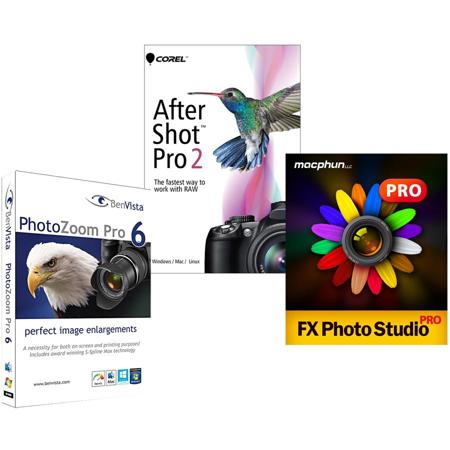
Corel AfterShot Pro 2:
AfterShot Pro: Up to 4x Faster than the competition!
Say hello to the world's fastest RAW photo-editing software. Corel AfterShot Pro 2 is changing the way the world works with RAW, with 64-bit performance that's 30% faster than AfterShot Pro 1 and up to 4x faster than the competition. AfterShot Pro 2 is the best way to unlock the freedom and flexibility of shooting RAW. With unparalleled speed and power and a sleek new interface, AfterShot Pro 2 is a RAW converter, non-destructive photo editor and complete high-speed photo manager in one. Whether you're batch processing thousands of RAW images or making detailed adjustments to your latest prize-winning shot, AfterShot Pro 2 gives you the tools to quickly take complete control over every aspect of your photo workflow.
AfterShot Pro 2 - The world's Fastest RAW Converter & Photo Manager
30% Faster RAW Processing
Save time and get results sooner with the world's fastest RAW conversion software! Quickly load, edit and process large RAW files. Adjust one or thousands of photos with powerful batch processing controls.
Non-Destructive Photo Adjustment
Refine an unlimited number of photos while preserving your originals. Control exposure, temp, highlight recovery, white balance and more with extensive color accurate photo adjustments. Easily edit selected areas of a photo.
Powerful Photo Workflow
Easily manage your photos and design the workflow that meets your needs. Organize and search photos by name, date, rating, tag, label, ISO, shutter speed or aperture. Compare one or several images in one view, set presets and track image history.
64-bit Power
Now 30% faster! Get more processing power and remove memory limitations with AfterShot Pro's new 64-bit architecture. Access more memory and get more stability and responsiveness app-wide. Building on their world famous multi-core performance, this release is 4x faster than the leading RAW processing software - delivering results sooner and saving you even more time.
Updated RAW Camera Profiles
This release includes 26 new camera profiles and supports RAW files from all major camera manufacturers. That adds up to support for more than 250 camera profiles overall, with updates coming throughout the year!
Complete High Dynamic Range (HDR) Tools
Create impressive photos with intense visual contrast using new High Dynamic Range (HDR) tools. Combine multiple exposures to create a single, stunning HDR photo. Within the all-new AfterShot HDR module, apply Smart Photo Fix, White Balance, Brightness/Contrast, Fill Light/Clarity, Local Tone Mapping, High Pass Sharpening and Digital Noise Removal.
Workspace Enhancements
Enjoy a more fluid workflow with a modern, streamlined interface. Enhanced Zoom delivers better previewing of smaller images and a new Image Reset button lets you undo all your changes and view your original photo in a single click.
Easier Batch Processing
Now it's faster and easier to configure batch processing tasks with a redesigned dialog that features the same new clean interface common throughout the application.
Local Contrast
Recreate the look of a high-end camera lens and make objects within an image 'pop' by bringing out the texture and dimension in your photos.
Bigger Images, Better TIFF Performance
New 64-bit performance means AfterShot Pro now supports much larger images, including files of up to 250Megapixels in size and TIFF format files larger than 30MB.
Noise Reduction By Athentech
Optimize your images with new Athentech Imaging Noise Removal. This award-winning technology automatically adjusts lighting for every pixel in a shot while maintaining true color and zero clipping.
Red Eye Removal
Get precise control when cleaning up red eye in your photos.
Powerful Non-Destructive Photo Editing
Powerful Adjustments
Whether you're shooting in RAW or JPEG, you can alter your photos using a wide variety of adjustment tools, including Crop, Straighten, Highlight Recovery, Noise Removal, Color, Temperature, Exposure, Highlights, Fill Light and more.
Multi-Version Editing
Easily make adjustments to multiple versions of your master photo without ever changing your original file. Make an unlimited number of versions of one image, with a wide variety of corrections and customizable presets, including Black & White, Cross Processing and more.
Precise Control With Selective Editing
Apply adjustments exactly where you want them with unique Layers and Regions capabilities that isolate precise areas of your photo for adjustment.
Powerful Photo-Editing Plugins
Enhance your experience with a wide array of RAW photo-editing plugins, including new, more powerful 64-bit plugins. Interested in developing new plugin capabilities? The AfterShot Pro 2 plugin Software Development Kit (SDK) gives you the tools you need.
Get Complete Control With A Personalized Photo Workflow
Accurate Color Correction
Fine tune the color in your photos with several adjustment tools, including Vibrance, Saturation, Color Balance and Mixer and Selective Color Control. Adjust everything from the overall color intensity for the entire image to the intensity of any single color.
Lens Correction
Restore the detail and accuracy of your images with three advanced lens correction processes. Geometic correction automatically fixes non-realistic curvatures for 350+ lenses. Vignette Removal lets you add or remove darkness in the corners of images and Chromatic Aberration helps you fix uneven colors around image details.
A Complete Photo Manager
Take charge of your photos with extensive photo management support that lets you quickly organize your existing photos and easily add new ones or catalogs any time. Powerful search tools, star ratings and other management tools let you quickly find photos even in very large collections.
Quick Review
Easily compare, filter and select your best photos from any number of similar shots.
Robust Search Tools
Finding the right photo in a collection of hundreds or thousands is fast with powerful Metadata tools. Add your own searchable keywords, ratings, tags and labels. Or search by camera-written data like date, camera type, settings, aperture and more.
FX Photo Studio Pro:
The Biggest Collection of Photo Filters and Effects. Period
Dive into the most amazing collection of high-quality photo filters and effects, where one click can turn your photo into a hipster-style snap, futuristic 3-D image, oil painting, pencil sketch, fragment from a comic book, dramatic black and white shot, cross-processed photo and much more. Adjust the amount of each filter to ensure it perfectly fits your style of photography.
Creative Freedom to Mix and Tweak Filters
Apply as many filters on one image as you like. Combine them into your personal creative recipes to use on future images or export and share with other digital artists. Customize the way you apply filters with amount, contrast, scale, and/or saturation sliders to get the desired look.
Break Out of the Ordinary with Selective Masking
Want a filter to be applied to only a specific part of your image? No problem! Use FX Studio Pro's smart brush and custom controls to apply the filter to just the part of the photo you like.
Perfect Finishing Touches to Start Something Amazing
Add frames to highlight the style of your creations or enhance your photos even further with a set of handy editing tools. These finishing touches may well become a start of more creative explorations with FX Photo Studio Pro. Your photographic creativity never sleeps.
Photo Zoom Pro 6:
PhotoZoom Pro 6 not only creates larger images than any other software (up to 1 million by 1 million pixels), it also produces higher quality results. PhotoZoom Pro 6 is equipped with S-Spline Max, a unique, patented image resize technology which excels at preserving clean edges, sharpness and fine details. Even noisy, compressed originals can be enlarged successfully. Normally, noise and JPEG compression artifacts become disturbingly visible during enlargement. PhotoZoom Pro 6 however offers the tools to eliminate these distortions. You'll be amazed by the amount of detail PhotoZoom Pro 6 is able to dig up from below the mess.
PhotoZoom Pro 6 is extremely easy to use and comes with various pre-defined settings. These settings can be manually fine-tuned as well. You can even put together your own resize profiles: compilations of your favorite resize method and size settings, which can be selected with a single click. When you often use the same settings, resize profiles will streamline your workflow.
Large quantities of images can be resized in one go, through batch processing. Multi-processor support, 64-bit support and the new GPU acceleration included with PhotoZoom Pro 6 ensure reduced processing time. PhotoZoom Pro 6 works both as a stand-alone application and as a plug-in for various host programs, such as Adobe Photoshop, Adobe Photoshop Elements, Corel PHOTO-PAINT and Corel PaintShop Pro. Optimized for both printing and on-screen purposes.