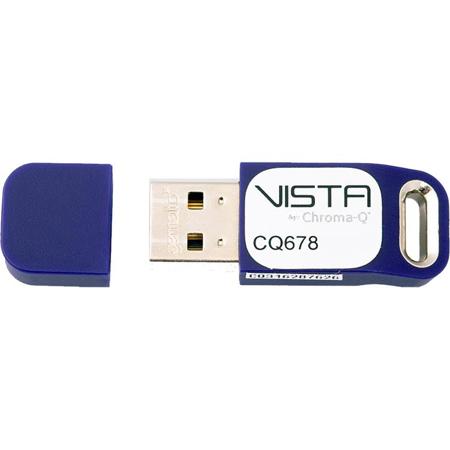
Chroma-Q 128-Channel Dongle
SKU: CQ6781128
This item is no longer available.
Share:
Overview
Compare
Specs
Protection







About Chroma-Q Dongle
The Vista DMX Channel Licences enable data output from a computer running the Vista software and is suitable for standalone or tracking backup control. Designed to cope with the ever changing demands of modern shows, the award winning Vista software offers all the functionality of a full-size Vista console on your personal computer.
Choose to use your computer as a standalone controller or as a tracking backup to another Vista system. To enable data output a software license, in the form of a USB dongle, is required. Simply choose the license size that offers the number of channels you want, knowing you can upgrade as and when you need. Multiple license dongles can be used within a single system to achieve the sum of their individual channel counts.
Vista 3
After receiving extensive user feedback, Vista 3 has been developed to dramatically enhance existing functionality and introduce an array of intelligent new features that appeal to both existing and new users. Some of the new features include the ability to merge multiple showfiles, a new color engine that supports up to 11 colors, improved 2D fixture visualisations, customisable workspaces, a vastly expanded command line interface, and Smart FX masters.
Windows based, customisable workspaces
V3 has introduced a way of quickly recalling application set-ups on single and multi-monitor systems, which helps to drastically increase productivity and workflow.
Improved 2D visualisation
Vista is once again pushing the boundaries of what is possible with visual control. Control of fixtures with spherical or abnormal arrays is now much improved.
Merge multiple showfiles into one
A long requested feature that provides flexibility and simplifies show management.
New Color engine and picker
Capable of mixing up to 11 colors often found in today's lighting fixtures.
New command line interface
Helps to drastically increase programming speed and accuracy, whilst also providing an instantly familiar interface to those users who are new to the Vista ecosystem.
Smart FX Masters
A game changing way of being able to control lighting effects within live show environments. FX Masters further demonstrate the advantages and sheer power of Vista's generic fixture model.
Export show summary
Users are now able to export both fixture and cuelist data as a spreadsheet, enhancing Vista's paperwork and show management capabilities.
New simplified showfile format
Vista 3 includes a new showfile format which helps to streamline moving shows between multiple platforms, in addition to reducing overall showfile size. Vista's autosave and backup features have also been improved.