
This item is no longer available.
Review Summary
2010-02-05T19:00:00
did a great fast job transfering video from my card. a little worried about the flimsy housing. it will might crack if not careful
ELLE
2009-09-06T21:00:00
The Card slot is too large making it very easy to bend pins and make the devise useless. I returned it for another after this happened to me and the replacement only worked 4-5 times. Then I inserted it into the USB outlet on my computer and got an error message that the device was not recognized. I tried re-installing drivers and re-booting to no avail. I ultimately just went out and bought a higher quality and more expensive reader that has functioned flawlessly. In short, don't waste your time or money on this reader.
leeaustex
2009-06-25T21:00:00
This CF card reader has three issues: 1) The slot to insert the CF card is larger than the card itself, making it difficult to align the pins. I worry about wiggling around my card so much that I either break the card or bend the pins. 2) The clasp to secure the card in place is too difficult to open. I kept thinking I was breaking it. 3) If I plug my camera directly into the computer, my files were available. If I use the card reader, it says my files are not in the correct format. Maybe I'm missing something here, but that was an initial cause for alert. I'm on the D700.
LEEANN G.
2009-06-11T21:00:00
I bought this for my mom. What a mistake. After only 1 or 2 uses, the pins inside became bent, and the compact flash card could no longer be inserted. This item belongs in a dollar store.
Kristine
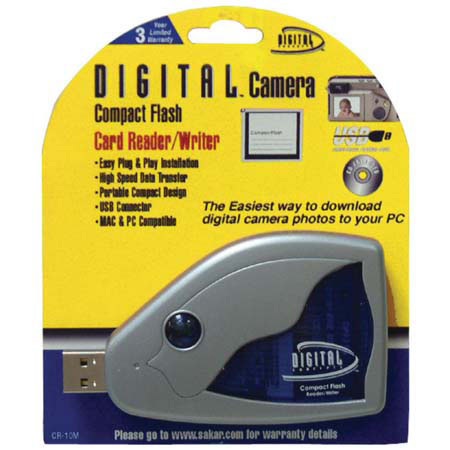
Now you can transfer files easily from digital cameras, hand held PCs and other Flash compatible devices to your desktop or notebook. The Digital Concepts Compact Flash card reader lets you drag and drop files, images, and music for editing and storage on your computer.
The data is accessed and used just like a floppy drive, or any other removable media drive. Just plug your Compact Flash into the reader, and it's recognized as a drive letter on windows PCs, or as an icon on Macintosh desktops. Moving files back and forth is a simple and familiar click-and-drag operation.