



See Options
Need help? Ask our experts.
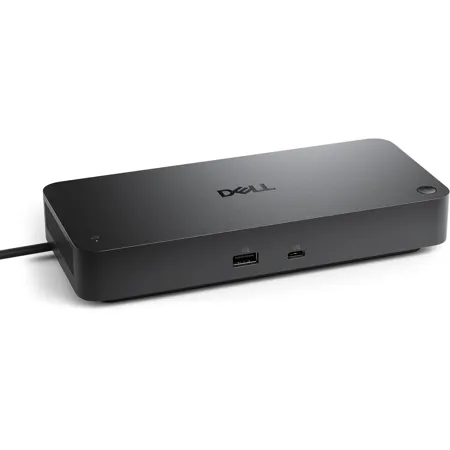
Get the power and agility to work your way with the latest smart dock featuring up to 130W power delivery and remote management capabilities.
A smarter workspace
Gain the versatility to create your ideal workspace and boost your AI PC productivity with support for up to 4 displays, up to 130W power delivery, and multiple ports to connect all your peripherals.
Most manageable
Elevate the IT management experience with no software or PC connection required, allowing you to remotely manage all your Dell Pro Smart Docks. Remotely manage your smart docks without end-user presence from the Dell Device Management Console - the industry's first holistic peripheral management solution that configures, deploys, and updates smart docks over Wi-Fi.
Work securely
Keep users working confidently with enterprise-grade WPA-3 192-bit encryption for secure Wi-Fi communication. Safeguard your sensitive data with tamper-resistant, hardware-based encryption built into your Dell Pro Smart Dock.
Effortless maintenance
Reduce IT efforts by scheduling updates during off-hours, while ensuring fleetwide firmware compliance and eliminating end user interruptions.
Connect your way
Configure your workspace to your liking with an ambidextrous USB-C cable that can be routed left or right.
Designed for sustainability
The Dell Pro Smart Dock is built with at least 65% post-consumer recycled materials and packaged with 100% recycled or renewable packaging.
866-795-5597







