See Options
Need help? Ask our experts.
Review Summary
Wired
Notebook
Desktop PC
2.72' (0.83m)
Power Delivery Pass-through
LED Power Indicator
Indicator Light
Intel AMT over Thunderbolt with select Intel vPro PCs
MAC Address Pass-through
PXE Boot
Dock Power Button Sync
Wake-on-LAN
WLAN to LAN Switch
Kernel Direct Memory Access (DMA) Protection
Dell Command Update (DCU)
Port Disablement
Host PC based firmware update
Firmware update on disconnect
4
QHD @ 60Hz
WQHD @ 60Hz
4K @ 60Hz
5K @ 60Hz
6K @ 60Hz
8K @ 60Hz
3840 x 2160
5120 x 2160
2560 x 1440
3440 x 1440
7680 x 4320
6144 x 3456
1.25 GB/s
Kensington Security Slot
Noble Wedge Security Slot
4x USB-A 3.2 Gen 2 (4.5W each)
1x USB-C 3.2 Gen 2 (15W)
1x USB-C Multi-function DisplayPort (7.5W)
2x Thunderbolt 4 (15W each)
All deliver power with or without PC
130W (Dell Systems)
96W (non-Dell Systems)
QHD - 60 Hz (Quad Display)
WQHD - 60 Hz (Triple Display)
4K - 60 Hz (Dual Display)
5K - 60 Hz (Single Display)
4K - 60 Hz (Quad Display)
4K - 60 Hz (Triple Display)
6K - 60 Hz (Dual Display)
8K - 60 Hz (Single Display)
2.5 Gigabit Ethernet
Thunderbolt 4
6x
Yes
4x
1x
4x
Yes
1x USB-C 3.2 Gen 2 (10 Gbps), (15W)
1x USB-C 3.2 Gen 2 Multi-function DisplayPort 1.4
2x
Yes
Yes
2x
1.4
Yes
1x
2.1
Yes
2
2x
2x DP1.4
1x HDMI 2.1
1x USB-C 3.2 Gen 2 Multi-function DisplayPort 1.4
2x Thunderbolt 4
Host Software (Windows):
Dell Firmware Utility
Dell Display and Peripheral Manager
Dell Command Update
Cloud Management (via host PC software)
Dell Device Management Console enables:
Automatic firmware updates
Maintain specific firmware version or downgrade
Peripheral inventory and status
Windows 10
Windows 11
Ubuntu 24.04
macOS
ChromeOS 137
Red Hat Enterprise Linux 9.6
180W
Power Adapter
Yes
China
8.07 x 3.54 x 1.39" (20.5 x 8.99 x 3.53cm)
1.25 lbs (567g) (Approx.)
884116692492
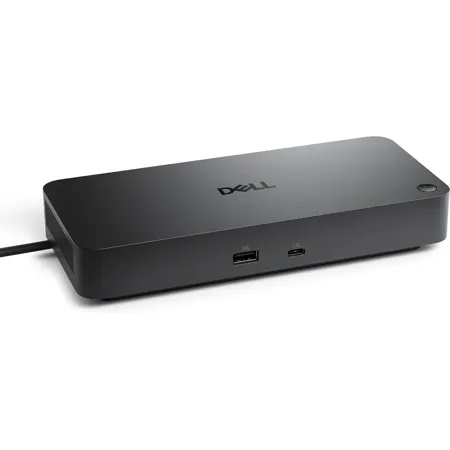
Drive unmatched power to your workspace with the latest Thunderbolt 4 dock, featuring up to 130W power delivery.
Power AI productivity
Maximize your AI PC productivity by seamlessly using Gen AI tools across up to four 4K 60Hz displays. Stay powered with up to 130W power delivery and connect all your peripherals effortlessly.
Accelerate manageability
Enhance IT efficiency across the modern workspace.
Improved manageability
Manage your dock through the Dell Device Management Console, using the Dell Display and Peripheral Manager along with the Dell Device Management Agent installed on your PC.
Simplify firmware updates
Reduce IT complexity by deploying a single firmware file across workspaces. Minimize end-user disruption with silent firmware updates, executed upon dock disconnection. Unlock out-of-band management on select Intel vPro PCs with Intel Active Management Technology (Intel AMT) over Thunderbolt via the connected dock.
Work with confidence
Enhance your docking experience across brands with universally compatible features including MAC Address Pass-Through and Power Button Sync.
Connect your way
Configure your workspace to your liking with an ambidextrous USB-C cable that can be routed left or right.
Improved sustainability
The new generation of Dell Pro Docks reflect a commitment to sustainable design innovation to reduce environmental impact. The WD25TB4 is built with sustainable materials and packaged with at least 65% post-recycled content (PCR) plastic and 100% recycled or renewable packaging.
866-795-5597






