


+2
more
more
This item is no longer available.
A better view from anywhere
Detail-driven
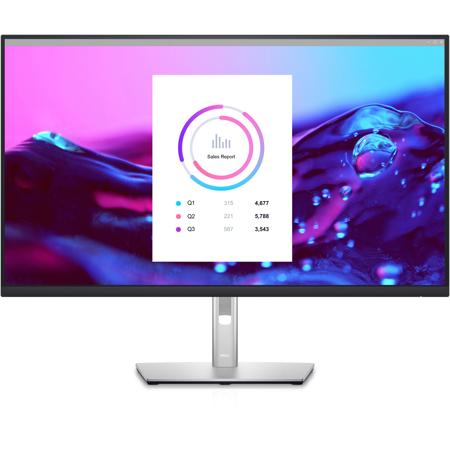
Capture every nuance on a brilliant 31.5-inch, 4K monitor with more than 8 million pixels and four times the resolution of standard Full HD.
Sleek, stylish and comfortable
This 31.5-inch 4K monitor with 3-sided ultrathin bezels features ComfortView Plusi, an always-on, built-in low blue light screen that optimizes eye comfort while delivering excellent color accuracy.
Color consistency comes standard
See consistent, vibrant colors across a wide viewing angle enabled by In-Plane Switching (IPS) technology. With 99% sRGB coverage, you get precise colors right out of the box.
Comfort is key
Tilt, swivel, pivot and adjust the height of your monitor (150mm height adjustment range) for extra comfort during work.
Designed with you in mind
Navigate the menu and adjust screen settings with the easy-to-use joystick control. Snap on the optional Dell Slim Soundbar (SB521A) and elevate your listening experience.
Sleek yet practical
The stunning design and small base complement an improved cable management system that hides cords in the monitor riser.
Connect to productivity
Clutter-free productivity hub
Get more done with RJ45 for wired Ethernet connectivity and USB-C providing up to 65W power delivery.
Enhanced manageability
MAC Address pass-throughi, PXE Boot, and Wake-on-LAN are conveniently built in.
Time-saving, single-cable solution
Convenient single-solution USB-C connectivity offers the flexibility of connecting to multi-vendor USB-C systemsi, reducing cable clutter, enabling quick transitions from the desk, and saving up to 72% of workspace setup time.
Jumpstart productivity
Simply press the monitor power button and the power sync feature seamlessly starts your monitor and connected Dell PC, even when the laptop lid is closed. Compatible with select Dell PCs.
Extensive connectivity
Easily connect to a variety of devices with extensive connectivity ports, including HDMI, DisplayPort, USB-C, RJ45 and 4x SuperSpeed USB 5Gbps.
Dell Display Manager
Productive at every level
Easy Arrange allows you to easily tile multiple applications across one or more screens with 38 pre-set window partitions and the ability to personalize up to five windows, giving you improved multitasking abilities.
Seamless transitions
The auto-restore feature remembers where you left off, so applications will go back to where you left them, even after you've unplugged.
The key to convenience
Shortcut keys can save you even more time, letting you easily configure your display management settings so you can get to work faster.
More ways to manage
Asset management reports allow IT managers to quickly capture and track monitor information as well as configure multiple monitors at once through a single setup.
Green thinking: for today and tomorrow
Environmental standards
This monitor meets the latest regulatory and environmental standards such as EnergyStar, EPEAT Goldi and TCO Certified Edge Displays.
Eco-conscious packaging
To reduce our manufacturing impact on the environment, this monitor is shipped Styrofoam-free and the packaging is made of at least 75% recycled cardboard.
Energy conservation
Save energy when your monitor is not in use with PowerNapi, a feature that dims or puts your monitor to sleep when it's not in use.
Advancing sustainability
Dell Technologies is committed to reducing environmental impact throughout the product lifecycle.






