This item is no longer available.
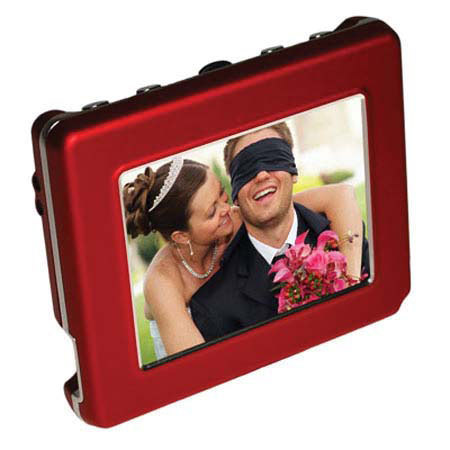
The Pocket Album OLED Series includes the "Pocket Album Deluxe OLED 2.8" with a 2.8-inch screen with wrist strap, holding more than 3,000 photos and the "PocketAlbum OLED 1.5," a digital keychain with a 1.5-inch screen holding 120 photos.
Pocket Album OLED's cutting edge OLED technology provides excellent display of images from almost any viewing angle. Both photo viewers let you carry your photo moments with you everywhere you go to view and share on high-quality OLED screens.
Photos can be viewed by scrolling manually or randomly through an automatic photo slideshow with adjustable intervals and multiple transition effects. The Pocket Album OLED Series includes user-friendly Photo Viewer software that makesit easy to convert images of various formats from your computer to the Pocket Album OLED photo viewers.
You can crop and rotate any photos you wish to transfer and then automatically resize the photos for optimal storage and display on the viewers. Pocket Album OLED runs on Lithium-Polymer batteries that are easily recharged with the included AC adapter or with the USB cable by connecting it to your computer.
The Pocket Album OLED 2.8 photo viewer features a 2.8-inch (320 x 240) Active Matrix OLED screen with an astounding contrast ratio of 10,000:1. The Pocket Album Deluxe OLED 2.8 holds over 3,000 digital photos with its internal flash memory (exact capacity TBD). You can browse your photos in Photo Thumbnail view and choose between displaying your photos full screen or 2 x 2.
. With its folder structure for photo management, you can even organize your photos into 5 different folders and select specific folders to playback.