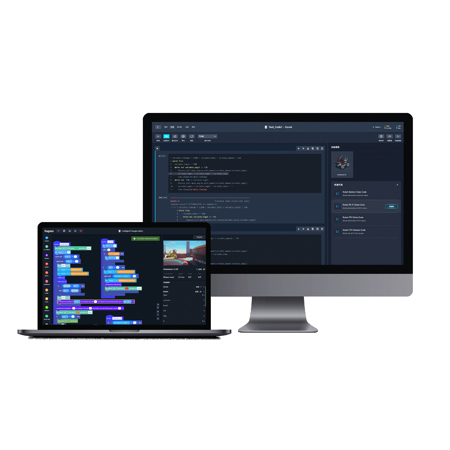
DJI EDU Education Hub 2 Year Professional Version Software for 2 Teacher & 100 Students, Download
SKU: DJIEH1Y1T100
This item is no longer available.
Share:
Overview
Compare
Specs
Protection







About DJI EDU Education Hub
DJI Education aims to make cutting-edge technology fun and accessible through a revolutionary approach to allow every youth gets a chance of fulfilling their dreams in tech. To this end, DJI Education has launched the DJI Education Hub - a powerful solution for empowering practical learning in tech innovation, by integrating with DJI's robotic offerings and providing comprehensive tools that support a wide range of teaching scenarios.
Effective Teaching Tools
• Pre-class preparation platform
• Interactive multimedia courseware
• Easy-to-use course materials
Low-Cost Robotics Simulator
• Industrial-quality robotics simulation
• Diverse application scenarios
• Accessible to all grade levels
Popular Course Offerings
• DIY and AI course modules
• Robotics programming classes
• Designed for all age groups and skills levels
Effective, Comprehensive, and Accessible
Following our educational robotics products' success, DJI Education strives to provide students and teachers with a more seamless learning and teaching experience by using our industry-leading software and service to expand the possibilities of their educational journey.
Teaching - Diverse Educational Resources
Teachers will have easy access to course resources and question banks for all age groups to help them create exam forms, schedule exams, and complete learner evaluations efficiently. Teachers can create their own customized instruction format specific to their needs.
Learning - Fun and Simple Programming Education Tools
DJI Education Hub comes with Rogram, a new programming interface for teaching learners to use Scratch and Python coding languages, to create innovative robotics programs. Rogram is easy to use and the programs it makes are compatible with more than 130 different types of robots, including a full lineup of DJI robotics products.
Practice - New Interactive Simulator
DJI Education Hub also features the new DJI Robotics Simulator, which includes a 3D physics engine that adds realism to the simulation environment by mimicking the characteristics of an actual working machine, including its joint structure and reproducing the effects of collisions, friction, and resistance. Combined with a diverse range of application scenarios, this simulator delivers a more intuitive and practical experience to programming learners. Teachers and learners can also debug programs in the simulator and link them to an actual robot for concurrent testing, enabling the seamless integration of virtual and real-time processes.
One Account, Many Possibilities
DJI Education Hub users can log in to their DJI account via the web portal or desktop platform and efficiently perform tasks such as adding new students and teachers, running learning activities, and managing teaching tasks. It is an excellent tool for empowering educators and their students to achieve their goals.
Professional Version - For schools, education institutions
Ideal for large-group teaching environments, such as hobbyist courses, robotics clubs, and regular classes. This version supports managing accounts for students and teachers through the Admin Portal.
In addition to Advanced version: DJI Robotics Simulator
• Intro to Artificial Intelligence Courses - Vision Identification
• Intro to Artificial Intelligence Courses - Precision Control
Class Functions (Teacher)
• Create and edit classes
• View and export student lists
Class Functions (Student)
Automatically granted professional version functions and simulator modules by joining the class created by the teacher under professional version
Admin Portal
• Professional version license management
• Teacher permission settings
• Student progress report data
Advanced Course Resources (4 Sets)
DJI EDU Education Hub Features
- DJI Education aims to make cutting-edge technology fun and accessible
- Solution for empowering practical learning in tech innovation, with DJI's robotic offerings and comprehensive tools
- Effective Teaching Tools
- Low-Cost Robotics Simulator
- Popular Course Offerings
- Effective, Comprehensive, and Accessible
- Teachers will have easy access to course resources
- It comes with Rogram, a new programming interface for teaching learners to use Scratch & Python coding languages
- New Interactive Simulator
- Ideal for large-group teaching environments