

See Options
Need help? Ask our experts.
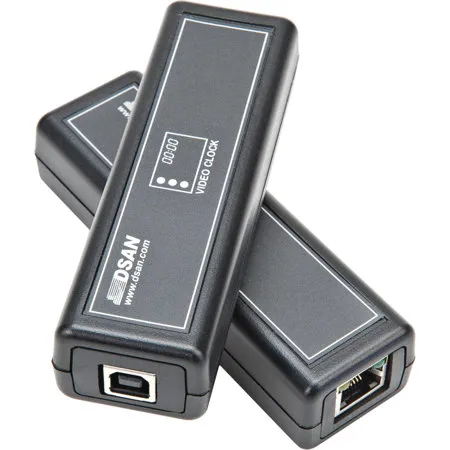
The main function of the Video Clock is to transmit serial data from the PerfectCue system to its software on a PC. This allows the user to control and customize the output according to their specific needs.
Yes, the output of the Video Clock can be displayed independently or layered over other applications, such as PowerPoint.
The Video Clock offers user-controlled customization of the size, color, background, position, and transparency of the output.
The Video Clock is designed to be compatible with the PerfectCue Signaling System, but for specific version compatibility, it's best to check with the manufacturer, dsan.
The Video Clock enhances presentation capabilities by providing a seamless integration of time management and presentation control. It allows you to customize the output and display it over other applications, giving you the flexibility to deliver impactful presentations.
Review Summary
Accidents happen where life happens. Protect your favorite Adorama products and purchase a protection plan to stay covered from accidental damage, mechanical or electrical failure, and more.
If we can’t fix it, we’ll replace it at no additional cost.
Protect your product from drops, spills, and more.
Enjoy your gear without fear. We have you covered!
When regular use of your product over time results in mechanical or electrical failure.
We will never charge you a deductible after the purchase of a plan.
Our claims process is simple & easy and our customer service team is happy to help.
Adorama Protect powered by Extend is available for purchase to customers in the United States. Not available for purchase Internationally or in U.S. Territories.
Browse our FAQ
PerfectCue Signaling System
Experience the seamless integration of time management and presentation control with the Video Clock for PerfectCue Signaling System. This innovative product, designed by the reputable brand dsan, is a Cat5-USB dongle that effectively transmits serial data from your PerfectCue system to its corresponding software on your PC.
The high-quality software skillfully parses the incoming data stream, allowing you to customize it according to your specific needs. You can control the size, color, background, position, and transparency of the output, tailoring it to your presentation style and audience.
This user-friendly Video Clock for PerfectCue Signaling System is not just a timekeeper; it's a tool that enhances your presentation capabilities. The output can be displayed independently or layered over other applications, such as PowerPoint, providing you with the flexibility to deliver impactful presentations.
Built to be durable and reliable, this Video Clock is an essential accessory for anyone using the PerfectCue Signaling System. It's more than just a clock; it's a tool that empowers you to manage your time effectively and deliver presentations with precision and confidence.






