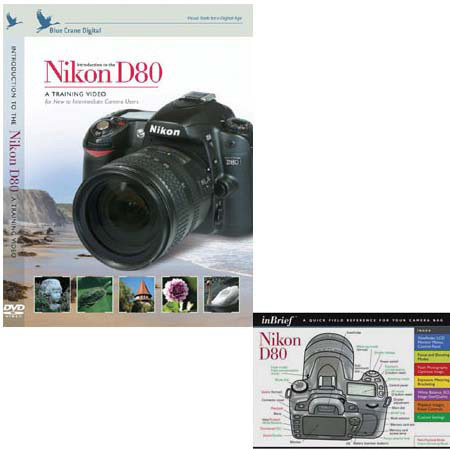
Blue Crane Combo with DVD, Introdution to the Nikon D80 Digital SLR Camera, & inBrief Quick Field Reference
SKU: DVCND80
This item is no longer available.
Share:
Overview
Compare
Learn
Specs
Protection
About Blue Crane DVD and Guide: Combo Pack for Nikon D80 DSLR
If you have just purchased your Nikon D80, the controls on the outside of the camera coupled with all the menus and custom settings can be downright overwhelming. We give you a structure for looking at the controls as well as a repeatable ritual for taking great photos with your new camera. You spent a bundle on this camera. Let it be an extension of your hands rather than a struggle.
The Nikon D80 is a powerful piece of equipment. A solid understanding of its features and controls can really unleash its potential. Once you learn how the camera's components work together, you'll have all the tools you need to capture the best image under all conditions.
Topics include:
• Be Prepared (To Get the Shot)
• Shutter Priority
• Aperture Priority/Depth of Field
• Focus Alternatives
• Metering and Bracketing
• White Balance/Color Temperature
• ISO
• Playback Options / Image Review
• Understanding Histograms
• Exposure Compensation
• Flash Overview
• Custom Settings
• Tripods and Telephoto Lenses
• Programmable Buttons
• RAW (NEF) Files
• Composition
• My Menus
• And much more!
Take great pictures with your Nikon D80! All you need is this training DVD and about 93 minutes, and you'll have the knowledge and the confidence to create the images you want. The topics are arranged in chapters, so you can move at your own pace, and return later to individual subjects.
inBrief Camera Guides
Your camera manual covers all the functions on your new digital camera. It's also over one hundred pages long.
When you are in the field, you need quick and accurate answers to achieve the best shot. We developed the inBrief line of camera guides so you can get the answers, and more importantly, the shot you want.
Each card is divided into eight color-coded panels. If you have a question about metering or bracketing, simply look at the yellow panel. Questions about custom functions are answered on the green panel. The layout and description for the control panel and viewfinder can be found on the blue panel. And a color-coded index on the front page immediately points you toward the answer you need.
The inBrief guide is laminated for long life and protection from the elements. As importantly, the panels are separated by thin strips of clear lamination, allowing the card to be folded easily and stored in your camera bag.
Your inBreif guide won't be a replacement for your manual, but it will remind you of what functions are available, and how you can get them to work for you.