
This item is no longer available.
Redefining the workspace
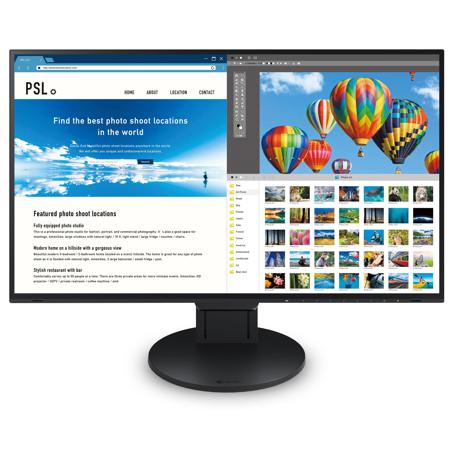
The generous 27-inch screen holds a 4K resolution giving images great sharpness and clarity. With its sleek, frameless design and USB Type-C connectivity, the EV2785 helps you make the most of your workspace.
One Cable Connection
Single Cable Connection with USB Type-C
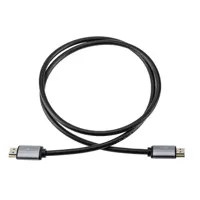
The FlexScan EV2785 comes with a USB Type-C port. With a single USB Type-C cable you can transmit both video and audio signals, transfer data and supply up to 60W of power to attached devices such as smartphones and laptops. What's more, it has an internal power unit so no external AC adapter is required.
60W Power Supply for Use with High-End Notebooks
The USB Type-C terminal supplies up to 60 watts of power making it ideal for use with XPS, MacBook Pro and other high-end notebooks.
4K Resolution - Text and Images in Crisp Detail
The EV2785 features a 27-inch screen with a 4K resolution for a tight pixel pitch of 163 ppi. Furthermore an LED-backlit IPS (in-plane-switching) LCD panel is used which produces deep and vivid colors.
Function and Beauty
Frameless Design
With a bezel width of only 1 mm on the top and sides, the EV2785 is virtually frameless. Even with the 6.4 mm black borders along the perimeter of the LCD, there is only 14.8 mm between the display area of each screen in a multi-monitor configuration, which makes for almost seamless viewing.
Say Goodbye to Tired Eyes
Auto Brightness Control
To prevent eye fatigue, a brightness sensor called Auto EcoView detects the changes in the ambient brightness that occurs throughout the day and automatically adjusts the screen to the ideal brightness level.
Reduce Blue Light by 80%
In the visible light spectrum, blue light has wavelengths adjacent to ultraviolet light. Compared to the factory preset setting of 6,500 K of typical LCD monitors, Paper Mode is closer to the spectral distribution with long reddish wavelengths so it reduces the amount of blue light, a cause of eye fatigue and helps prevent eyestrain when reading documents.
1% - 100% Brightness Range
In a dimly-lit work environment, a monitor with low brightness settings is more comfortable to use. With its LED backlight, the monitor is adjustable to approximately 1 cd/sq. m which is less than 1% of the maximum.
Versatile Stand
The stand features height adjustment, tilt and swivel, while saving space and remaining stylish. Quickly and smoothly adjust your monitor to the perfect position.
Clear View from All Angles
The monitor uses an LED-backlit IPS (in-plane switching) LCD panel with 178 deg. viewing angle that minimizes color shift and contrast changes when viewing the screen at an angle. This means that two people sitting at the one computer can easily see the screen - and it also makes the EV2785 perfect for multi-monitor configurations.
Flicker-Free Viewing
Due to the way brightness is controlled on LED backlights, a small number of people perceive flicker on their screen which causes eye fatigue. The FlexScan EV2785 utilizes a hybrid solution to regulate brightness and make flicker unperceivable without any drawbacks like compromising color stability - even on low brightness settings.
Front-Facing Speakers
The EV2785 has speakers incorporated into the minimalist front bezel, ensuring that sound is focused on the user and not on people behind the monitor.
Intelligent Software to Work Better
EIZO's Screen InStyle is a free software that allows you to easily manage monitor settings such as power, color, brightness and gamma by using your mouse instead of monitor control buttons.
Auto Color Mode
Use the Auto Color Mode to assign a color mode to turn on when using specific applications such as those for writing documents, photo viewing, creating illustrations or watching movies. When an application is opened the screen will automatically switch to the assigned color mode, making manual switching unnecessary.
Hotkey Assignment
When you have two PCs connected to your monitor, switch between them with just your keyboard. Even when using picture by picture, signals can be switched quickly and easily.
Sleep Better with Automatic Blue Light Control
The Circadian Dimming function automatically changes the color temperature of your monitor as the day progresses. Maintain your body's natural circadian rhythm by setting the monitor to gradually reduce blue light during the evening, helping you sleep easier
Multi-Monitor Convenience
When using multiple monitors, save time by synchronizing all the monitors with each other. If you change the color mode, brightness or color temperature of one monitor, the rest will automatically change to the same. In addition, when one monitor's power is turned off, all the other monitors will also turn off.
Effectively Monitor Asset Management
With Screen InStyle Server receive information such as the model name and serial number of any monitor connected to your network. Additionally, see information from the computer that each monitor is connected to, such as the OS, IP address and computer name.
Manage Multiple Monitors from One Location
Control multiple monitors' settings such as color mode, brightness and eco functions from a remote location. Furthermore, prevent unintended setting changes by locking the operation switch.
Additional Convenience
USB Type-C, DisplayPort, 2x HDMI
One USB Type-C terminal, one DisplayPort input and two HDMI inputs compatible with 4K / 60p are installed. The USB Type-C terminal is convenient for connecting a notebook computer because it is easy to attach and detach the cable and can also supply power. All input terminals support 4K / 60p and animation is displayed smoothly. The FlexScan EV2785 lets you view data from two input sources at once such as a Windows and a Mac computer with no distracting bezel in between.