2026-04-25T20:00:00
Rated 5 out of 5
Was expensive for me but Best decision so far
It's an amazing printer, the print quality is amazing especially the pictures. It took me 4 days to research good printers and I'm happy that choosing this one didn't disappoint when i used it. My advice is to never buy HP. Just buy an Eco tank like this one and you won't regret it! I really hope it last unlike HP. Although I am disappointed though for that price, they could have at least included some paper or photo paper ??
Chrissam
Originally posted at

2026-04-25T20:00:00
Rated 5 out of 5
AirPrint Easy!
East set up, quick printing, using AirPrint is easy?have not needed to scan yet.
Elmoander
Originally posted at
2026-04-23T20:00:00
Rated 1 out of 5
Not usable
The printer on't stay connected to my phone or computer. Now it has an error message to turn it off. When I turn it back on, it has the same error.
Mandysw
Originally posted at
2026-04-18T20:00:00
Rated 1 out of 5
Does not maintain WiFi connection
I bought this three weeks ago and it's been a continuous headache since then. We already have an Epson ET-2850 which works great, but we needed a printer for my office with a document feeder so got this ET-3950 at Costco thinking it would be an upgrade from the 2850. Unfortunately it will not stay connected to our WiFi network and it reports weak signal and wrong password (sometimes). Interestingly it's located within 20 feet of a router (Eero mesh system) AND my ET-2850, which was in the same location worked just fine. I have reentered the password many times without success and much wasted time. So, over three weeks after trying to set it up, and countless attempts to connect, still no success. I plan to return it since it has to be defective!
JohnMH
Originally posted at
2026-04-14T20:00:00
Rated 3 out of 5
Good printer once Wi-Fi connectivity issues are resolved
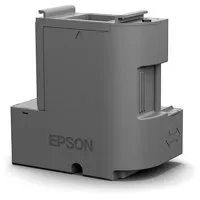
Pros: I like the tank ink fill system, seems to be a more economical way to deliver ink to the printer than the cartridges that have a very small ink capacity and are expensive to replace. Has good print quality for a home printer. Prints from your PC or wireless devices fairly rapidly in both transmission from the devices and in the actual printing process. Has a replaceable maintenance tank that other brands do not. Seems to be fairly will built. The control panel is functional, but my eleven year old Epson printer that this new printer replaced had a larger and more useful touch screen. Cons: A nightmare to get this printer to connect to a home Wi-Fi system. If you just use the on screen setup for Wi-Fi on the printer or the Epson Smart Panel app, it will lead you in circles without a way to resolve the connectivity issues. Only through a lot of on line research did I discover that this printer will only connect to a 2.4Ghz Wi-Fi signal. Most home wireless routers are dual band, transmitting in both 5Ghz and 2.4Ghz simultaneously. I found that separating the two signals from the router so that printer only receives the 2.4Ghz alone will resolve the issue. My wireless router has an app to do that with, I do not know how to do that with other kinds of routers. There is also a naming protocol issue with the printer that Epson Smart Panel app will address. With the printer on sale it is the best one to get. It gets three stars because of the connectivity issues that I initially had with it.
Kirk026
Originally posted at
2026-04-14T20:00:00
Rated 5 out of 5
My Second Epson
I wanted to replace my faithful, aging Workhorse printer, and glad I did. the 3950 is smaller, faster and quieter! I really like the eco-friendly tanks, too.
Walk2
Originally posted at
2026-04-14T20:00:00
Rated 5 out of 5
Highly recommend!
I am extremely happy with this printer. It prints, accurate color documents very quickly. The Wifi is very dependable. It's an excellent value for the money.
Scotch H.
Originally posted at
2026-04-12T20:00:00
Rated 5 out of 5
Good so far?
The product integrates well with my iMac and iPhone. My only complaint: The set up instructions were confusing and turned out to be the most difficult part of the process. Either choose to setup via the printer display or use hevQR code to set up via your iPhone. I inadvertently ended up toggling between the two with confusing overlaps and redundancies. It took far longer to set up and initialize than it should have.
I look forward to testing the claim of three years of printer ink based on normal usage. Initial filling of tanks was seamless. Make sure you top off AFTER you initialize?that will bring your inks levels up to capacity. It's all in ge instructions.
Ex C.
Originally posted at
2026-04-12T20:00:00
Rated 5 out of 5
Love My ET-3958
Received my ET-3958 in 3-4 days and I absolutely love it. It can do automatic 2-sided scanning and automatic 2-sided printing. And it's faster than my old Epson Work Force Pro WF-4720, which I also loved. I don't think there is a better printer made than Epson. And the Eco Tank is a lot better than buying cartridges at $50.00 or $60.00 each.
L B.
Originally posted at
2026-04-10T20:00:00
Rated 3 out of 5
Error nightmare
Works great but it is annoying to deal all the time with software error, constantly turning the machine on and off.
Henry M.
Originally posted at
2026-04-09T20:00:00
Rated 1 out of 5
Et3958 support?
My ET3958 doesn't seem to be supported with the right software, 3950 is the only thing to come up.
WIFI won't work either. DO I HAVE TO BING IT BACK TO Costco?
Dazeddaniel
Originally posted at
2026-04-07T20:00:00
Rated 5 out of 5
Great printer
Really nice printer scanner for the price! It does everything I need and a plus I was not aware of, two sided printing!
AIMwam
Originally posted at
2026-04-06T20:00:00
Rated 5 out of 5
Awesome little printer!
Really easy to set up and to use. Love the compact size and the thoughtful design features (e.g., the automatically extending paper tray). Plus the bottled ink is a game-changer! Super happy with my purchase and honestly glad my old printer broke down ??
bbbean
Originally posted at
2026-04-02T20:00:00
Rated 5 out of 5
Does what it says
Does what it says
Drewphoto
Originally posted at
2026-04-02T20:00:00
Rated 5 out of 5
ET-3958 Renew is a Winner!
Epson's ET-3958 is an excellent printer, easy to install. Saved a ton of money buying a refurbished model under Epson's "ReNew" brand. Couldn't be happier.
Frank S.
Originally posted at
2026-03-27T20:00:00
Print quality comes out VERY blurry, some prints look like it's an old school 3D affect. You can see the red and blue . I've had 4 different Epson eco tanks and this one is not meeting expectations.
Ramirez
Originally posted at
2026-03-22T20:00:00
Rated 1 out of 5
These refurbished printer all have issues.
I'm on my third printer from epson with issues. I'm returning this and never buying another one again.
TimT
Originally posted at
2026-03-19T20:00:00
Rated 5 out of 5
Easy and fast setup works grest
What a great printer.
RkRk
Originally posted at
2026-03-17T20:00:00
Rated 5 out of 5
I like this printer!
I like this printer! I especially like the ink tank system. Much better than cartridges.
Steve L.
Originally posted at
2026-03-17T20:00:00
Rated 5 out of 5
Amazing service
Shipping was very fast, and very well packaged. I also love the eco tanks, I will always buy these. I've also had to get help with customer service in the past and they're hands down the best customer service team I've ever encountered. I do wish the refurbished products were easier to find on website as I'm all about reduce reuse renew.
Tiana_M
Originally posted at
2026-03-17T20:00:00
Rated 2 out of 5
Total Frustration
It was difficult to set up with my mac. Every time I change paper is have to restart printer, computer and modem. The display screen on the computer is too small and it requires too many steps to make changes. I think the printer is designed to work with a smartphone or table. Bottom line, it's been a frustrating experience
Thrun
Originally posted at
2026-03-16T20:00:00
Rated 5 out of 5
Love this printer
Loving this printer. The double sided document feed for the scanner is a big time saver for me.
GWHY
Originally posted at
2026-03-14T20:00:00
Rated 5 out of 5
No Regrets ! If you're thinking about it , stop and do it
Amazing buy, exactly what I was looking for in a printer. Truthfully their isn't one thing it can't do it's truly a workhorse for whatever you need.
Jason R.
Originally posted at
2026-03-10T20:00:00
Rated 1 out of 5
Defective right out of the box.
I have loved my ET-5800 and the ET-16650 that I upgraded to three years ago. I wanted a separate printer to just print packing inserts for the orders I receive as a small business owner. I don't really need anything fancy and it doesn't need to be pigment ink like my other printer...but I do need it to actually function correctly. My ET-3958 arrived today and I spent 3 hours just trying to get it to print without looking like a car ran over the piece of paper. It leaves black smudges everywhere. These are not ink smears from what I printed...these are just random black smudges like there is something dirty in the machine that is getting on the paper. I did print guide cleaning, printhead cleaning, print quality adjustment, printhead adjustment...nothing worked. And trying to print auto duplex which was the main thing I wanted in a printer...the end of the back page ghosts like the paper moved while it was printing. I've never had such a horrible experience right out of the box...with my previous Epson printers or any other brand. This printer is defective.
Candi00
Originally posted at
2026-03-08T20:00:00
Rated 1 out of 5
TERRIBLE product! Do not purchase!
This product is completely defective: from the first that we set it up, we've had issues connecting. It needs to be restarted and reconnected with every use. It jams whenever we try to print double-sided. Not only that, but Epson's help has been completely useless, asking us to download additional drivers that have kept the problems exactly the same. You should not purchase this product!
kmooney9
Originally posted at
2026-03-04T19:00:00
Rated 2 out of 5
Don't try calling tech support they know nothing
Well it prints ok. Scanning is so much more confusing and more difficult than hp. The real issue is shutting down it never shuts down unlike hp. Power button flashes for days. Even when trying to use sleep or shutdown on the screen. Tech support is useless I spend 2 hours talking to 3 people who looks like they never used an Epson printer. What I discovered is the only way to shut down is either manually on the printer or using teh shutdown on the app but using shutdown on the app will not retract the tray which is a hazard the print is good so the printer is fine tech support is useless
Applehazar
Originally posted at
2026-02-19T19:00:00
Rated 2 out of 5
Awful picture qualtiy
Bought to replace hp printer with failed head, never been more disappointed. DO NOT get this to print ANY type of photo, you have been warned. Unless its just my printer that is broken, but epson help told me its the limitations of the printer. Color photos gets the whites reddish colored and the sky is not even close to blue. Prints all colors darker than picture, black and white photos print with a red tint and get very dark. Had high hopes for this printer, very sad epson will not help me and gave up.
Darwinian
Originally posted at
2026-02-06T19:00:00
Rated 1 out of 5
Cannot Scan to Network Folders
I bought this printer for a home office and decided on it because of the duplex scanning feature on the ADF. Unfortunately the software is extremely limiting. This printer only allows you to scan to cloud services through Epson's servers. There is no capability to scan to a network share locally. It is absolutely insane to me that this isn't available on a $400 printer. Epson has intentionally crippled this feature on the ET-3950 to push you toward their enterprise models or their cloud ecosystem. The printer has all the hardware capabilities to do what I want - they just locked it behind software limitations to get access to our data.
AlexL
Originally posted at
2025-12-15T19:00:00
Loses it's IP address almost daily. Printer errors every other print job, have to reboot. That's why the in lasts so long, it's never available to print anything. Not to mention how excruciatingly slow it is.
JoePrint
Originally posted at
2025-11-25T19:00:00
Rated 1 out of 5
Don't buy this printer until reading
I bought this printer a couple weeks ago and nothing but trouble. The printer itself works fine as long as you are willing to reboot it after any period of inactivity that exceeds 10 or 15 minutes. This is not due to the sleep function but wifi connectivity. I followed all trouble shooting advice - re-installed firmware, rebooting my wifi router, and much more. I have an older WF-4740 that works just fine in the same location - connects just fine but this printer reports weak signal and wrong password (sometimes). I suggest avoiding the trouble. Epson makes good products but somehow has missed on this one.
MM01
Originally posted at