2026-05-26T20:00:00
Rated 5 out of 5
Easy to install.
i bought this wf-7820 wide format printer to reproduce some of my office bulletin announcements. I usually entered my data on 11 x 14 size paper. This printer handles up to 13 x 19, so I am covered to print even larger sizes when needed.
The installation instructions on the website went smoothly, and effortlessly, and I had no problem in completing the installation of all the printer's functions.
copying, printing, scanning. I don"t use the fax so I may never use that function, but its there if I need it.
TJ L.
Originally posted at

2026-04-22T20:00:00
Rated 3 out of 5
Useless For Scanning
I boight this printer to replace my aging brother inkjet. It prints fine but you really need to print every week to make sure the head doesn't clog.
The scansmart software is terrible which effectively makes the scanner useless. Don't buy it if you need a scanner.
I spent 5 hours, removing and reinstalling the software, searching the web for answers, to no avail. The printer will scan, but the software will nit preview or save anything.
Really angry.
RobertTN
Originally posted at
2026-02-05T19:00:00
Rated 4 out of 5
Good with some remaining issues
Easy to set up. Most printing going very well. Having trouble figuring out how NOT to print 2-sided and with all objects in PDF drawings showing up when printed.
AnneW
Originally posted at
2026-02-01T19:00:00
Rated 2 out of 5
Epson is not what it used to be
I have bought Epson printers for at least 25 years because they used to be good for personal and small business printing. Ugh, not anymore. The last WorkForce I recently owned was being very difficult. I should have stayed with very difficult because my 7820 really is awful. Never worked great from the beginning. Even copying, it asks on a regular basis about paper size, so auto-detect is not really a thing. Forget scanning! It has been such a major issue that I can't take it anymore. It never detects the last computer it connected with or any other. So DO NOT get this printer if you want to scan unless maybe to a USB. I spend more time turning it off and on to get it to properly to connect it is ridiculous! Scanning and printing. Printing, if you don't do it every day, it drops the connection to the wi-fi and won't print until you unplug. I have chosen many WorkForces over the years because of forms I've had to print, but I now feel I have to find another brand. Plus the small Epson 410 I used to use as a transport, gone through 2 over only a few years. Worked, but not long enough to be worth changing so frequently.
elfishinCPA
Originally posted at
2025-12-30T19:00:00
Rated 5 out of 5
this is an amazing printer
printing 11x17 vellum for screenprinting
hanna w.
Originally posted at
2025-12-01T19:00:00
Rated 1 out of 5
Order lost multiple times
Order lost multiple times
Robert1881
Originally posted at
2025-11-18T19:00:00
Rated 1 out of 5
Unfixable software malfunction/possesssed printer.
I had a workforce I bought in 2017 and while the printer no longer works, the scanner actually still works as well as the day I bought it, never one software glitch.
I bought a new one about a year ago, and it's been a nightmare. I think like other users have mentioned it might have started when I updated firmware. Error messages, spinning wheels, the machine freezing up, the printer just moving around like something possessed. It's barely functional. Support is no help. If this wasn't literally the only quality large format scanner on the market that's under a grand, I would boycott this company forever. They've obviously decreased the quality of their products, while raising the prices. Cool trick.
Hyena
Originally posted at
2025-10-28T20:00:00
Rated 2 out of 5
Epson 7820
The printer was missing a power cord and the sample ink
Dhaun
Originally posted at
2025-08-12T20:00:00
Rated 3 out of 5
Ink Vampire
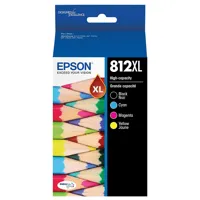
I love the functionality and design of the printer but it is a literal ink vampire!! It required new cartridges in 3 weeks of buying. We replaced those with XL cartridges thinking they would last a good bit longer, NOT. I will not buy another Epson because of this. It goes through ink like its nothing. I've owned many printers but this one uses more ink than the last 4 I've had combined in a months time. I see where a review was left 4 years ago for this same product and issue! Nothing has changed. It also periodically loses the wifi connection at the least opportune moments!
racerandracer
Originally posted at
2025-07-16T20:00:00
Great printer. I use this to print designs on watercolor paper to paint.
CarissaO
Originally posted at
2025-04-29T20:00:00
Rated 1 out of 5
do not buy a printer from Epson
Premature Printer Failure: Two Epson WF printers (7820-7710 models) stopped working within two years, despite significant cost.
Black Ink Recognition Problem: The printers are no longer recognizing the black ink cartridges, preventing printing.
Unhelpful Customer Support: I contacted Epson multiple times via different channels (email, Facebook IM, phone) and experienced unsatisfactory interactions, including being accused of using the wrong ink (sublimation ink).
Difficulty with Customer Support Agents: You felt rushed off the phone and were not satisfied with the responses from both the initial agent (Raniel H.) and a manager.
Unresolved Issue and Request: I requested a refund of $22.46 due to the website showing "no ink" after troubleshooting, but this remains unresolved. Told me it was after 30 days for a refund yes it is now because you didn't call me back.
Ref 2.
Originally posted at
2025-03-09T20:00:00
Rated 5 out of 5
Works Great
Works Great
rigney
Originally posted at
2025-02-27T19:00:00
Rated 1 out of 5
Broken on Arrival and now no support...
Was really happy to receive my new all -in-one printer for is Wide-format printer, shipping was fast and received it 1 day faster than expected, but arrive broken and now no support (and really hard to reach them).
The box arrive with (what it first seem) a minor box damage, but after opening the printer from the box, I saw shard of plastic...bad sign when you unbox something new, telling me the damage of the box went more lethal than I hopped for.
After removing the product from the box, I saw the main display panel broken, the plastic part and also the underneath glasses part of the screen, this zone was not well protected with no foam from Epson.
I didn't inspected it further to contact Purolator about it and then Epson.
When I write my first email to support, their was not possibility to add picture with the contact and no way to selected something like "broken product" or "shipping problem".
Epson support is really hard to reach, no possibility to tell something came broken, like it can't happen, getting support is a maze, with many loop, bringing me on the product page, US website (from the Canada website), the automatic support chat thing doesn't really help, put me on more loops...
I decided then to register my product and see if more option is possible.... the answer is no.
From my registered product page on my profile, I try to email to support but "my product" show the wrong product (something I don't even have and it's lucked, cannot change it) then I try write a review but was going nowhere (stuck with a # link going nowhere)....
I end up needing to go on the product page directly and click on the star (not really clear to anyone)
So now I have a broken product, and nobody reach to me for 4 days.
Slexlions
Originally posted at
2025-02-26T19:00:00
Rated 1 out of 5
Beware of the ink situation
Really sucks that you can't print in black when your color ink runs out. Especially since the printer uses color ink to produce black and white documents. The printer does a crappy job with off brand inks too. All I want to print is shipping labels. I don't need a gorgeous rich black to do that. Just let me print and replace plain old black ink. Or make your epson brand ink affordable. That would be nice. I hate this printer.
Dont i.
Originally posted at
2024-12-13T19:00:00
Rated 5 out of 5
Belle acquisition
Excellent mais c'est une nouvelle adaptation. Beau produit
Marty11
Originally posted at
2024-11-26T19:00:00
Rated 1 out of 5
DO NO buy this printer
DO NOT buy this printer. I wish I could give a zero star rating. It just never holds the wi-fi connection even when it is sitting within 3 ft of the router. Every other device in my house holds the wi-fi connection but this one seldom does. I've contacted Epson support 2 times and they just tell me to put the printer near the router, which would be in my living room. And even when it is within 3 ft.of the router it won't hold connection. Epson support has no answer. Waste of money and really hurts my work productivity.
sickofprinter
Originally posted at
2024-08-26T20:00:00
Rated 1 out of 5
Ink runs out after only a few prints
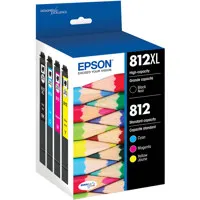
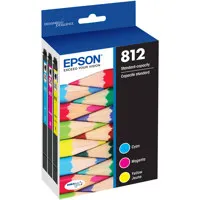
I bought this a few weeks ago and it worked great! After the temporary ink ran out, I bought new regular-sized 812 inks and only got 20 full-color prints--if that--before the ink said it was out and needed to be replaced. Went back to get more inks--same things. Don't know what is defective but I expected more prints. I am not doing intensive color photos, either. Will end up taking this printer back, as I don't want to spend more than $2.50 on ink per page to print!
Lori D.
Originally posted at
2024-08-23T20:00:00
Rated 1 out of 5
DO NOT PURCHASE IF YOU WANT TO USE GENERIC CARTRIDGES
When you get a firmware update you are no longer able to use generic cartridges. This is not only unfair it is criminal. It may be printed somewhere in information that you will not read but your printer will be disabled and it will no longer function. Shame on you Epson!
KCE123
Originally posted at
2024-08-05T20:00:00
Rated 5 out of 5
WF-7820 review
Works great! Just what i needed.
EE_Rick
Originally posted at
2024-07-26T20:00:00
Rated 5 out of 5
Jammed printer
The printer makes excellent copies. The only problem is the bottom of the printer where you load the paper. It get jammed too easily.
Midi
Originally posted at
2024-07-07T20:00:00
Rated 1 out of 5
Do not update firmware
If you update the firmware it forces you to buy only Epson ink cartridges. The cartridges cost more than the printer itself! Do not buy!
Horrible b.
Originally posted at
2024-07-01T20:00:00
Rated 1 out of 5
no thanks
I have had Epson printers, and the WF Pro 7820 looked terrific on paper. BUT-
1. 5 min. to print a 4x6" & the color is awful. 2. It will not scan to print. 3. it took 10 min. for a 5x7"
I did contact Epson via email, no reply.
jja_American
Originally posted at
2024-04-16T20:00:00
10
Yahma
Originally posted at
2024-02-11T19:00:00
Rated 5 out of 5
Much better model versus the older version of this printer
Much better model versus the older version of this printer
Nash
Originally posted at

2024-01-23T19:00:00
Rated 5 out of 5
Impressive capibilities
I very capable product.
Yellowstone
Originally posted at
2024-01-20T19:00:00
Rated 5 out of 5
Prints heavy paper!
I purchased this printer in hopes that I could print 140 lb. watercolor paper in it. It works fantastic! I am so excited and pleased with this purchase!
Kelly M.
Originally posted at
2023-12-27T19:00:00
Rated 5 out of 5
Really good
I have been uding a WF 7840, I needed one for my home wnd I'm really pleased with the 7830
ENINO
Originally posted at
2023-12-12T19:00:00
Rated 1 out of 5
A piece of junk
I purchased this printer and tried to set it up. The LCD screen was so unresponsive, I had to literally pound my finger to make the prompts respond. Then the printer refused to print. After two calls to support, it was decided the machine was dead on arrival and should be returned for a refund.
Needless to say, I will not be purchasing this printer again. It was a piece of junk. Will go back to Brother printers.
awshopper
Originally posted at
2023-11-01T20:00:00
Rated 1 out of 5
Terrible printer do no buy,
This is the biggest waste of money on the planet. Do not buy. Will not hold wi-fi signal, always tells me it is out of paper when it isn't. I could go on and on. Sadly this was the only large format printer I could find during the pandemic so of course overpaid and it torments me every day.
donotbuyepson
Originally posted at
2023-10-08T20:00:00
Rated 5 out of 5
I love the Epson WF7XXX series orinters
I have worn out two other wide format printers (I use them alot). This one replaces a WF7710 that I've had for about 7 years. I whish they would stay with the same ink cartridges, but you can't beat the price of theses printers. This one is not as heavy as the last one.
Dodi C.
Originally posted at