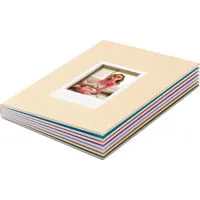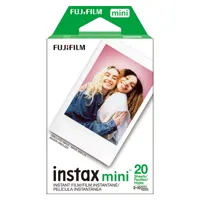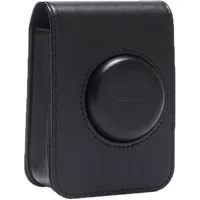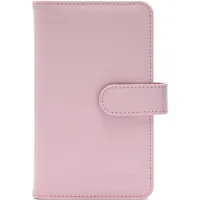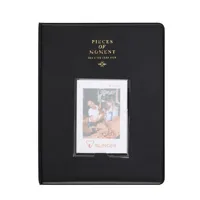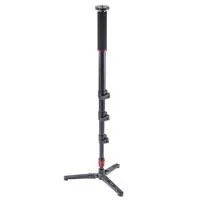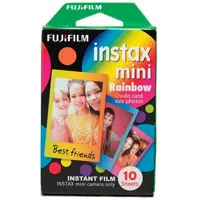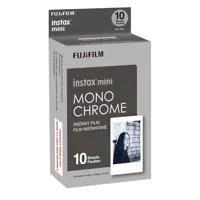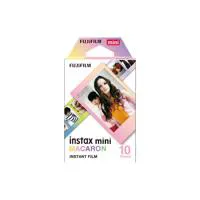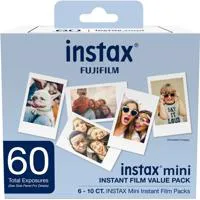
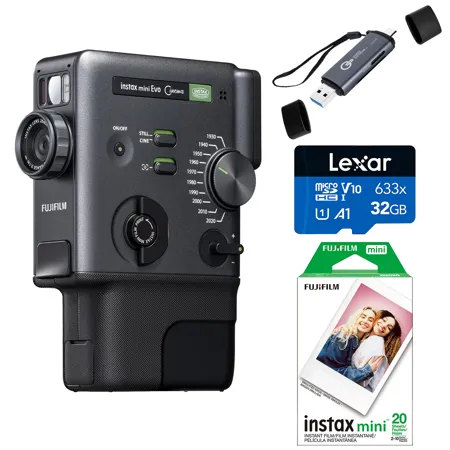

PACKAGE INCLUDES:


See Options
Need help? Ask our experts.
Review Summary
2026-04-23T15:06:00
The Good: Filters are fun and video looks similar to super 8 film cameras. Ergonomics are good, MicroSD card support is really nice, LCD screen is good. Dial for the years is easy to use and I actually had fun filming. The Bad: Battery life is really short (30min of usage and already 20% battery left). App is horrible experience, you cannot download photos to your phone (to put on instagram etc). You have to connect the SD card to computer to download the Photos/Videos and then back to your smartphone. Fujifilm deliberately crippled the app so that they own your videos/photos and they want to use your data. You CANNOT export from the app. This being said the app is not needed for operation of this device. Just use the MiniSD card and DONT UPDATE FIRMWARE. Other issues: The record button toggle is confusing. You can also only record 30sec clips max. We tried to record some skating videos which performances are longer than 30sec and it kept cutting out.
JON B.
2026-02-22T23:10:48
The manual is not user friendly, and I had some issues with the menu I think will no longer be a problem now that I'm connected to the app. The bluetooth transfer is slow as hell, I haven't put a card into the thing yet to test that. But I was compelled to write the review because this thing is going to be so much fun once I take the time to get to know it.
Verena B.
Accidents happen where life happens. Protect your favorite Adorama products and purchase a protection plan to stay covered from accidental damage, mechanical or electrical failure, and more.
If we can’t fix it, we’ll replace it at no additional cost.
Protect your product from drops, spills, and more.
Enjoy your gear without fear. We have you covered!
When regular use of your product over time results in mechanical or electrical failure.
We will never charge you a deductible after the purchase of a plan.
Our claims process is simple & easy and our customer service team is happy to help.
Adorama Protect powered by Extend is available for purchase to customers in the United States. Not available for purchase Internationally or in U.S. Territories.
Browse our FAQ
1/5-inch CMOS with primary color filter
Approximately 5 million pixels
Still image capture: 1920 x 2560
Video capture/STANDARD: 600 x 800
Video capture/HIGH-QUALITY VIDEO MODE (2020 ONLY): 1080 x 1440
Internal memory, microSD/microSDHC/microSDXC (up to 256GB) memory card
Internal memory: Approx. 50 shots
When using microSD / microSDHC memory card, Approx. 800 shots per 1GB at 1920 x 2560p
Internal memory: Approx. 10 clips
When using microSD / microSDHC memory card, Approx. 162 clips per 1GB at 600 x 800p (each clip Approx. 15 seconds)
2020 Only: Internal memory: 0 clips (Not supported)
When using microSD / microSDHC memory card, Approx. 37 clips per 1GB at 1080 x 1440p (each clip Approx. 15 seconds)
JPEG DCF compliant Exif Ver 2.3
f = 28mm (35 mm film equivalent)
F2.0
Single AF, Face recognition AF (on/off) (with auxiliary light)
10 cm to Infinite
1/4 second to 1/8000 second (automatic switching)
ISO100 to 1600 (automatic switching)
Program AE
-2.0 EV to +2.0 EV (1/3 EV step)
TTL 256 split metering, multi metering
Auto, Fine, Shade, Fluorescent Light, Incandescent
Auto Flash/Forced Flash/ Suppressed Flash
Shooting range with flash: Approximately 50 cm to 1.5 m
Approximately 2 seconds / approximately 10 seconds
MP4 MPEG-4 AVC/H.264 AAC
24p
Standard: 2.5 Mbps
High-Quality: 9.0 Mbps
10 Eras Dial effects with degree control functions.(1930/1940/1950/1960/1970/1980/1990/2000/2010/2020)
1600 x 600 dots (800 x 600 dots when printed from smartphone app)
25 dots/mm x 12.5 dots/mm (635 x 318 dpi, 40 x 80 microm dot pitch)
12.5 dots/mm when printed from smartphone app (318 dpi, 80 microm dot pitch)
RGB gradation of 256 colors
From the camera's internal memory or microSD / microSDHC / SDXC memory card: JPEG images taken with this camera
From a smartphone: JPEG, PNG, HEIF
Approximately 16 seconds (Plus approximately 7 seconds when printed using instax-Rich Mode immediately after startup.)
Images in the internal memory and images in the memory card can be printed
Smartphone image print function, remote shooting function, printed image transfer function, firmware upgrade function
iOS/Android (Please check the app download sites (iOS, Android) for availability, as the app may not be compatible depending on your smartphone's operating system.)
1.54" (3.91cm) TFT color LCD screen
Pixel count: Approximately 170,000 dots
USB Type-C port (for charging only)
Bluetooth Ver. 5.4 (Bluetooth low energy)
IEEE802.11b/g/n (2.4 GHz band only)
Encryption: WPA/WPA2 mixed mode, WPA3
Access Mode: Infrastructure
Lithium ion battery (internal type: not removable)
Power Off: Approximately 0.3 mW
Power On : Approximately 2.3 W (During video recording)
5 minutes / 2 minutes / Off (Deactivating the auto power off function will increase the energy consumption of the product)
Approximately 100 (from full charge) (The number of prints depends on the usage conditions)
Approximately 2 to 3 hours (Charging time depends on the temperature.)
Temperature: 41 Degree F to 104 Degree F (5 Degree C to 40 Degree C)
Humidity: 20% to 80% (no condensation)
Fujifilm instax mini Instant Film (sold separately)
Required, included
Lithium-ion
Non-universal
1
1.55 x 5.22 x 3.94" (39.4 x 132.5 x 100.1mm) (excluding projecting parts)
9.52 oz (270g) (Film cartridges, recording media, not included.) (Approximately)
192223297913 | 074101212709 | 4547410377231 | 843367110056 | 192223227651


Degree Control Dial
Rotate the Degree Control Dial and choose from 10 effect intensity levels.
Eras Dial
Cycles through - 10 Eras Dial effects.
Print Lever
Twist the lever to print your favorite photos.
Zoom Lever
Get closer to the action with smooth zoom controls.
Switch
Easily switch between video and still images Then add more flavor to the scene with the Frame Switch
Finder Attachment
Add the Finder Attachment in front of the LCD screen for a more immersive shooting experience.
Grip Attachment
Use the Grip Attachment for a more confident, secure grip.
Button & Dial
Ergonomically designed for simple one-handed operation.
Create short videos, still images and print from your smartphone
3-in-1 hybrid instant camera - a first in instax history
Video shooting
Still image shooting
Smartphone Printers
Shoot: Shoot short videos and still images
Intuitive design makes shooting easy
Capture & combine multiple in-the-moment videos up to a maximum of 15 seconds with just the press of the shutter button. Easily switch between CINE mode for video and STILL mode for still images.
Eras Dial x Degree
Express yourself in 100 different ways with 10 Degrees & 10 Eras Dial effects.
Eras Dial
Featuring 10 Eras Dial effects inspired by various eras. Eras Dial effects can be applied to your footage and the recorded audio, allowing you to capture movies with a rich, distinctive flavor.
Degree Control Dial
Fine-tune the chosen Eras Dial effect with the Degree Control Dial. Rotate the lens ring to adjust color, contrast, and noise expression - choose from 10 creative variations per Era.
Print: Easily print from the camera or the app
Print the Video with a QR code
Easily print videos utilizing the print lever or print instax photos with QR code.
Note: Video data must be uploaded to the server via the instax mini Evo app to play back from a QR code.
Video edit
Easily edit your video with the trimming, video sorting and rearranging videos features.
Note: Videos up to 30 sec. can be edited in the app
Opening & ending
Equipped with opening & ending templates for even more impact.
Poster template
Print using a Poster template to give your instax photo that finishing touch.
Note: Video data is stored and playable for two years from upload date
Share: Share instax photos and save videos on your smartphone
Share with instax photos
Scan the QR code to watch the video in your browser.
Share with video data
Save videos with a QR code to easily share them on social media.
Frame
Flick the Frame Switch to add even more flavor to every shot or clip. There's a frame for every Era, each echoing the characteristics, media and playback devices that defined that time.
Print Mode
Use instax-Natural Mode and instax-Rich Mode to adjust the look and feel of your instax photos.
Self Timer
The self-timer allows you to be part of group shots and also minimizes the blur in still images.
Direct print
Send images directly from your smartphone to the camera and transform them into instax photos.
Remote Shooting
Frame, focus, and shoot photos or videos, all from your smartphone with the instax mini Evo app. Simply pair with the dedicated app and start shooting remotely.
https://global.fujifilm.com/en
800-659-3854
Join VIP PRO
Earn 2X Points + Exclusive Perks!
Request a Callback
Chat one-on-one with an expert
Sell or Trade your Gear
Get started in 3 easy steps