

This item is no longer available.
VR wherever you are
Swim with seals, go to Mars or experience sports and concerts like you're actually there. Just slide in a Google Pixel or any Daydream-ready phone to get going.
Take control
Swing a golf club or wield a magic wand. The Daydream controller transforms with your imagination.
• Move naturally
• Be part of the action
Bring everyone along for the ride
Share your Daydream experiences with friends and family. Simply stream what you're seeing to Chromecast and others can watch along on your TV.
Get comfy
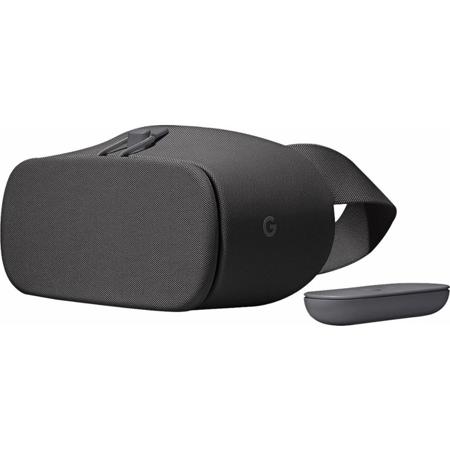
Enjoy your most epic adventures comfortably with Daydream View's soft, breathable fabric and form fitting design.
Easy set up
Just slide in your phone and get going.
A whole new way to game
Browse the latest games for Daydream.
Share your VR adventures on Chromecast
• Drop your Daydream-ready phone into the headset
• Click the Cast button on the bottom of Daydream Home and choose the device you would like to cast to
Get the latest Daydream apps
Every week we'll feature new VR experiences in Daydream. Swipe through the top row to see them all.
Controller battery life at a glance
Hold your controller up within Daydream Home to display its battery life.
Find your Daydream apps in VR
Click on the library button on the bottom of Daydream Home to see all your Daydream apps.
Swivel and play
Use a swivel chair to spin 360 deg. and see all around you.
Your personal cinema
Find your favorite movies, shows and programming.
YouTube videos fit any screen
When watching videos on YouTube, you can reduce or enlarge the size of the screen by swiping up or down on the controller touchpad. Click the screen to grab and move it.
Watch the latest VR videos
Daydream Home updates weekly. Swipe through the top row to discover new videos.
Browse videos on your phone, then watch them in Daydream
Find a video on your YouTube app that you want to watch on YouTube VR, then drop your phone into Daydream and start watching.
Change the volume in VR
Use the up and down buttons on the side of your Daydream controller to adjust the volume.
Explore new worlds
Dive into rich experiences, visit faraway places, voyage to new planets.
Go somewhere new with your controller
Use your controller to go from place to place by pointing and clicking the top of your controller, in apps such as Street View and Turning Forest.
Take control of your Daydream View
These tips, tricks and shortcuts will help you master Daydream.
Controller storage on your headset
Always have your controller ready for action by storing it on back of the headstrap.
Glasses-friendly
Wear glasses? Your headset will fit over your glasses.
Best views
Clean your phone screen before dropping it into Google Daydream View for the clearest experiences.
The ins and outs of Google Daydream View
• A field of view that is our widest yet
• A handy slot to store your controller
• A removable top strap for maximum comfort