2015-04-29T21:00:00
Rated 2 out of 5
Disappointed with RAID
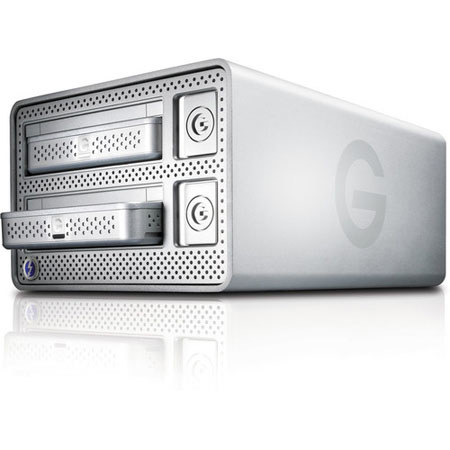
This product has required too many support calls to G-Tech. I bought the G-Dock because I want several copies of my photos on different drives to store in multiple locations. First problem: I thought G-Dock would allow two drives in RAID 1 mirrored, then allow removal of one drive and insertion of drive #3 to create RAID 1 with master drive #1. It won't work, and G-Tech says that's because Mac's Disk Utility has a problem adding a 3rd disk to a RAID. That's the first red flag, because the G-Drives that fit in the G-Dock are factory formatted to work with Macs. So why is the Disk Utility a problem? (If they were designed to work with Windows then I could understand.) Second problem: My RAID disks keep degrading, or even failing. That means the info/photos on the disk is lost. G-Tech says data is probably still on the drive, but system thinks it is degraded, so I have to rebuild RAID anyway. To avoid this problem, G-Tech says I have to make sure the unit is turned off before inserting the drives. Well, the on-off switch is a push button that does not light up to indicate whether it is on or off. And even when I know for sure that unit is turned off, the LED light will illuminate when I insert a drive. It's not supposed to do that if the unit is off. So I've resorted to plugging and unplugging the unit to make sure that it's really on or off. Sheesh. And besides, doesn't "hot swappable" mean that drives can be inserted and ejected while machines are on??? Third problem: Both drives are removed by using a push button that has an Activity LED light. When the LED light is green, you can eject the disk. But the LED lights stopped working. Sometimes the Green will illuminate, sometimes it won't. That leads to confusion about whether or not it's safe to eject the disk.
You know, I really want to like the G-Dock. Everything worked Great for the first few months - no problems at all. Unfortunately by writing a bad review, less people will buy, giving G-Tech less incentive to improve it and fix problems - which will leave me with not one but two frustrating G-Docks. (You can daisy chain up to 6) Is one G-Dock machine working better than the other? I don't know yet. I'm spending more time trouble shooting than actually working with my photos.
Dog P.
2015-04-29T21:00:00
Rated 2 out of 5
Disappointed with RAID
This product has required too many support calls to G-Tech. I bought the G-Dock because I want several copies of my photos on different drives to store in multiple locations. First problem: I thought G-Dock would allow two drives in RAID 1 mirrored, then allow removal of one drive and insertion of drive #3 to create RAID 1 with master drive #1. It won't work, and G-Tech says that's because Mac's Disk Utility has a problem adding a 3rd disk to a RAID. That's the first red flag, because the G-Drives that fit in the G-Dock are factory formatted to work with Macs. So why is the Disk Utility a problem? (If they were designed to work with Windows then I could understand.) Second problem: My RAID disks keep degrading, or even failing. That means the info/photos on the disk is lost. G-Tech says data is probably still on the drive, but system thinks it is degraded, so I have to rebuild RAID anyway. To avoid this problem, G-Tech says I have to make sure the unit is turned off before inserting the drives. Well, the on-off switch is a push button that does not light up to indicate whether it is on or off. And even when I know for sure that unit is turned off, the LED light will illuminate when I insert a drive. It's not supposed to do that if the unit is off. So I've resorted to plugging and unplugging the unit to make sure that it's really on or off. Sheesh. And besides, doesn't "hot swappable" mean that drives can be inserted and ejected while machines are on??? Third problem: Both drives are removed by using a push button that has an Activity LED light. When the LED light is green, you can eject the disk. But the LED lights stopped working. Sometimes the Green will illuminate, sometimes it won't. That leads to confusion about whether or not it's safe to eject the disk.
You know, I really want to like the G-Dock. Everything worked Great for the first few months - no problems at all. Unfortunately by writing a bad review, less people will buy, giving G-Tech less incentive to improve it and fix problems - which will leave me with not one but two frustrating G-Docks. (You can daisy chain up to 6) Is one G-Dock machine working better than the other? I don't know yet. I'm spending more time trouble shooting than actually working with my photos.
Dog P.