


+11
more
more

See Options
Need help? Ask our experts.
Review Summary
2026-06-02T20:00:00
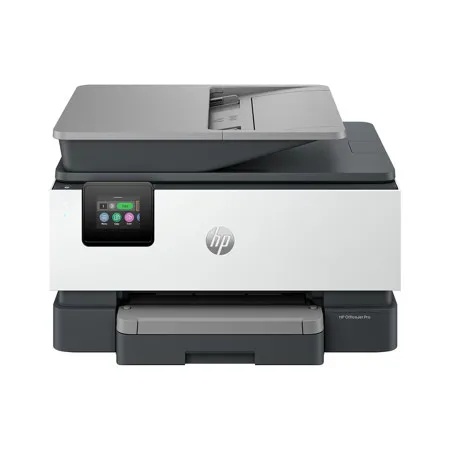
HP delivers again. I will admit I was hesitant about replacing my old HP officejet printer because it was so efficient and such a workhorse, but let me tell you HP continues to impress! My new HP officejet 9122 is a true powerhouse. It delivers brilliant color prints and super fast black and white documents like a dream. I didn't think HP could get faster or quieter but I do believe this printer runs smoother and faster on both color and black and white prints. I do a lot of crafting so I need a printer that can manage thicker paper as well as copy and this printer was on point! I had no issues running my cardstock or sticker paper with no complications at all. The document feeder with double sided copy feature makes copying so quick and simple as well as the double sided print feature. The instant ink offered by HP ensures I will always have ink ready when I'm low and won't run out. The printer connects to the internet and let's them know when to send more. I even send them my old cartridges in the mail and don't have to worry about polluting the environment. Another plus is the awesome HP app where you can remote print documents from anywhere and have them waiting on you when you get home. The fax machine gives great flexibility if you are working from home or need to send that last minute document securely to a business. The scan bed offers the ability to scan documents or items that won't fit through the document feeder, such as, a driver's license, social security card, and pictures. There are so many features on this powerhouse I'm sure I've still missed something, but overall it's a beast. I would highly recommend this printer.
Cuddles1079

2026-06-02T20:00:00
I've been using the HP OfficeJet 9122 for a while now, and it's honestly become one of those things we didn't realize we'd depend on so much. Setup was quick, and getting it connected to our computers and phones was easy, so everyone in the house could start using it right away without any confusion. It's been especially nice not having to troubleshoot or spend time figuring things out. The real test came when we had to scan a 50-page double-sided legal document, which is usually the kind of task everyone avoids. Normally that would take forever, but the dual-side scanning made it incredibly simple. We just loaded everything in and let it run, no flipping pages or standing there watching it the whole time. What really impressed me was the mobile scanning feature. The AI automatically figured out the correct page orientation, so everything came through clean, straight, and in the right order without any extra effort. Print quality has been solid across the board, whether it's basic documents or color prints, and it's been reliable with no issues so far. Between work documents and random family needs like school papers and forms, it gets used a lot and hasn't slowed us down at all. It's been a great fit for our household and especially helpful for the work files I need to print and scan.
jaicen83
2026-06-02T20:00:00
I love this new addition to our small home office. I love that its compact yet not flimsy. This printer prints pages fast and the color printing is remarkable. During setup, the printer connected to the internet very easily. We are able to print from all our devices (ipads, iphones, etc). The printer is able to meet the needs of our business. I love that it will print one or two sided, duplex printing and has a automatic document feeder holds more than 30 pages. The touchscreen is very responsible and can be tilted for the best view. I love the security HP Wolf Pro Security built in to keep our business information secure. The only downside to this printer is that you will have to use HP ink.
rebeccaanne22gmailcom
2026-05-29T20:00:00
The HP Office oJet 9122 All-In-One printer was super easy to setup. It walks you through almost every step. The printing has been of very good quality and it does it pretty fast. Although it does go through quite a bit of ink pretty fast. But that all depends on the amount of printing you are doing. The scanner makes very good copy's and you can make pdf from it to email. You can also setup printing from your phone or tablet. Over all this printer has been a great printer.
Newwaves
2026-05-28T20:00:00
The HP OfficeJet 9122 All-In-One printer has been incredibly productive the short time I've had it.. I mainly print and fax documents, it has fulfilled these functions with ease. It boasts an impressive 20ppm in black ink, and includes a generous 250 sheet paper tray! Since I store a bunch of documents on google drive, it's cloud service allows me to print directly from the printer instead of logging into your computer. Print calibration is as easy as taking candy from a baby! It automatically prints a calibration document, and you simply put the document on the scanning glass and it does its thing! The WiFi connection is top notch, it allows fast and secure wireless printing from my desktop computer, and never goes offline when its asleep. The app is super convenient, giving me the capability to print directly from my phone when not near my computer. I don't know anyone that faxes more frequent than myself, the fax resolution affords dark and crisp lines to the receiver. The color touchscreen is extremely responsive, especially when you have chunky fingers such as mine. It can be a bit noisy, but its a small tradeoff when considering the performance and features you get in this all-in-one printer. I give it an A+!
heatfan4life
2026-05-28T20:00:00
We needed to replace an older printer at our business that had lost WiFi connectivity and was giving us all other kinds of issues. We decided to go with the HP OfficeJet 9122e All-in-One Printer and we're so glad we did. Setup was the quickest and easiest it's ever been for a new printer. I specifically love the new look and ease of handling of the ink cartridges. We've been printing quite a bit and both the response and printing speed are fast, perfect for our small business operation. The price point is great for the work it performs.
Homely
2026-05-28T20:00:00
The HP printer 9122 had a great and fast set up right out of the box. I immediately tried the Double sided printing which was fast, with great colors. It also makes a noise when done to let you know. I tried the scan option and it worked fantastic in great detail. The printing in photos had great quality. I printed on vinyl sheets to make stickers and it worked so well. This is my first HP printer and first time trying instant ink. I've had a hard time wrapping my head around the idea of instant ink but the FAQs on their official website was easy to understand. I'm looking forward to trying the monthly subscription out. This is a great investment for my family!
Beaconpark
2026-05-28T20:00:00
I've been long overdue for A new printer. The one I had was a true dinosaur, didn't have wifi, and had to be attached to my laptop through USB. This printer was a breeze to setup. I downloaded the app, connected to my wifi, and can now print from my phone. The printing quality is amazing! I even enrolled in automatic ink and paper refills for the convenience. This printer is EXACTLY what I needed.
fightingmothernature9
2026-05-23T20:00:00
I bought the HP OfficeJet 9122e All-in-One Printer a couple of weeks ago to replace an aging, sluggish printer that kept losing its wireless connection. Overall, I am very pleased with how it performs day-to-day, though the initialization process took a little patience. The Setup Experience Unboxing the printer was straightforward, but the physical setup does require a bit of space since it has a fairly substantial footprint. When you first turn it on, the printer goes through a lengthy internal calibration cycle and makes some pretty loud mechanical banging noises. Don't alarm yourself-it's just adjusting the ink cartridges, but it definitely sounds like it's working hard. Connecting to my local network via the HP Smart app on my phone was relatively smooth, though I found navigating the tiny 2.7-inch color touchscreen on the unit a bit tedious. The on-screen alphanumeric characters are small, so entering a long Wi-Fi password requires precise finger positioning. Once it was finally linked up, the dual-band self-healing Wi-Fi proved to be incredibly stable and hasn't dropped the connection once, even when printing large files from the opposite side of the house. Day-to-day, this thing is a total workhorse and prints shockingly fast. Black-and-white text for documents and bills comes out incredibly sharp honestly, it looks just as crisp as a laser printer. I've printed off a few colored pages and documents too, and the colors look great with zero smudging or ink bleeding, even on cheap, standard paper. The 35-sheet automatic document feeder and the auto double-sided printing make scanning or copying a stack of paperwork completely hands-off, and I haven't had a single paper jam yet. Plus, the main paper tray holds a ton of paper, so I'm not constantly stopping to reload it. Finally, Just keep in mind that it uses HP' to buy original HP ink cartridges, though I just signed up for their Instant Ink trial to avoid dealing with that for now. It's also a little noisy when it first wakes up to start a print job, but it prints so fast that it's not a huge deal. Overall, if you need a reliable, fast printer for a home office that can handle a lot of paperwork without any hassle, this is an excellent choice and feels like it's built to last.
Thestatefarmguy12
2026-05-21T20:00:00
I've been really happy with the HP OfficeJet 9122 All-in-One Printer so far. Setup was super duper easy and it connected to my home Wi-Fi quickly without a bunch of annoying steps. The print quality is sharp and clear for documents and color pages, and it def prints faster than my old printer. I also like having everything in one machine?printing, scanning, copying, and faxing makes it really convenient for home use. The touchscreen is simple to use and printing from my phone has worked great as well. No constant troubleshooting or reconnecting issues like I've had with other printers so far. This printer is a solid upgrade and definitely worth the purchase!! Can't wait to see what else it can do!!
Olive12345
2026-05-19T20:00:00
The HP OfficeJet 9122 All-in-One Printer is a solid printer with several useful features, including: * Fast printing and scanning; * Convenient automatic double-sided printing and scanning; * Automatic synchronization with internet time servers, eliminating the need to manually adjust the clock when daylight saving time begins or ends. However, I encountered a few minor issues: * All four ink cartridges must be functional for the printer to operate, even if you only want to use scanning features. I understand this is standard behavior for HP OfficeJet printers, but it would be preferable if non-printing functions such as scanning could still work when an ink cartridge is empty. * HP appears to have packed too many options into the 2.7-inch control panel. Because of the small fonts and limited screen space, I occasionally selected the wrong option. One additional point worth mentioning: although the specifications state that the printer supports Windows Server platforms, the HP software installer did not work on Windows Server 2022. In addition, the Microsoft IPP Class Driver did not recognize features such as automatic double-sided printing. After some research, I was able to manually install the "HP OfficeJet 9120 Series PCL-3 (V4)" driver to make the printer function correctly on Windows Server 2022. As a result, unless you are comfortable troubleshooting drivers and manually configuring printers, the OfficeJet series like 9122 is best suited for environments running mainstream operating systems such as Windows 10, Windows 11, or macOS.
JH2574

Accidents happen where life happens. Protect your favorite Adorama products and purchase a protection plan to stay covered from accidental damage, mechanical or electrical failure, and more.

If we can’t fix it, we’ll replace it at no additional cost.

Protect your product from drops, spills, and more.

Enjoy your gear without fear. We have you covered!

When regular use of your product over time results in mechanical or electrical failure.

We will never charge you a deductible after the purchase of a plan.

Our claims process is simple & easy and our customer service team is happy to help.
Adorama Protect powered by Extend is available for purchase to customers in the United States. Not available for purchase Internationally or in U.S. Territories.
Browse our FAQ
Black/White
Print, copy, scan, fax
Yes
Letter: Up to 22 ppm
Black (ISO): Up to 22 ppm
Color (ISO): Up to 18 ppm
First page out black: As fasts as 10 sec
First Page Out Color: As fasts as 11 sec
Black (draft): Up to 32 ppm
Color (draft): Up to 32 ppm
Print speed Black Duplex: Up to 14 ipm
Print speed Color Duplex: Up to 12 ipm
Black (best): 1200 x 1200 rendered dpi
Color (best): Up to 4800 x 1200 optimized dpi on HP Advance Photo Paper 1200 x 1200 dpi input
HP Thermal Inkjet
4x (1 each black, cyan, magenta, yellow)
Yes, on photo paper only, up to 8.5 x 11" (US letter), 210 x 297mm (A4)
HP PCL3 GUI
Orientation: Portrait/Landscape; Print on Both Sides: None/Flip on Long Edge/Flip on Short Edge; Page Order: Front to Back/Back to Front; Pages per Sheet: 1, 2, 4, 6, 9, 16; Quality Settings: Draft/Normal/Best; Printing Shortcuts; Print in Grayscale: Off/High Quality Grayscale/Black Ink Only; Pages per Sheet Layout: Right then Down/Down then Right/Left then Down/Down then Left; Print in Max DPI: No/Yes
HP Real Life Technologies: Off/On; Booklet: None/Booklet-Left Binding/Booklet-Right Binding; Pages to Print: Print All Pages/Print Odd Pages Only/Print Even Pages Only; Borderless Printing: Off/On; Page Borders: Off/On
Easy slide-off glass; Dual pass 2-sided ADF / Contact Image Sensor (CIS)
Hardware: Up to 1200 x 1200 dpi; Optical: Up to 1200 dpi
JPG, BMP, TIFF, PDF, RTF, TXT, PNG
Front-panel scan, copy, HP Software, EWS, Mobile apps
ADF 8.5 x 14" (215.9 x 355.6mm); Flatbed 8.5 x 11.7" (215.9 x 297mm)
Up to 8 ipm (200 ppi, b&w); Up to 8 ipm (200 ppi, color)
Smart Tasks shortcuts: 1-click customizable scan to cloud destinations, email, and print; Smart Tasks destinations: Dropbox, Google Drive, OneDrive, email recipients
24-bit/ 256
Scan-to E-mail; Scan to network folder; Scan to SharePoint; Scan to thumb drive
Black (ISO): Up to 21 cpm; Color (ISO): Up to 14 cpm; Black (draft): Up to 28 cpm; Color (draft): Up to 21 cpm
Black (text and graphics): Up to 600 dpi; Up to 600 dpi; Color (text and graphics): Up to 600 dpi
Up to 99 copies
Number of Copies; Two-Sided; Lighter/Darker; HP Copy Fix; ID Copy; Resize; Quality; Paper Size; Paper Type; Collate; Margin Shift; Crop; Copy Preview; Tray Select; Enhancements
25 to 400%
Black (best): 300 x 300 dpi; Color (best): 200 x 200 dpi; Black (standard): 200 x 100 dpi; Color (standard): 200 x 200 dpi
4 sec per page
Fax memory Letter: Up to 100 pages; Fax memory A4:Up to 100 pages; Auto fax reduction supported: Yes; Auto-redialing: Yes; Fax delayed sending: Yes; Distinctive ring detection supported: Yes; Fax forwarding supported: Yes (black only); Fax phone TAM interface supported: No; Fax polling supported: No; Fax telephone mode supported: No
Junk barrier supported: Yes; Maximum speed dialing numbers: Not Supported; PC interface supported: Yes, HP Software support provided; Remote retrieval capability supported: No; Telephone handset supported: No
1 Ethernet; 1 Hi-Speed USB 2.0 (device); 1 Hi-Speed USB 2.0 (host); 1 Wi-Fi 802.11 a/b/g/n/ac (dual band); 2 RJ-11 Fax/Modem port/phone line
Yes, via built-in Ethernet; Wireless 802.11a/b/g/n/ac
Yes, with built-in dual-band Wi-Fi 802.11 a/b/g/n/ac and a self-heal solution
Chrome OS; HP app; Apple AirPrint; Wi-Fi Direct Printing; Mopria certified
Standard: 512 MB; Maximum: 512 MB
1.2 GHz/Hard disk: No Hard Disk
Monthly, letter: Up to 25,000; Monthly, A4: Up to 25,000
Up to 1500
Plain Paper, HP Photo Papers, HP Matte Brochure or Professional Paper, HP Matte Presentation Paper, HP Glossy Brochure or Professional Paper, Other Photo Inkjet Papers, Other Matte Inkjet Papers, Other Glossy Inkjet Papers, Thick Plain Paper, Light/Recycled Plain Paper, HP Tri-fold Brochure Paper, Glossy
16 to 28 lbs (7.26 to 12.7kg) (plain paper); 60 to 75 lbs (27.22 to 34.02kg) (photo); 20 to 24 lbs (9.07 to 10.89kg) (envelope); 90 to 110 lbs (40.82 to 49.9kg) (card)
Letter; Legal; Government Legal; Executive; Statement; 3 x 5" (7.62 x 12.7cm); 4 x 6" (10.16 x 15.24cm); 5 x 7" (12.7 x 17.78cm); 8 x 10" (20.32 x 25.4cm); 3.94 x 5.91" (10 x 15cm); L; Photo 2L; Envelope( #10, Monarch, 5.5 bar); Card: 3 x 5" (7.62 x 12.7cm), 4 x 6" (10.16 x 15.24cm), 5 x 8" (12.7 x 20.3cm)
Tray 1: 3 x 5 to 8.5 x 14" (7.62 x 12.7 to 21.59 x 35.5cm); 5 x 8.3 to 8.5 x 14" (12.7 x 21.08 to 21.59 x 35.5cm)
Input Capacities: Up to 250 sheets Standard; Up to 30 envelopes; Up to 50 cards; Up to 50 sheets Labels; Up to 250 sheets Legal
Auto Document Feeder: Standard, 35 sheets
Output Capacities: Up to 60 sheets Standard; Up to 10 envelopes; Up to 30 cards; Up to 30 sheets Labels; Up to 60 sheets Legal
Duplex Options: Automatic
Envelope feeder: No
Standard paper trays: 1
Approx. 800 pages black, 420 pages cyan, magenta, yellow composite
HP 936 Black Original Ink Cartridge (1,250 pages) 4S6V2LN, HP 936 Cyan Original Ink Cartridge (800 pages) 4S6U9LN; HP 936 Magenta Original Ink Cartridge (800 pages) 4S6V0LN; HP 936 Yellow Original Ink Cartridge (800 pages) 4S6V1LN. HP EvoMore planned to be available April 2024: HP 936e EvoMore Black Original Ink Cartridge (2,500 pages) 4S6V6LN
HP 936e EvoMore Cyan Original Ink Cartridge (1,650 pages) 4S6V3LN; HP 936e EvoMore Magenta Original Ink Cartridge (1,650 pages) 4S6V4LN; HP 936e EvoMore Yellow Original Ink Cartridge (1,650 pages) 4S6V5LN. Actual yield varies considerably based on content of printed pages and other factors
HP Instant Ink eligible
IT ECO Declaration; EPEAT registered
Yes
Recyclable through HP Planet Partners
2.7" (6.86cm) touchscreen control panel with CGD (color graphic display); 3 buttons: (home, help, back)
2.7" (6.86cm) Capacitive Touchscreen CGD
HP Printer Software
Wolf Pro Security, Scan to Email, HP app
Windows 11; Windows 10; Windows Server; macOS 11 Big Sur; macOS 12 Monterey; macOS 13 Ventura; macOS 14 Sonoma; Linux; Chrome OS
PC: Microsoft Windows 11, 10: 32-bit or 64-bit, 2 GB available hard disk space, Internet connection, Microsoft Internet Explorer or Edge
Mac: macOS 11 BigSur, macOS 12 Monterey, macOS 13 Ventura, 2 GB HD, Internet Required
Power supply type: Internal (Built-in) Universal Power Supply
Power requirements: Input voltage: 100 to 240 VAC (+/- 10%), 50/60 Hz
Power consumption: 5.06 watts (ready), 1.22 watts (sleep), 0.14 watts (manual-Off)
Acoustic power emissions: 6.8 B(A) (printing at 20ppm)
Acoustic pressure emissions: 61 dB(A) (printing at 20ppm)
Operating temperature range: 41 to 104 Degree F (5 to 40 Degree C)
Recommended operating temperature: 59 to 90 Degree F (15 to 32.2 Degree C)
Storage temperature range: -40 to 140 Degree F (-40 to 60 Degree C)
Operating humidity range: 20 to 80% RH
Recommended humidity operating range: 25 to 75% RH
Thailand
Minimum Storage Mode: 17.3 x 13.48 x 10.94" (439.3 x 342.5 x 278mm)
Maximum: 17.3 x 20.46 x 10.94" (439.3 x 519.8 x 278mm) (Output Tray Extend)
Approx. 20.48 lbs (9.29kg)
199485545271
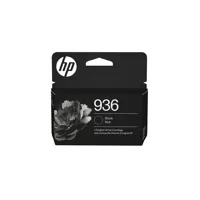
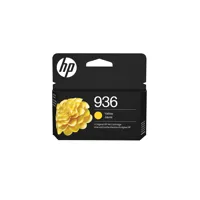
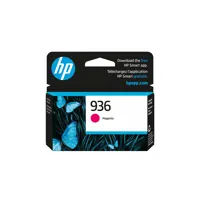
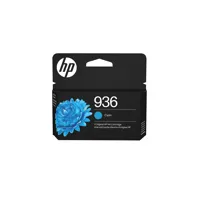

HP's fastest inkjet printers help your small business do more. Enjoy professional-quality prints and advanced features that keep work moving smoothly, while keeping your data protected with HP Wolf Security. For small businesses who want a professional color inkjet printer that helps their business grow and keeps disruptions to a minimum.
This printer is intended to work only with cartridges that have a new or reused HP chip, and it uses dynamic security measures to block cartridges using a non-HP chip. Periodic firmware updates will maintain the effectiveness of these measures and block cartridges that previously worked. A reused HP chip enables the use of reused, remanufactured, and refilled cartridges.
Keep small teams productive
Boost productivity with print speeds up to 22 pages per minute (PPM). Save time with double-sided scanning using the automatic document feeder. HP AI helps you simplify tasks, personalize experiences, and enhance productivity.
Business-ready color for all your print needs
From proposals to presentations, your printer is ready for whatever the job demands. Produce water-resistant, smear-resistant, and fade-resistant prints.
Save money, save time with Instant Ink
Never worry about running out of ink! With Instant Ink, you get ink delivered right to your door. Enjoy the freedom to choose a plan that fits your needs with the flexibility to change, pause, or cancel anytime. Whether you print in full color or black & white every page costs the same with Instant Ink.
Reliability built for heavier workloads
Designed for continuous use, this printer delivers dependable results for business needs. Specialized settings ensure smooth, reliable printing even on recycled paper.
