30% Off

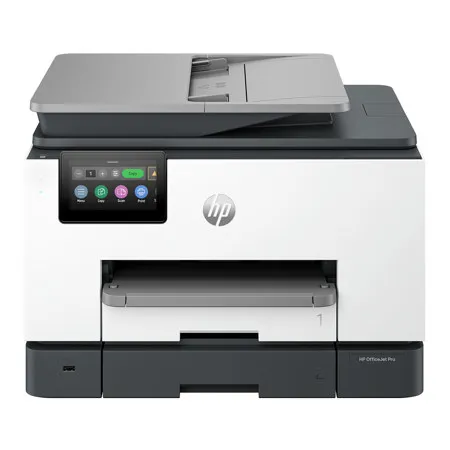
HP OfficeJet Pro 9135 Wireless Duplex All-in-One Color Thermal Inkjet Printer

SKU: IHP9135 MFR: C2WM0A
Earn VIP Reward Points

Key Features

  • Experience seamless productivity with the HP OfficeJet Pro 9135, an all-in-one color thermal inkjet printer.
  • Enjoy fast, high-quality printing with speeds up to 25 ppm, perfect for busy home offices.
  • Easily scan and copy documents with the intuitive 4.3" touchscreen control panel and smart features.
  • Stay connected with versatile wireless printing options, including Wi-Fi Direct and Apple AirPrint.
  • Boost efficiency with automatic duplex printing and a robust 30,000-page monthly duty cycle.
  • Benefit from advanced security and connectivity, ensuring your documents are always protected.
See More Product Details
Free Expedited Shipping

See Options

1
Add to ListGet Sale Alert

Need help? Ask our experts.

Overview
Compare
Accessories
Specs
Protection

Reviews about this item

Review Summary

2026-06-22T20:00:00

Rated 5 out of 5

Very nice printer.

The HP OfficeJet Pro 9135 All-in-One Printer is a workhorse of a printer that can handle most everyday printing needs, including mobile printing, scanning and faxes. It's pretty fast and the print quality is very nice. I'm very impressed with the ease of printing and like the double paper tray. It's stylish and makes the office feel very professional hig high-tech and up to date!

LATyler

2026-06-22T20:00:00

Rated 4 out of 5

Many Issues Setting up

This printer is the updated one of the one i already had. I go to online school and work from home so having a reliable printer is ESSENTIAL. I like that it has 2 trays and scans, prints and copies double sided. When i was setting it up unboxing was pretty straightforward until i got to the cartridges. The setup cyan cartridge was faulty I ended up needing new one. I had to wait 10 days for the instant ink welcome kit as well the new printhead, and said that they couldn't overnight it unfortunately. I had to turn off the printer in order to reboot it so that wasn't stuck in the loop anymore. It was so stressful dealing with this print system error that I couldn't even be excited for my printer. Now that i finally have that fixed. I am really enjoying the printer and I really like the Instant Ink feature. The quality of the copies, scans and printing is really excellent and I really like it. It's a good printer for students or even work from home professionals.

sjsharksgirl86

2026-06-21T20:00:00

Rated 5 out of 5

Liking the improved hp

With the improved set-up experience, I am becoming a bigger fan of hp printers. If we could just do something about the ink - both the cost and the whole instant InK scam. Looking online, new ink for all four colours is almost 50% of the price of a printer (100% of the price for this promotion. It is almost a disposable printer) The set up was relatively easy, but it did get stuck, which has happened with other hp printers in the past. Luckily once I closed and reopened the app it finished without any problems Printing is fast. Being able to print from a mobile is very nice. Would be better if you could do this without the app, but it's not a big issue Scanning also works well

Lizziebeth

2026-06-16T20:00:00

Rated 4 out of 5

Good quality but expensive ink

The setup for HP printers has improved considerably in the last few years. I would still like if they came with a manual. I absolutely hate Instant Ink. Even more frustrating is how hard it is to opt out. During the setup it started the Instant I'll sign up process and there was no way to exit out. I eventually closed the app and started over but it still came back to the sign up with no exit option. You had to start the sign up process and then decline the free trial. Also, the setup seems to pause, I guess because I exited out of the Instant sink setup. It finally picked back up and finished, but took longer than it should. The print and copy quality are good, which is never a question with HP printers. Fast and good quality. Scanning is also easy and fast. I like being able to print from my phone, though wish it did not have to be from the HP app. It would be nice to understand how long the ink cartridges are expected to last. Especially when considering a new set of all 4 colors is half the price of a new printer. Crazy! Almost drives the behavior of just throwing the printer away when it's time for new ink. There is nothing else I am aware of that the main parts needed to make it work cost 50% or the price of a new one. Instant Ink is not the answer since it is subscription based and you have to pay every month whether you print or not.

ingowarrior55

2026-06-15T20:00:00

Rated 5 out of 5

Quality Ink Jet Printer with lots of features!

This is a quality Ink Jet Printer with modern features. I was initially impressed with the box the printer arrived in. I found the documentation and easy to read. The box also described the print rate, quality and ink cartridge type right on the side. The printer was wrapped inside a bag with handles, which made it so much easier to remove from the box! The printer comes with 4 ink cartridges, 3 color and one black. They were easy to install by pushing them in until they clicked in and made a bit of a puff sound when it prepared them for use. The printer setup itself was extremely fast and easy utilizing the HP app. It connected to the internet very fast and the entire experience was a breeze! The touchscreen is very responsive and works great. The print speed was impressive at 25 pages per minute, with a 500 page tray, and can save time with the single pass, double sided scanning! It also has automatic, double sided printing which saves a lot of time. The copier works great as well! It's much faster than my old home use printer and the print quality is great. The scanner works great as well and can easily scan to your PC, phone or print. The printer even has faxing abilities if you fax. I print a lot from my phone and this printer connects very fast to my phone. l would definitely recommend this printer to anyone who prints a lot from home or has a small business.

Turning180

2026-06-11T20:00:00

Rated 4 out of 5

Hp Office Pro 9135

I recently purchased this printer and have been very happy with it so far. It looks good and feels sturdy and well-built. The setup process was straightforward with the anpp and the print quality feels professional. I do like the ink subscription option to make sure I never forget to order more. Overall, this printer has been reliable, easy to use and looks great doing it.

DakotaP11

2026-06-10T20:00:00

Rated 5 out of 5

Fast and Clear Printing

The HP OfficeJet Pro 9135 AIO Printer provides a great printing experience. When printing a document or photo, it connects surprisingly quick via WiFi. There is virtually no lag time from the moment you hit print from your computer or phone. The quality of the prints are sharp and crystal clear. Set up of the printer does take a bit of time through the HP app, but instructions for set up is clear and easy to follow. Printing multiple pages is also very fast. I was able to print a 25-page document in less than 2 minutes. Having an all-in-one printer is very convenient and the HP OfficeJet Pro 9135 is a great choice.

TamadeReviews

2026-06-09T20:00:00

Rated 5 out of 5

Easy to use for the whole family!

This is actually the first HP printer I've owned, and I've been really impressed with the HP OfficeJet Pro 9135 so far. The setup was a lot easier than I expected. I'm used to printers being kind of frustrating to get connected, but this one was pretty straightforward. The instructions were clear, and I had it connected and ready to print pretty quickly. The HP app has also been easy to use, especially when printing from my phone, which is something I use more than I expected. The print quality has been great. Documents come out clear and sharp, and the color pages I've printed look clean and professional. One thing I've really appreciated is how fast it prints. I've been using it to print patterns for projects, and it saves a lot of time compared to waiting around for page after page. The touchscreen is simple and easy to figure out without digging through a bunch of confusing menus. My 11-year-old can use it without needing help, which is probably one of the best signs that the interface is actually user-friendly. She has actually used it more than I have at this point and I love that. Overall, I'm very happy with it. It's been easy to set up, easy to use, fast, and the print quality has been better than expected. For a home office or family printer, it feels like a very solid choice.

ChristianHB

2026-06-09T20:00:00

Rated 5 out of 5

Great Printer for Office!

I have the HP OfficeJet Pro 9135 All-in-One Printer for my office. I purchased this in addition to my B&W HP LaserJet, for when I need to print in color. I haven't been much of a fan of OfficeJet because of the ink cartridges leaving the paper with a wet feeling when printed. I don't have that issue with this model. It's not soggy when the paper prints, the quality of the print is fantastic. I looked up the cost of the ink cartridges and they are decently priced compared to the competitor brand printer I had before. Another big feature I appreciate is the Quiet Mode. The normal printing is a bit louder than expected. I thought it was just because it was brand new but even after a hundred pages or so, I come to find out that's the normal level. It's loud enough to be a distraction if you print during meetings. But that's where the Quiet Mode comes in handy. It prints a bit slower but brings the audible to a much more tolerable level. All in all, it's a great printer for personal office or even small business use.

jmtothel

2026-05-26T20:00:00

Rated 5 out of 5

Excellent printer!

A very nice printer, very well designed, sleek, and a little larger than my HP OfficeJet Pro 9125.  The printer produces very nice, crisp color prints (black and white is just as nice!) and is a little more responsive to user commands.  I liked the 9130 HP Officejet series, but I like this one even better!  There are two paper trays, for which I am thankful!  No longer will I run out of paper with the 2nd tray.  I would gladly recommend this budget printer to my friends.  A+, Hp!

Billp

Select a plan in the Add Protection section above and purchase with this product by clicking “Add to Cart”.

image-protection

TRUSTED PROTECTION PLANS, EXCEPTIONAL SERVICE.

Invest In Your Gear and Peace Of Mind!

Accidents happen where life happens. Protect your favorite Adorama products and purchase a protection plan to stay covered from accidental damage, mechanical or electrical failure, and more.

Repair or Replacement

Repair or Replacement

If we can’t fix it, we’ll replace it at no additional cost.

Accidental Damage

Accidental Damage

Protect your product from drops, spills, and more.

Peace of Mind

Peace of Mind

Enjoy your gear without fear. We have you covered!

Malfunction Protection

Malfunction Protection

When regular use of your product over time results in mechanical or electrical failure.

Zero Deductible

Zero Deductible

We will never charge you a deductible after the purchase of a plan.

Customer-Focused Support

Customer-Focused Support

Our claims process is simple & easy and our customer service team is happy to help.

Adorama Protect powered by Extend is available for purchase to customers in the United States. Not available for purchase Internationally or in U.S. Territories.

HP OfficeJet Pro 9135 Specifications

  • Color

    Black/White

  • Functions

    Print, copy, scan, fax

  • Multitasking supported

    Yes

  • Print speed

    Letter: Up to 25 ppm
    Black (ISO): Up to 25 ppm
    Color (ISO): Up to 20 ppm
    First page out black: As fasts as 10 sec
    First Page Out Color: As fasts as 11 sec
    Black (draft): Up to 39 ppm
    Color (draft): Up to 39 ppm
    Print speed Black Duplex: Up to 15 ipm
    Print speed Color Duplex: Up to 13 ipm

  • Print resolution

    Black (best): 1200 x 1200 rendered dpi
    Color (best): Up to 4800 x 1200 optimized dpi on HP Advance Photo Paper 1200 x 1200 dpi input

  • Print technology

    HP Thermal Inkjet

  • Print cartridges number

    4x (1 each black, cyan, magenta, yellow)

  • Borderless printing

    Yes, on photo paper only, up to 8.5 x 11" (US letter), 210 x 297mm (A4)

  • Standard print languages

    HP PCL3 GUI

  • Printer smart software features

    Orientation: Portrait/Landscape; Print on Both Sides: None/Flip on Long Edge/Flip on Short Edge; Page Order: Front to Back/Back to Front; Pages per Sheet: 1, 2, 4, 6, 9, 16; Quality Settings: Draft/Normal/Best; Printing Shortcuts; Print in Grayscale: Off/High Quality Grayscale/Black Ink Only; Pages per Sheet Layout: Right then Down/Down then Right/Left then Down/Down then Left; Print in Max DPI: No/Yes

  • Printer smart software feature (Contd.)

    HP Real Life Technologies: Off/On; Booklet: None/Booklet-Left Binding/Booklet-Right Binding; Pages to Print: Print All Pages/Print Odd Pages Only/Print Even Pages Only; Borderless Printing: Off/On; Page Borders: Off/On

  • Scan type / Scan technology

    Easy slide-off glass, single-pass 2-sided ADF / Contact Image Sensor (CIS)

  • Scan resolution

    Hardware: Up to 1200 x 1200 dpi
    Optical: Up to 1200 dpi

  • Scan file format

    JPG, BMP, TIFF, PDF, RTF, TXT, PNG

  • Scan input modes

    Front-panel scan, copy, HP Software, EWS, Mobile apps

  • Scan size maximum

    ADF 8.5 x 14" (215.9 x 355.6mm)
    Flatbed 8.5 x 11.7" (215.9 x 297mm)

  • Scan speed

    Up to 18 ipm (200 ppi, b&w); Up to 18 ipm (200 ppi, color)

  • Scanner advanced features

    Smart Tasks shortcuts: 1-click customizable scan to cloud destinations, email, and print; Smart Tasks destinations: Dropbox, Google Drive, OneDrive, email recipients

  • Bit depth / Grayscale levels

    24-bit / 256

  • Digital sending standard features

    Scan-to E-mail; Scan to network folder; Scan to SharePoint; Scan to thumb drive

  • Copy speed

    Black (ISO): Up to 23 cpm
    Color (ISO): Up to 15 cpm
    Black (draft): Up to 33 cpm
    Color (draft): Up to 22 cpm

  • Copy resolution

    Black (text and graphics): Up to 600 dpi
    Color (text and graphics): Up to 600 dpi

  • Maximum number of copies

    Up to 99 copies

  • Copier settings

    Number of Copies; Two-Sided; Lighter/Darker; HP Copy Fix; ID Copy; Resize; Quality; Paper Size; Paper Type; Collate; Margin Shift; Crop; Copy Preview; Tray Select; Enhancements

  • Copier resize

    25 to 400%

  • Fax resolution

    Black (best): 300 x 300 dpi
    Color (best): 200 x 200 dpi
    Black (standard): 200 x 100 dpi
    Color (standard): 200 x 200 dpi

  • Fax speed

    4 sec per page

  • Fax Features

    Fax memory Letter: Up to 100 pages; Fax memory A4:Up to 100 pages; Auto fax reduction supported: Yes; Auto-redialing: Yes; Fax delayed sending: Yes; Distinctive ring detection supported: Yes; Fax forwarding supported: Yes (black only); Fax phone TAM interface supported: No; Fax polling supported: No; Fax telephone mode supported: No

  • Fax Features (Contd.)

    Junk barrier supported: Yes; Maximum speed dialing numbers: Not Supported; PC interface supported: Yes, HP Software support provided; Remote retrieval capability supported: No; Telephone handset supported: No

  • Standard connectivity

    1x Ethernet
    1x Hi-Speed USB 2.0 (device)
    1x Hi-Speed USB 2.0 (host)
    1x Wi-Fi 802.11 a/b/g/n/ac (dual band)

  • Network capabilities

    Yes, via built-in Ethernet; Wireless 802.11a/b/g/n/ac

  • Wireless capability

    Yes, with built-in dual-band Wi-Fi 802.11 a/b/g/n/ac and a self-heal solution

  • Mobile printing capability

    Chrome OS; HP app; Apple AirPrint; Wi-Fi Direct Printing; Mopria certified

  • Memory

    Standard: 512 MB; Maximum: 512 MB

  • Processor speed

    1.2 GHz

  • Duty cycle

    Monthly, letter: Up to 30,000 pages
    Monthly, A4: Up to 30,000 pages

  • Recommended monthly page volume

    Up to 2000

  • Media types supported

    Tray 1: Plain Paper, HP Photo Papers, HP Matte Brochure or Professional Paper, HP Matte Presentation Paper, HP Glossy Brochure or Professional Paper, Other Photo Inkjet Papers, Other Matte Inkjet Papers, Other Glossy Inkjet Papers, Thick Plain Paper, Light/Recycled Plain Paper, HP Tri-fold Brochure Paper, Glossy. Tray 2: Plain Paper

  • Media weight supported

    16 to 28 lbs (7.26 to 12.7kg) (plain paper); 60 to 75 lbs (27.22 to 34.02kg) (photo); 20 to 24 lbs (9.07 to 10.89kg) (envelope); 90 to 110 lbs (40.82 to 49.9kg) (card)

  • Media sizes supported

    Tray 1: Letter; Legal; Government Legal; Executive; Statement; 3 x 5" (7.62 x 12.7cm); 4 x 6" (10.16 x 15.24cm); 5 x 7" (12.7 x 17.78cm); 8 x 10" (20.32 x 25.4cm); 3.94 x 5.91" (10 x 15cm); L; Photo 2L; Envelope( #10, Monarch, 5.5 bar); Card: 3 x 5" (7.62 x 12.7cm), 4 x 6" (10.16 x 15.24cm), 5 x 8" (12.7 x 20.3cm), Tray 2:Letter; Legal

  • Media Sizes Custom

    Tray 1: 3 x 5 to 8.5 x 14" (7.62 x 12.7 to 21.59 x 35.5cm); 5 x 8.3 to 8.5 x 14" (12.7 x 21.08 to 21.59 x 35.5cm)

  • Paper handling

    Input Capacities: Up to 500 sheets (Tray 1: up to 250 sheets, Tray 2: up to 250 sheets) Standard; Up to 30 envelopes; Up to 50 cards; Up to 50 sheets Labels; Up to 250 sheets Legal
    Auto Document Feeder: Standard, 35 sheets
    Output Capacities: Up to 100 sheets Standard; Up to 10 envelopes; Up to 30 cards; Up to 30 sheets Labels; Up to 100 sheets Legal
    Duplex Options: Automatic
    Envelope feeder: No
    Standard paper trays: 2

  • Page yield (set-up/inbox cartridges)

    Approx. 800 pages black, 420 pages cyan, magenta, yellow composite

  • Replacement cartridges

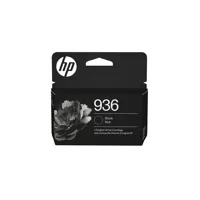
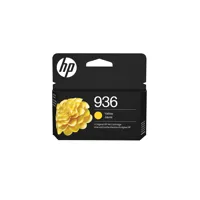
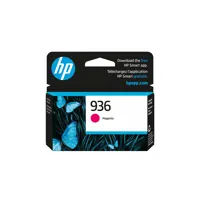
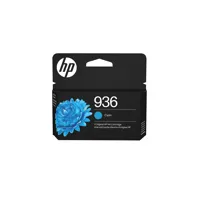
    HP 936 Black Original Ink Cartridge (1,250 pages) 4S6V2LN, HP 936 Cyan Original Ink Cartridge (800 pages) 4S6U9LN; HP 936 Magenta Original Ink Cartridge (800 pages) 4S6V0LN; HP 936 Yellow Original Ink Cartridge (800 pages) 4S6V1LN, HP 936e EvoMore Black Original Ink Cartridge (2,500 pages) 4S6V6LN

  • Replacement cartridges (Contd.)

    HP 936e EvoMore Cyan Original Ink Cartridge (1,650 pages) 4S6V3LN; HP 936e EvoMore Magenta Original Ink Cartridge (1,650 pages) 4S6V4LN; HP 936e EvoMore Yellow Original Ink Cartridge (1,650 pages) 4S6V5LN. Actual yield varies considerably based on content of printed pages and other factor

  • Energy efficiency compliance

    IT ECO Declaration; EPEAT registered

  • Energy star certified

    Yes

  • Sustainable impact specifications

    Recyclable through HP Planet Partners

  • Control panel / Display

    4.3" (10.92cm) touchscreen control panel with CGD (color graphic display)

  • Software included

    HP Printer Software

  • Web solutions

    Wolf Pro Security, Scan to Email, HP app

  • Compatible operating systems

    Windows 11; Windows 10; Windows Server; macOS 11 Big Sur; macOS 12 Monterey; macOS 13 Ventura; macOS 14 Sonoma; Linux; Chrome OS

  • Minimum system requirements

    PC: Windows 10, 11: 32-bit or 64-bit, 2 GB HD, Internet Required, Internet Explorer or Edge
    Mac: Apple macOS v11 Big Sur, macOS v12 Monterey, macOS v13 Ventura, 2 GB HD, Internet required

  • Power

    Power supply type: Internal (Built-in) Universal Power Supply
    Power requirements: Input voltage: 100 to 240 VAC (+/- 10%), 50/60 Hz
    Power consumption: 5.58 watts (ready), 1.22 watts (sleep), 0.14 watts (manual-Off)

  • Acoustics

    Acoustic power emissions: 7.0 B(A) (printing at 21ppm)
    Acoustic pressure emissions: 61 dB(A) (printing at 21ppm)

  • Operating environment

    Operating temperature range: 41 to 104 Degree F (5 to 40 Degree C)
    Recommended operating temperature: 59 to 90 Degree F (15 to 32.2 Degree C)
    Storage temperature range: -40 to 140 Degree F (-40 to 60 Degree C)
    Operating humidity range: 20 to 80% RH; Recommended humidity operating range: 25 to 75% RH

  • Country of Origin

    Thailand

  • Dimensions (W x D x H)

    Minimum Storage Mode: 17.20 x 15.60 x 12.53" (437 x 396.3 x 318.3mm)
    Maximum: 17.20 x 21.54 x 12.53" (437 x 547 x 318.3mm) (Output Tray Extend)

  • Weight

    Approx. 26.10 lbs (11.84kg)

  • UPC Code

    199485545509

35 Accessories for HP OfficeJet Pro 9135 Wireless Duplex All-in-One Color Thermal Inkjet Printer

  • All Accessories (35)
  • Ink (4)
  • Copy Paper (3)
  • Photo Paper (8)
  • Power Supplies (5)
  • Cables & Adapters (5)
  • Ethernet Cables (5)
  • Cleaning Accessories (5)

About HP OfficeJet Pro 9135

HP's fastest inkjet printers help your small business do more. Enjoy professional-quality prints and advanced features that keep work moving smoothly, while keeping your data protected with HP Wolf Security. For small businesses who want a professional color inkjet printer that helps their business grow and keeps disruptions to a minimum.

This printer is intended to work only with cartridges that have a new or reused HP chip, and it uses dynamic security measures to block cartridges using a non-HP chip. Periodic firmware updates will maintain the effectiveness of these measures and block cartridges that previously worked. A reused HP chip enables the use of reused, remanufactured, and refilled cartridges.

Keep busy teams productive
Boost productivity with print speeds up to 25 pages per minute (PPM). Save time with single-pass, double-sided scanning using the automatic document feeder. HP AI helps you simplify tasks, personalize experiences, and enhance productivity.

Business-ready color for all your print needs
From flyers to presentations, your printer is ready for whatever the job demands. Produce water-resistant, smear-resistant, and fade-resistant prints.

Save money, save time with Instant Ink
Never worry about running out of ink! With Instant Ink, you get ink delivered right to your door. Enjoy the freedom to choose a plan that fits your needs-with the flexibility to change, pause, or cancel anytime Whether you print in full color or black & white-every page costs the same with Instant Ink.

The most reliable printers
Achieved zero jams, misfeeds, device errors, and machine malfunctions across thousands of test pages. Unlike competitors, optimized for recycled paper to boost device reliability.

HP OfficeJet Pro 9135 Features

  • 3 months free Instant Ink
  • Manage your print needs with this all-in-one printer-print, scan, copy, and fax
  • Stay connected with reliable dual-band Wi-Fi
  • Print directly from your USB drive for quick, convenient document access
  • Scan business receipts or save documents to popular cloud apps with the HP app
  • Quickly navigate tasks with a 4.3" color touchscreen
  • HP Wolf Pro Security helps protect your device and data from threats

Warranty Information

This product has a limited warranty of 12 months.

Key Features

  • Experience seamless productivity with the HP OfficeJet Pro 9135, an all-in-one color thermal inkjet printer.
  • Enjoy fast, high-quality printing with speeds up to 25 ppm, perfect for busy home offices.
  • Easily scan and copy documents with the intuitive 4.3" touchscreen control panel and smart features.
  • Stay connected with versatile wireless printing options, including Wi-Fi Direct and Apple AirPrint.
  • Boost efficiency with automatic duplex printing and a robust 30,000-page monthly duty cycle.
  • Benefit from advanced security and connectivity, ensuring your documents are always protected.

What's in the box:

  • HP OfficeJet Pro 9135 Wireless Duplex All-in-One Color Thermal Inkjet Printer
  • 936 Setup Black Ink Cartridge
  • 936 Setup Cyan Ink Cartridge
  • 936 Setup Magenta Ink Cartridge
  • 936 Setup Yellow Ink Cartridge
  • Power Cord
  • User Manual
  • HP 1 Year Limited Warranty