


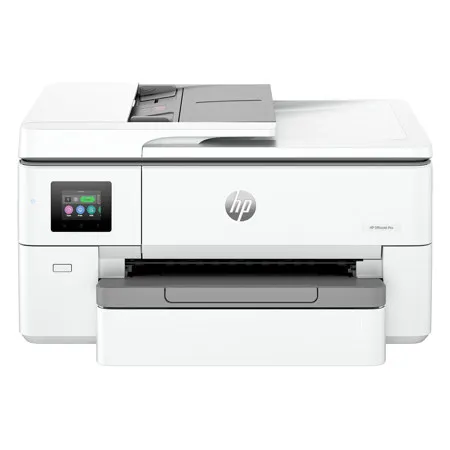

See Options
Need help? Ask our experts.
Review Summary
2026-06-02T20:00:00
I like my new HP printer. It was easy to connect to my home WIFI and set it up. It was a little larger than I would have like but it has a place in my home office. The app the HP has is smart and handy to take printouts right out of my phone. The touch screen is. Wry responsive and easy to use. The ports that come out are sharp and good color. There is an area to store papers so it's out of site. The only downside I see is that sometime when printing webpages directly it looks like it doesn't follow the command. I have to download the page and then print which can be a pain sometimes. Overall a good office or home printer for everyday printing .
Sambobo

2026-06-02T20:00:00
I just started my small business and I have been on the market for a printer that offers all the things I needed. This HP Pro 9720 fits my needs. The setup was easy and straightforward. What I love the most is that it's a wide format printer which is beneficial for my small business. I love that you can also print straight from your phone. The print quality is awesome. The touchscreen on the printer is easy to navigate through especially if you need to scan or copy.
kiwirose
2026-05-29T20:00:00
I use HP printers for our family business and overall I've been really happy with this OfficeJet Pro 9720. The biggest advantage for me is the ability to print on extra-long and larger paper sizes. I was able to print directly onto 9x12 catalog envelopes with our business logo, which I couldn't do on my regular printer, so that alone ended up being really useful. It handles a wide variety of paper types and sizes, but I will say there was a bit of a learning curve at first. When I switched to printing 4x6 photos/cards, the printer wouldn't grab the smaller paper and I honestly thought I made a mistake upgrading. On my older HP printer I never had to manually slide the paper guide snug against the paper, so I didn't realize this one required it. After a quick Google search and adjusting the guide properly, it worked perfectly and hasn't been an issue since. Just something to know if you're switching from a simpler printer setup. I also use HP Instant Ink and highly recommend it if you print often. Between business printing and everyday use, it feels like the ink lasts forever and replacement cartridges just show up automatically before I even think about them. I looked into HP's newer AI subscription features too, but right now I personally can't justify paying extra for them. I think more people would probably try them if HP bundled a complimentary version in with Instant Ink first so users could actually see the value. Overall, I'm still sticking with HP printers. This one has been a solid upgrade for business use once I got familiar with the paper settings.
Juliajane17
2026-05-18T20:00:00
Couldn't get it to work at all!
da a.
2026-03-02T19:00:00
Bought it because it prints 11x17?but only prints on half the sheet. I've tried muddling my way through the 'print setup' options but?small data screen difficulty bad location and small print, should be on top to read easier. As usual the ink is the rip-off. Scanner works well software and hardware. Overall 6 out of 10
BushFixx
2026-01-20T19:00:00
If you want a great printer, HP is the brand to use. The OfficeJet Pro 9720e. From opening the box to full setup is only about 5 minutes. The ink is cost effective it does not use a lot and the HP instant ink subscription is great. The printing is clear and high definition if it's a document or picture does not matter. You can print wired/ wireless or even remotely from your phone. 3x5 pictures to tabloid it handles it all.
KavehDPS
2026-01-15T19:00:00
Right out of the box, this printer was awesome. the ease of use, setup and printing were more than expected. I would recommend this print to a beginner or a pro anytime.
drpepper1366
2026-01-13T19:00:00
This printer is notable for its ability to handle large format prints and its easy setup-simply scan a QR code with your device to begin. It produces high-quality prints, and the four provided ink cartridges last longer than most competitors.
JanBob
2026-01-12T19:00:00
We got this HP OfficeJet Pro 9720e because our other printer only wanted to print off my phone. And sometimes only off my laptop and hardly ever off my tablet. So we got this one. It was such an easy setup. It's big, okay, but I don't care because I can print now, very easily, off my phone AND my tablet AND my laptop. I can also SCAN to all of these devices!!!!! It's almost too much. I love this printer. Go buy it.
Joycow
2026-01-12T19:00:00
I was amazed with ease of set up. Easy to un pack and just plug and play. Wireless connectivity went quickly and updated very fast. Just had to insert the ink cartridges and print was ready to go. The HP Smart app makes it easy to use all the options. Scan option work quickly and impressive. Print speed is reasonable and quite. Printing from phone was quick as well. Option to start Instant Ink plan is another option. Function screen is hard to see as it is flat and does not swivel.
gmarini
2026-01-08T19:00:00
This printer is great and set up is super intuitive. No need to RTM! It's super easy to get it out of the box and makes it easier to carry - without the bag it's super wide and awkward. This is a great thing many vendors do - thank you. There was a lot of thoughtfulness in the packaging. The tape was folded over so there was an easy tab to remove it. No need to try and peel it off! It was easy to turn the device on and connect to wifi on the touch pad - but my only complaint is how tiny the virtual keys are. It was hard to get the right letters and numbers! It was super easy to install the cartridges and print. Print quality is great and pages print fast. Love that it prints wide! But, it should have a wider scanner and copier bed to copy what it prints! It's a fantastic high quality HP printer, love it.
BananaWind
2025-12-22T19:00:00
Hp did a great job on this upgrade to their Tabloid Paper printer. The sync between computers and even your phone has definitely improved. Upon setup i had a problem with the alignment setting and the blue cartridge kept popping out so I haven't been able to finish reviewing it as I'm trying to work with HP tech support but so far besides that it has been great. Photos to come after tech support done.
4motion1
2025-12-22T19:00:00
Easy set up from box. Printer is a bit bulking but easy to remove from box. Plug in and power up. Connected to Wi Fi and set up started. The printer was updated automatically when connected. Next you install printer cartridges which are properly labeled and easy to set. Printer calibrates and you then print test page. Printer was a bit slow for me but that is the ink jet process and not as fast as lacer printing. the print quality is excellent with HP paper which I already had. The option for 11 X 17 printing is a great feature. You can check for updates and ink levels on HP Smart App. you can also sign up for the Instant Ink which automatically sends you ink when your levels are low. The LCD screen is a bit odd and wish it had a tilting screen which would be easier to see. Overall I am very happy with my purchase.
Empanada1
2025-12-16T19:00:00
This printer has been a perfect addition to my home office It was a very quick and straightforward installation, and it connected seamlessly to my wifi. The print quality is also excellent, with sharp text and vibrant colors that looked so professional on every document and picture that I printed. Its large paper capacity and its fast printing speed made it perfect for handling my high-volume tasks without constant refilling or delays. What truly makes it powerful is its reliability and the smart features. The smart app made my scanning, copying, and managing print jobs incredibly convenient, even from my cellphone. I really liked how quiet it was when it was working. Overall, this printer delivered great value and dependable performance with high-quality results.
naveenyamana
2025-12-15T19:00:00
This printer boasts several impressive features, with its capability to print large format pages standing out as the highlight. Other advantages include an effortless setup process straight from the box-simply scan the QR code on the printer using your mobile device, and complete the setup easily through an app. The print quality is outstanding, and assembling the printer only requires inserting four sizeable ink cartridges that seem to last longer than those of other models. Additionally, there's a new benefit called "Instant Ink" via the HP+ app, which helps prevent unexpected ink shortages by delivering ink when it's needed. This service can offer up to 50% savings compared to buying ink elsewhere, though it does come with a monthly fee based on your printing volume.
tim332
2025-12-10T19:00:00
HP hits another home run with the office jet pro 9720. I love the versatile capability this machine offers and the added wide format. I'm a crafter and small business entrepreneur, with the side job of PTO mom and full time family nurse. I am responsible for all the projects, bookkeeping, papers, and documentation in our family. Needless to say my printer has to be great and at the ready. Most recently the elves and I have been keeping it hopping in addition to normal use. This new printer offers great color, fast printing, and remote printing for those things I remember on the go. I love the document feeder, it's always been a must for me. It does offer double sided printing. Instant ink continues to be an option offering uninterrupted printing with cartridges delivered before you run out of ink. This has been a selling point for me since Hp began offering it. I love never running out of ink. Now if HP will just make me a sublimation printer my HP family will be complete hint hint HP. Definitely recommend this printer for anyone needing a great printing for versatile needs. Great for those who need help with projects, pictures, papers, and everything in between.
Cuddles1079
2025-12-09T19:00:00
Received and connected our new HP printer and scanner system. Our family decided to set it up in our office. So far, everyone has been able to try it out. I found that it was easier to install than I expected. We've never had wireless printer capability before so we were at first a little intimidated by it. Much to our surprise, the printer is very easy to operate. I am also quite impressed with all the different features that this printer has and I'm planning on using the HP instant ink program as well. I can't wait to use this machine for my side hustle projects also. I'm very pleased with this purchase.
jenny565
2025-12-09T19:00:00
Had a day or two of trouble getting it up and running, connecting with the wifi. A call to HP resolved the issues and now the printer is working fabulously. Color is vivid and about as close to real life as one can get. Text print is clear and flawless, and the wifi connection is working as it should. Takes multi-paged documents and scans them with ease. We're very happy with our purchase.
LadyeCatte
2025-12-09T19:00:00
I am so delighted with this HP OfficeJet Pro 9720e printer. So. Delighted! Other printers I have used before never wanted to connect to my laptop or phone or tablet seamlessly. Until NOW I have never had a printer that connected to ALL THREE soooooo easily AND all the devices can print on it. All three!!!! Really. So delighted. Was a super easy setup and it prints like a champ. I would have been just as delighted to have it print easily but that it also scans to my email?! What?! I must be living in an alternate universe because I could never get that to work on any of my other printers either. So happy. Go buy one.
1Joydog
2025-12-09T19:00:00
I own a small business and i needed a printer that has it all in one and let me tell you This printer is Amazing it print beautiful and it is super fast in printing it prints so sharp and clear it is a little big but the way it prints is amazing i love that it is easy to set up and in just a couple minutes you can start working and love the feature that i can print from anywhere straight to my amazing printer i gotta admit HP printers are amazing and ink on this is a pocket saver
hazeleyez
2025-12-09T19:00:00
My new HP printer has been a great addition to my home office. I am able to save alot of time because this printer works great wirelessly and has room for lots of paper. It prints up to 11x17" and the prints look great. I use the scanner often and it is very easy to use.. The printer also looks great! I am very happy with my purchase!
nataliajur
2025-12-08T19:00:00
This HP Officejet Pro 9720e is a amazing printer for home or business use, with printing, scanning, and copying. It even has the Wi-Fi connect. It's the perfect size with a large LCD display. As with most hp's, it has all the options you're looking for in a printer, like durability, fast printing and easy ways to connect. It's easy to find replaceable ink cartridges. Even better, I love that it comes with free instant ink for 3 months. This is so convenient when you are consistently using the printer and not keeping track of your ink levels. Super easy plug and play. I love to be able to print fast from my mobile phone and do all the setup from there. The app is very easy to use.
melissafara
2025-12-08T19:00:00
I got the HP OfficeJet Pro 9720e a while back. I love EVERYTHING about it except the weight and cost of ink! I work out of town alot and usually carry a printer with 11"x17" print capabilities with me because of the types of documents that are necessary with my job. I decided to trade in my previous non HP brand for a smaller HP (HPEnvy Photo) and love that one - I will keep this one at my home office so that I still have access to it on the weekends and don't have to load and unload it in my truck/office. I love that the paper tray holds 250 sheets and the Automatic Document feeder holds 35 sheets to copy or scan!! It checks all of my boxes for my work from home times and even for some home projects for my daughter and granddaughter!! Like I said - The only things that I don't like is the cost of the cartridges and the fact that you can't use the generic ones and the weight - but you can't have it all!!
sharono337
2025-12-08T19:00:00
I love my new HP printer! It was very easy to set up and use wirelessly. It makes high quality prints up to 11x17". The scanner is also easy to use and the printer holds alot of paper which makes my home office much more efficient. I think it looks great and I highly recommend it!
brianjur
2025-12-08T19:00:00
I was excited to test out the features and upgrade some printing features from my existing set up. While my current printer was good, it did not have some of the automated document feeding capabilities that I was looking forward to. In terms of set up out the box the printer set up was easy. You can easily see and manage it from the HP app which definitely helps with day to day management. The scanning features were very smooth. It is easy to set up multiple destination options on the output. The touchscreen menu was very easy to navigate and responsive. Now on to the printing. The prints were crisp and fast. The pictures/documents were very clear on output. There is a large paper tray that accommodates many sizes so it allows less filling and flexibility. The printer can easily print from multiple devices on your network and has solid connectivity to your wifi. So far this printer checks all the boxes I was looking for and I look forward to using it more in my day to day.
Aghoward
2025-12-07T19:00:00
Meet the new and gorgeous HP OfficeJet Pro 9720e printer. I was in need of a powerful printer for my home and business. We use our printer daily for all types of tasks and needed one that can do it all with affordable ink, and that is easy and fast to use. I'm someone who loves tech, so I also wanted a printer that looks premium and modern, and OMG, did HP deliver with this one! It's gorgeous and feature-packed. Let's talk features. HP delivers an ISO Speed: Black: Up to 22 ppm; Color: Up to 18 ppm. The Print Resolution: Black (best): Up to 1200x1200 rendered dpi; Color (best): Up to 4800 by 1200 optimized dpi on HP Advanced Photo Paper 1200 by 1200 dpi input, so it's definitely fast with vivid, gorgeous printing. As for the Scan Resolution: Hardware: Up to 1200 x 1200 dpi; Optical: Up to 1200 dpi. If you need to copy, the Copy Resolution: Black (text graphics): Up to 600 dpi; Color (text graphics): Up to 600 dpi. For connection, it gives me every feature I need with the ability to print from anywhere. Featuring Standard Connectivity: 1 Ethernet; 1 Hi-Speed USB 2.0 (device)1 Wi-Fi 802.11 a/b/g/n/ac (dual band). All the operating systems I ever would use with Mobile Printing Capability: Chrome OS; HP Smart app; Apple AirPrint Mobile Apps; Wi-Fi® Direct Printing; Mopria? Certified. Now, the Duty Cycle: Monthly (letter): Up to 30,000 pages, which is extremely impressive! The Display is 2.7in with a Capacitive Touchscreen CGD technology. Again, the fact that I love tech means I love having an easy-to-use touchscreen to fully control my printer. On top of that, you can use your mobile device for all features, settings, and functionality. The Paper Handling: 250-sheet input tray, 75-sheet output tray is also a huge bonus, as I hate when I run out of paper and I'm not near the printer to reload. My family and employees love this printer. It's gorgeous modern and fun to use. It prints fast its not to loud and it actually looks great in my office. Not like a basic printer but a piece of high end tech. I also want to really emphasize the quality. It really prints gorgeous whether you want to print a photo or if you just need to make copies. Everything comes out clean, crisp and beautiful. This really is a perfect all-in-one printer that does everything you want it to and more and with HP's ink and paper subscription. It's a thoughtless, easy process that makes it affordable. And you never have to worry about running out of ink when you need it Most it's a Great Buy
JBTechfanatic1
2025-12-05T19:00:00
I recently purchased the HP Office Jet Pro 9720E and I absolutely love it! Shipping was fast and boxed securely. Setup was a breeze just download the app and it walks you through it. I really enjoy how fast this printer prints saving me all kinds of time. This printer has P3 color print mode making prints vibrant and true-to-life images. You can load up to 250 pages at a time and it uses a automatic document feeder that works really well. This printer has wide format printing also has hp wolf pro security with dual-band self-healing wi-fi. That being said I would recommend this printer to anyone rather your printing just a couple pages a month or multiple pages a month it is great for all needs! Hands down one if the best printers I have purchased!
ChadMcg
2025-12-05T19:00:00
I connected my printer yesterday in my husband's home office. It was right on time as his printer went out. The ease of installing and connecting was so quick and easy. The printer was printing so effortlessly and efficiently. It runs quiet. It is a large printer and will definitely do the job of everyday uses. I like all of the features and the HP Instant ink program which I am a current customer. The HP app makes everything to manage all things HP related in one place. The wireless printing from anywhere is high on my list. I am thoroughly satisfied with this printer.
vdfree20
2025-12-04T19:00:00
This is a great printer for my home office. The print quality is exceptional, and the multi-page scanner is a must have. I love that it prints large sizes, as I need to make posters to hang on the door. It works perfectly for that. It was easy to set up, took only a few minutes from my phone. I am on my fourth hp printer and have been so happy with all of them.
MarcellaBella76
2025-12-04T19:00:00
This printer/scanner beams professionalism and quality from the way it was packed/shipped to the ease of getting it set up and running. The box showed some shipping scars but the product was unharmed due to the care put into packaging. Setup was super easy - plug it in, scan the QR code and follow a few instructions. The print quality is everything you've come to expect from this brand - top notch. I am super impressed with the scanner. It is so easy to use and the output files are precise and clear. Being able to print from anywhere using the app is a bonus. I am a happy customer!
ZiggyTX

Accidents happen where life happens. Protect your favorite Adorama products and purchase a protection plan to stay covered from accidental damage, mechanical or electrical failure, and more.

If we can’t fix it, we’ll replace it at no additional cost.

Protect your product from drops, spills, and more.

Enjoy your gear without fear. We have you covered!

When regular use of your product over time results in mechanical or electrical failure.

We will never charge you a deductible after the purchase of a plan.

Our claims process is simple & easy and our customer service team is happy to help.
Adorama Protect powered by Extend is available for purchase to customers in the United States. Not available for purchase Internationally or in U.S. Territories.
Browse our FAQ
White
Print, copy, scan
Yes
Letter: Up to 22 ppm
Black (ISO): Up to 22 ppm
Color (ISO): Up to 18 ppm
First page out black: As fast as 12 sec
First Page Out Color: As fast as 13 sec
Black (draft): Up to 34 ppm
Color (draft): Up to 34 ppm
Black (best): Up to 1200 x 1200 rendered dpi
Color (best): Up to 4800 by 1200 optimized dpi on HP Advance Photo Paper 1200 by 1200 dpi input
HP Thermal Inkjet
4x (1 each black, cyan, magenta, yellow)
Yes (up to A3/11 x 17")
HP PCL3 GUI
Color mode: Color/Grayscale using black only/Grayscale using CMYK black, Two-sided Printing: none/Flip on long edge/Flip on short edge, Pages per sheet: 1,2,4,6,9,16, Pages per sheet Layout: Right then Down/Down then Right/Left then Down/Down then Left, Page Borders: On/Off, Print Quality: Normal/Draft/Best/Maximum dpi, Copy count, Collate
Orientation: Portrait/Landscape, Paper Size, Paper Source, Media Type, Booklet printing: Off/Left Binding/Right Binding, Watermarks, Page order: Front to Back/Back to Front, HP EasyColor: Off/Conservative/Automatic, Borderless printing: Off/On, Presets
Easy slide-off glass legal size flatbed scanner; Dual pass 2-sided ADF / CIS
Hardware: Up to 1200 x 1200 dpi
Optical: Up to 1200 dpi
JPEG, TIFF, PDF, BMP, PNG
Front-panel scan, copy or from software
ADF 8.5 x 14" (216 x 356mm)
Flatbed 8.5 x 14" (216 x 356mm)
Smart Tasks shortcuts: 1-click customizable scan to cloud destinations, email, and print; Smart Tasks destinations: Dropbox, Google Drive, OneDrive, email recipients
24-bit / 256
Scan to PC
Black (ISO): Up to 18 cpm
Color (ISO): Up to 13 cpm
Black (text and graphics): Up to 600 dpi
Color (text and graphics): Up to 600 dpi
Up to 99 copies
Copies; Size; Quality; Lighter/Darker; Paper size; Resize; Paper Type; Two-sided; ID Copy, Collate; binding Margin; Enhancement; Crop; Copy preview
25 to 400%
Fax polling supported: No; Junk barrier supported: No; Remote retrieval capability supported: No
1x Ethernet
1x Hi-Speed USB 2.0 (device)
1x Wi-Fi 802.11 a/b/g/n/ac (dual band)
Yes, via built-in Ethernet; Wireless 802.11a/b/g/n/ac
Yes, with built-in dual-band Wi-Fi 802.11 a/b/g/n/ac and a self-heal solution
Chrome OS; HP app; Apple AirPrint; Mopria certified; Wi-Fi Direct Printing; Mobile Apps
Standard: 512MB
Maximum: 512MB
1.2Ghz/Hard disk: Not Supported
Monthly, letter: Up to 30,000 pages
Monthly, A4: Up to 30,000 pages
250 to 1500 pages
Plain Paper, HP Photo Papers, HP Matte Brochure or Professional Paper, HP Matte Presentation Paper, HP Glossy Brochure or Professional Paper, Other Matte Inkjet Papers, Other Glossy Inkjet Papers, Inkjet Hagaki, Plain Paper Thick, Plain Paper Light/Recycled
9 to 66 lbs (4.08 to 29.9kg) bond (plain media)
Letter; Legal; Government Legal; Executive; Statement; 3 x 5" (7.62 x 12.7cm); 4 x 6" (10.16 x 15.2cm); 4 x 12" (10.16 x 30.4cm); 5 x 5" (12.7 x 12.7cm); 5 x 7" (12.7 x 17.7cm); 8 x 10" (20.32 x 25.4cm); L; Photo 2L; Envelope( #10, Monarch); Card (3 x 5" (7.62 x 12.7cm), 4 x 6" (10.16 x 15.24cm), 5 x 8" (12.7 x 20.3cm)); Tabloid 11 x 17" (27.94 x 43.18cm)
3 x 5 to 11.7 x 17" (7.62 x 12.7 to 29.72 x 43.18cm)
Input Capacities: Up to 250 sheets (Tray 1: up to 250 sheets) Standard; Up to 30 envelopes; Up to 50 sheets; Up to 50 sheets Labels; Up to 250 sheets Legal
Auto Document Feeder: Standard, 35 sheets
Output Capacities: Up to 75 sheets Standard; Up to 25 envelopes; Up to 35 cards; Up to 35 sheets Labels; Up to 75 sheets Legal
Duplex Options: Automatic (A4/Letter)
Envelope feeder: No
Standard paper trays: 1
Approx. 800 pages black, 420 pages cyan, magenta, yellow composite
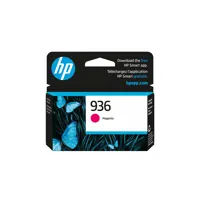
HP 936 Black Original Ink Cartridge (1,250 pages) 4S6V2LN, HP 936 Cyan Original Ink Cartridge (800 pages) 4S6U9LN; HP 936 Magenta Original Ink Cartridge (800 pages) 4S6V0LN; HP 936 Yellow Original Ink Cartridge (800 pages) 4S6V1LN, HP 936e EvoMore Black Original Ink Cartridge (2,500 pages) 4S6V6LN
HP 936e EvoMore Cyan Original Ink Cartridge (1,650 pages) 4S6V3LN; HP 936e EvoMore Magenta Original Ink Cartridge (1,650 pages) 4S6V4LN; HP 936e EvoMore Yellow Original Ink Cartridge (1,650 pages) 4S6V5LN. Actual yield varies considerably based on content of printed pages and other factors
Yes
EPEAT registered
Yes
Contains ocean-bound recycled plastic; Recyclable through HP Planet Partners; FSC Certified Packaging
2.7" (6.86cm) touchscreen control panel with color graphic display; LED indicator light (Wi-Fi indicator); 3 buttons: (home, help, Back)
2.7" (6.86cm) Capacitive Touchscreen CGD
HP Printer Software
Windows 11; Windows 10; macOS 11 Big Sur; macOS 12 Monterey; macOS 13 Ventura; macOS 14 Sonoma; Linux; Chrome OS
PC: Microsoft Windows 11, 10: 32-bit or 64-bit; 2 GB available hard disk space; Internet connection; Microsoft Internet Explorer or Edge
Mac: Apple macOS v11 Big Sur, macOS v12 Monterey, macOS v13 Ventura; 2 GB HD; Internet required
Power supply type: Internal (Built-in) Universal Power Supply
Power requirements: Input voltage: 100 to 240 VAC (+/- 10%), 50/60 Hz
Power consumption: 0.11 watts (Manual Off), 4.67 watts (Standby), 1.17 watts (Sleep)
Acoustic power emissions: 6.8 B(A)
Acoustic pressure emissions: 61 dBA
Operating temperature range: 41 to 104 Degree F (5 to 40 Degree C)
Recommended operating temperature: 59 to 90 Degree F (15 to 32.2 Degree C)
Storage temperature range: -40 to 140 Degree F (-40 to 60 Degree C)
Operating humidity range: 20 to 80% RH
Recommended humidity operating range: 25 to 75% RH
China
22.9 x 17.5 x 12.1" (581 x 445 x 306mm) (Cleanout + OP tray not extended)
Maximum: 22.9 x 33.4 x 12.1" (581 x 849 x 306mm) (Cleanout + OP tray fully extended)
32.19 lbs (14.6kg)
199485546070
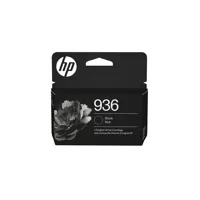
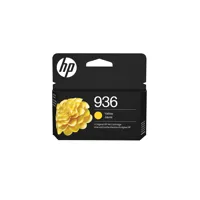
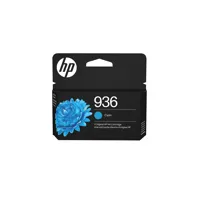
Wide-format printing designed for teams that demand precision and scale. Print up to A3 with the world's first wide-format printer with P3 color. Stay protected with HP Wolf Pro Security, our advanced security solution built right in. For small and medium businesses that want a wide format professional color inkjet printer to make their big ideas happen.
This printer is intended to work only with cartridges that have a new or reused HP chip, and it uses dynamic security measures to block cartridges using a non-HP chip. Periodic firmware updates will maintain the effectiveness of these measures and block cartridges that previously worked. A reused HP chip enables the use of reused, remanufactured, and refilled cartridges.
Wide-format printing for big ideas
From floor plans to creative concepts, get the ability to print up to A3 / 11x17" wide format. Enjoy true-to-screen prints with the world's first wide-format printer with P3 color. Give your projects extra impact with technology that offers a wider range of bold, beautiful colors.
Simplify tasks with HP AI
Enhance productivity. Personalize experiences. Inspire creativity.
Save money, save time with Instant Ink
Never worry about running out of ink! With Instant Ink, you get ink delivered right to your door. Enjoy the freedom to choose a plan that fits your needs-with the flexibility to change, pause, or cancel anytime. Whether you print in full color or black & white-every page costs the same with Instant Ink.
Security built right in
Security you don't have to think about HP Wolf Pro Security keeps your data safe while you stay productive.
