


See Options
Need help? Ask our experts.
Review Summary
2026-06-18T20:00:00
I recently purchased the HP Office Jet Pro 9730 and so far It has been amazing! Shipping was fast and efficient and boxed securely. Setup was simple the app will walk you through it. I really enjoy how fast this printer prints saving me all kinds of time. This printer has P3 color print mode making prints vibrant and true-to-life images. I enjoy the 4.3" touchscreen making things much easier to navigate. You can load up to 500 pages at a time and it uses an automatic document feeder that works really well. This printer has wide format printing and prints up to 22 pages a minute and has automatic 2 sided printing and Hp wolf pro security it also came with 3 free months of instant ink. That being said I would recommend this printer to anyone rather your printing just a couple pages a month or multiple pages a month it is great for all needs! Hands down one if the best printers I have purchased!
ChadMcg

2026-06-17T20:00:00
I bought the HP OfficeJet Pro 9730 during a hectic stretch of school paperwork, and it earned its keep the first week. I printed a huge spreadsheet I had been squinting at on my laptop for weeks, and seeing it on 11x17 paper helped me catch three errors in the first five minutes, including a decimal I had put in the wrong place. A few days later I scanned a whole stack of multi-page documents straight to my email instead of feeding them one at a time, which saved me about forty minutes. The part I did not expect to love is sending something to print from my phone while I am on the couch and grabbing it later. It has changed how I handle paperwork at night, and I am really glad I got it.
jmemn
2026-06-17T20:00:00
I love this HP OfficeJet Pro All in One Printer! It is a great upgrade from my previous printer and it is making my home office complete! I love the scanning capabilities. I can scan something directly to my email! No more scanning and saving a file on to my computer then emailing it. I can directly send it and it shows in up just a minute. I also really like that I can stick a USB drive and print items like photos from it. Very convenient! I downloaded the app and love that I can print things from my phone! This has been especially useful for printing out recipes that I come across while on the internet. My daughter has been emailing me her shipping labels and we can easily print them from the couch and they show up on the printer shortly after. Color photos print extremely fast too! Fastest color printer I have ever used! One of the main reasons I wanted this printer is for the large scan bed that can accommodate the 11x17 size ! I scan a lot of things to use in my graphic design, things like fabrics and wallpaper, and this large scanning bed is awesome to use for this. The machine size is pretty large so take that into consideration for your office space, but its well worth it for its features like 11x17 size paper! Setting it up was very simple. I plugged it in, scanned the QR code and then followed the directions on the display and phone to set it up in just a few minutes. I couldn't be happier with this printer and definitely recommend it for your home office.
jessiejackson
2026-06-16T20:00:00
This 9730 printer I've used for few days and did a lot of test prints using various material, since it's using pigment based ink so the print is more crisp and can be printed on much wider material variety than dye based ink. The paper tray is extendable if need to print 11*17. The print speed is quite fast and I have test soft thick cotton paper it works super well which my last printer definitely can not do. The printer's screen is bigger than my older model make operating much accessible and easy, I'm pretty satisfied with this printer!
jtinfl
2026-06-15T20:00:00
I like the option to print larger sized items up to 11x17 which few printers do. This is a large printer as a result so make sure to check the dimensions. You need a good sized place to keep it. I don't do high volume printing and have tested with some color prints as well as a few color and text docs. It printed faster than I thought it would and the quality even on regular paper is nice. The printer doesn't come with photo paper so I haven't evaluated photo prints. But given the smooth print and accurate color I got just from a business quality paper, I'm expecting good things. The printer was easy to setup. There is an HP App which worked great for the setup. I originally tried from my laptop but struggled a bit getting it connected . App from my phone was a snap. The QR code on the printer display will take you to the website setup page. Printing from my IPhone worked great as did the color prints from my laptop. I'm attaching photos from Antarctica with lots of white and blues of various hues and the print was nice. I also have a color laser printer and the print quality is definitely better . It comes with ink for your first month or so of regular use. One thing I didn't care for was the attempts to have users sign up for an ink subscription. It's hard not to. I'm a light printer user so I can't use that much ink; just pay attention when you register your printer. It's probably a great deal if you print a lot. But not for me at my light volume. Ink cartridges are simple to load. You have to use the HP cartridges to this printer. No refills from other vendors. There is a chip and the printer knows and won't print with other types . The display for printing options is bright and colorful and touchscreen which is nice and makes the printer easy to use. Definitely a step up from my older laser printer which requires a lot of "arrowing" around. I like th clean and self contained look of this printer and the two generous paper drawers that will hold up 2 sizes of paper.
susan484
2026-06-11T20:00:00
I love the HP OfficeJet Pro 9730 All-in-One Printer. Having the ability to print larger pages whenever I need to at an affordable price is great. The quality of the prints is excellent and the print speed is very good. The footprint is pretty big, I had to make space for it but it's not unreasonable - the only thing I wish is that it fed the paper long-wise so the 11x17 paper didn't stick out the front of the device so much but I understand that functionally, that wouldn't work. I would definitely recommend this printer to my friends and family.
tuniloon
2026-06-09T20:00:00
The HP OfficeJet Pro 9730 Wide Format All-in-One Printer is a powerful and capable multi-function loaded with features. Wide formats make this printer great for small-office use, or a home power user. It is easy to configure and operate. Unpacking and setup were quite smooth, and I was up and running in short order. Configuration through the mobile app allowed for quick connection to the network and I was off to the races! I was able to use letter and legal-size paper, photo paper, envelopes, labels, and even 11x17 paper! Big, beautiful printing at its best! Remote printing is simple and useful. This powerful, capable printer does everything quickly and accurately. Unboxing was made easy by the handled plastic bag inside the box that allowed the whole printer to be picked up without struggle, which is a great idea, since the 9730 Wide Format All-in-One Printer is a large device. The packaging makes setting up the device a one-person job. The setup was smooth. The new HP app for both the mobile device and the PC made things easy. The apps allow for quick configuration, and it was not long before I was connected to the network and printing from both PC and Android devices The setup tools replaced my old HP printer on my HP Instant Ink account with the new device. My sole complaint is the need to enter the printer PIN every time you want to access specific device settings and reports menus. The PIN is on a label inside the front panel, so saving it on your mobile device may be a good idea so you can access the corresponding settings on the fly. Two paper trays are a bonus, especially with the variety of paper sizes that can be used. I am able to keep Letter size in the main tray, and use the second tray for photos, labels, and 11x17. The 9730 Wide Format All-in-One Printer is definitely a tool for home and business use. After trying a variety of print media on the 9730 Wide Format All-in-One Printer, I also tested the remote abilities of the 9730 Wide Format All-in-One Printer by sending printouts from my mobile device back to the home. You don't realize how useful this feature is until you start using it regularly. Scanning from the flatbed produced high quality, detailed images, making the option useful for capturing digital copies of documents, photos, driver's license, and even passports. Summary: I am very impressed with the capabilities of the 9730 Wide Format All-in-One Printer. It is more than sufficient for small to mid-size office use, and a powerful tool for the home office. I would recommend the 9730 Wide Format All-in-One Printer to anyone who has a need for a powerful home or small-to-mid-size business.
Caoimhin
2026-06-09T20:00:00
So my husband and I are creating our own comic book. He's writing the story and lining out the pages. I'm lettering and coloring. This printer helps us so much. It has an 11x17 scan and print option. He's scanning all his pages so he can send them to me so I can do my part. It makes this creation way easier to accomplish. We've used it ever day since we've received it. HP OfficeJet Pro 9730 All-in-One Printer is something we'll continue to use it for future projects as well. We are a pretty creative couple so we absolutely recommend this printer.
missydeelicious
2026-06-08T20:00:00
I've gone through more printers than I'd like to admit, and so far the HP OfficeJet Pro 9730 has been one of the easiest and the most reliable I've owned. The setup process was pretty straightforward and I had it connected to my Wi-Fi and printing from my phone and laptop much faster than expected. What really stands out is the print quality. Documents come out sharp and professional looking while color prints are vibrant and clear. I occasionally print larger format documents, and having the ability to handle those without needing a separate printer has been incredibly convenient!!
Olive12345
2026-06-08T20:00:00
I just unboxed and sat up my new HP OfficeJet Pro 9730. I'm so happy that I upgraded to this office addition. My previous printer was an HP as well. The setup with this all in one printer went smoothly. The app walked me through the set up. Using my phone to communicate via the app is a welcome addition. The extra drawer capacity along with the higher number of pages that I can print at one setting is definitely an added bonus. I definitely recommend this printer and HP products.
WBKing
2026-05-21T20:00:00
We had the smaller version of this printer. It worked well but found ourselves wanting something that can print and scan larger items not only for our home business but for our kids stuff. This printer supports more accurate colors which is a big plus in addition to the larger formats. It's a little slower than most, somewhat noisy and definitely larger than anticipated but once you consider the features like double sided printing, scanning and multiple paper trays, it makes sense considering the larger formats supported. Overall, if you got the space and need larger formats it's a great printer! Instant ink makes it even better for occasional printers as you can save a lot.
BryanX
2026-05-19T20:00:00
I am really happy with the HP OfficeJet Pro 9730 All-in-One Printer. I have always wanted a wide format printer for posters and larger signs. It is a large footprint, which I anticipated, but with the bottom tray extended for 11x17 it's even larger so I'm really happy it was so easy to connect to my WiFi, so I can tuck it out of the way and not have to be physically connected to it. The whole setup went very smoothly - I didn't have any problems. I was printing in a very short time, using a glossy laser photo paper and the print was gorgeous. It came out clear and the colors were bright. I will definitely be printing a lot with this printer and would recommend it to anyone looking for a wide-format printer.
pierho

Accidents happen where life happens. Protect your favorite Adorama products and purchase a protection plan to stay covered from accidental damage, mechanical or electrical failure, and more.

If we can’t fix it, we’ll replace it at no additional cost.

Protect your product from drops, spills, and more.

Enjoy your gear without fear. We have you covered!

When regular use of your product over time results in mechanical or electrical failure.

We will never charge you a deductible after the purchase of a plan.

Our claims process is simple & easy and our customer service team is happy to help.
Adorama Protect powered by Extend is available for purchase to customers in the United States. Not available for purchase Internationally or in U.S. Territories.
Browse our FAQ
White
Print, copy, scan
Yes
Letter: Up to 22 ppm
Black (ISO): Up to 22 ppm
Color (ISO): Up to 18 ppm
First page out black: As fast as 12 sec
First Page Out Color: As fast as 13 sec
Black (draft): Up to 34 ppm
Color (draft): Up to 34 ppm
Black (best): Up to 1200 x 1200 rendered dpi
Color (best): Up to 4800 by 1200 optimized dpi on HP Advance Photo Paper 1200 by 1200 dpi input
HP Thermal Inkjet
4x (1 each black, cyan, magenta, yellow)
Yes (up to A3/11 x 17")
HP PCL 3 GUI, HP PCL 3 Enhanced
Color mode: Color/Grayscale using black only/Grayscale using CMYK black, Two-sided Printing: none/Flip on long edge/Flip on short edge, Pages per sheet: 1,2,4,6,9,16, Pages per sheet Layout: Right then Down/Down then Right/Left then Down/Down then Left, Page Borders: On/Off, Print Quality: Normal/Draft/Best/Maximum dpi, Copy count, Collate
Orientation: Portrait/Landscape, Paper Size, Paper Source, Media Type, Booklet printing: Off/Left Binding/Right Binding, Watermarks, Page order: Front to Back/Back to Front, HP EasyColor: Off/Conservative/Automatic, Borderless printing: Off/On, Presets
Easy slide-off glass flatbed A3/tabloid size; Single-pass 2-sided ADF / Contact Image Sensor (CIS)
Hardware: Up to 1200 x 1200 dpi
Optical: Up to 1200 dpi
Scan File Type supported by Software: Bitmap (.bmp), JPEG (.jpg), PDF (.pdf), PNG (.png), Rich Text (.rtf), Searchable PDF (.pdf), Text (.txt), TIFF (.tif)
Front-panel scan, copy or from software
ADF 8.5 x 14" (216 x 356mm)
Flatbed 11.69 x 17" (297 x 432mm)
Smart Tasks shortcuts: 1-click customizable scan to cloud destinations, email, and print; Smart Tasks destinations: Dropbox, Google Drive, OneDrive, email recipients
24-bit / 256
Scan to PC; Scan to Memory Device; Scan to email
Black (ISO): Up to 18 cpm
Color (ISO): Up to 13 cpm
Black (text and graphics): Up to 600 dpi
Color (text and graphics): Up to 600 dpi
Up to 99 copies
Copies; Size; Quality; Tray Selection; Lighter/Darker; Paper size; Resize; Paper Type; Two-sided; ID Copy, Collate; binding Margin; Enhancement; Crop; Copy preview
25 to 400%
Fax polling supported: No; Junk barrier supported: No; Remote retrieval capability supported: No
1x Ethernet; 1 Hi-Speed USB 2.0 (device)
1x Hi-Speed USB 2.0 (host)
1x Wi-Fi 802.11 a/b/g/n/ac (dual band)
Yes, via built-in Ethernet; Wireless 802.11a/b/g/n/ac
Yes, with built-in dual-band Wi-Fi 802.11 a/b/g/n/ac and a self-heal solution
Chrome OS; HP app; Apple AirPrint; Mobile Apps; Wi-Fi Direct Printing; Mopria certified
Standard: 512 MB
Maximum: 512 MB
1.2 GHz/Hard disk: Not Supported
Monthly, letter: Up to 30,000 pages
Monthly, A4: Up to 30,000 pages
250 to 1500
Plain; HP EcoFFICIENT; HP Premium Presentation Matte 4.23 oz (120g); HP Tri-fold Brochure Glossy 6.35 oz (180g); HP Brochure Matte 6.35 oz (180g); HP Brochure Glossy 6.35 oz (180g); HP Advanced Photo Papers; Light 2.12 - 2.61 oz (60-74g)
9 to 66 lbs (4.08 to 29.9kg) bond (plain media)
Letter; Legal; Government Legal; Executive; Statement; 3 x 5" (7.62 x 12.7cm); 4 x 6" (10.16 x 15.2cm); 4 x 12" (10.16 x 30.48cm); 5 x 5" (12.7 x 12.7cm); 5 x 7" (12.7 x 17.7cm); 8 x 10" (20.32 x 25.4cm); L; Photo 2L; Envelope( #10, Monarch); Card (3 x 5" (7.62 x 12.7cm), 4 x 6" (10.16 x 15.2cm), 5 x 8" (12.7 x 20.3cm)); Tabloid 11 x 17" (27.94 x 43.1cm)
Tray 1: 3 x 5 to 11.7 x 17" (7.62 x 12.7 to 29.72 x 43.1cm); Tray 2: 8.5 x 11 to 11.7 x 17" (21.59 x 27.94 to 29.72 x 43.1cm)
Input Capacities: Up to 500 sheets (Tray 1: up to 250 sheets, Tray 2: up to 250 sheets) Standard; Up to 30 envelopes; Up to 50 sheets; Up to 50 sheets Labels; Up to 250 sheets Legal
Auto Document Feeder: Standard, 35 sheets
Output Capacities: Up to 75 sheets Standard; Up to 25 envelopes; Up to 35 cards; Up to 35 sheets Labels; Up to 75 sheets Legal
Duplex Options: Automatic
Envelope feeder: No
Standard paper trays: 2
Approx. 800 pages black, 420 pages cyan, magenta, yellow composite
HP 936 Black Original Ink Cartridge (1,250 pages) 4S6V2LN, HP 936 Cyan Original Ink Cartridge (800 pages) 4S6U9LN; HP 936 Magenta Original Ink Cartridge (800 pages) 4S6V0LN; HP 936 Yellow Original Ink Cartridge (800 pages) 4S6V1LN, HP 936e EvoMore Black Original Ink Cartridge (2,500 pages) 4S6V6LN
HP 936e EvoMore Cyan Original Ink Cartridge (1,650 pages) 4S6V3LN; HP 936e EvoMore Magenta Original Ink Cartridge (1,650 pages) 4S6V4LN; HP 936e EvoMore Yellow Original Ink Cartridge (1,650 pages) 4S6V5LN. Actual yield varies considerably based on content of printed pages and other factors
Yes
EPEAT registered
Yes
Recyclable through HP Planet Partners; FSC Certified Packaging; Contains ocean-bound recycled plastic; 30% post-consumer recycled plastic
4.3" (10.92cm) touchscreen control panel with color graphic display; LED indicator light (Wi-Fi indicator)
4.3" (10.92cm) LCD (color) with Cap Sense touchscreen function
HP Printer Software
Windows 11; Windows 10; macOS 11 Big Sur; macOS 12 Monterey; macOS 13 Ventura; macOS 14 Sonoma; Linux; Chrome OS
PC: Microsoft Windows 11, 10: 32-bit or 64-bit; 2 GB available hard disk space; Internet connection; Microsoft Internet Explorer or Edge
Mac: Apple macOS v11 Big Sur, macOS v12 Monterey, macOS v13 Ventura; 2 GB HD; Internet required
Power supply type: Internal (Built-in) Universal Power Supply
Power requirements: Input voltage: 100 to 240 VAC (+/- 10%), 50/60 Hz
Power consumption: 0.11 watts (Manual Off), 5.40 watts (Standby), 1.39 watts (Sleep)
Acoustic power emissions: 6.8 B(A)
Acoustic pressure emissions: 60 dBA
Operating temperature range: 41 to 104 Degree F (5 to 40 Degree C)
Recommended operating temperature: 59 to 90 Degree F (15 to 32.2 Degree C)
Storage temperature range: -40 to 140 Degree F (-40 to 60 Degree C)
Operating humidity range: 20 to 80% RH
Recommended humidity operating range: 25 to 75% RH
China
22.9 x 18.4 x 15.20" (581 x 467 x 386mm) (Output Tray + Cleanout Door not extended)
Maximum: 22.9 x 33.2 x 15.2" (581 x 842 x 386mm) (Output Tray + Cleanout Door fully extended)
42.9 lbs (19.4kg)
199485545448
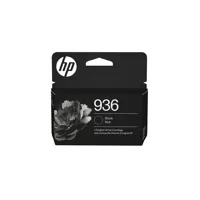
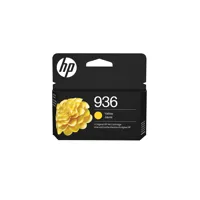
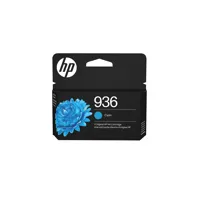
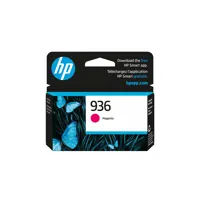

Wide-format printing designed for teams that demand precision and scale. Print and scan up to A3 with the world's first wide-format printer with P3 color. Enjoy lab-tested reliability, proven to deliver consistent, jam-free performance. For small and medium businesses that want a wide format professional color inkjet printer to make their big ideas happen.
This printer is intended to work only with cartridges that have a new or reused HP chip, and it uses dynamic security measures to block cartridges using a non-HP chip. Periodic firmware updates will maintain the effectiveness of these measures and block cartridges that previously worked. A reused HP chip enables the use of reused, remanufactured, and refilled cartridges.
Wide-format printing for big ideas
From floor plans to creative concepts, get the ability to print and scan up to A3 / 11x17" wide format. Enjoy true-to-screen prints with the world's first wide-format printer with P3 color. Give your projects extra impact with technology that offers a wider range of bold, beautiful colors.
Simplify tasks with HP AI
Enhance productivity. Personalize experiences. Inspire creativity.
Save money, save time with Instant Ink
Never worry about running out of ink! With Instant Ink, you get ink delivered right to your door. Enjoy the freedom to choose a plan that fits your needs-with the flexibility to change, pause, or cancel anytime. Whether you print in full color or black & white-every page costs the same with Instant Ink.
Proven and certified reliability
Experience reliable performance with HP OfficeJet Pro - no misfeeds or jams, even after thousands of pages.
