2022-04-08T16:12:34
Rated 5 out of 5
canon printer
works well
Stephen D.
2022-03-08T19:00:00
Rated 1 out of 5
Honestly, worst printer I have ever had
I have gotten this to work once. Once. One time. Now, it pulls every piece of paper and jams. It is a 200 paper weight.
ACallaway
Originally posted at

2021-12-03T19:00:00
Rated 2 out of 5
Mega Paper Jammer
This is printer is 6 months old and it constantly jams. I have tried everything. Time for something different
jms70
Originally posted at
2021-10-23T20:00:00
Rated 1 out of 5
Horrible setup / print instructions and support... DO NOT BUY
Never fun setting up new devices and some things go easier than others... If you made the mistake of purchasing this printer prepare yourself... printing from a mobile device should be easy, but good luck selecting paper sizes and scaling to print. printing from a PC, no problem it's a brand new printer let me route you to our store so we can request a payment for a driver, because why would this be supported for free just because you have a new printer? Only been at this for about an hour and packed this product back in the box.
SimpleOpinion
Originally posted at
2021-09-06T20:00:00
Rated 1 out of 5
Boat anchor at best
Bought a few months ago, worked great initially. Evolved to always wanting paper fed from the back even though the tray was full and that's how I had used it every time that it worked for me. Now it won't even go on my work fo, just says to follow instructions on computer or smartphone. Anybody want to buy it?
Sparky420
Originally posted at
2021-08-30T20:00:00
Rated 5 out of 5
Printer TS6420
Just bought for school, I have no experience with setting up a printer or how to connect to computer or phone. I have to say it took a while to set up. Having said that with the website and videos mission complete .
Dombom
Originally posted at
2021-07-23T20:00:00
Rated 1 out of 5
Terrible printer
I bought this printer yesterday. Setup was easy, but after that it was all downhill. The paper tray wouldn?t go all the way in. When I finally got it in and printed something it took all the paper (about 12 sheets, not just one sheet. I pulled out the paper tray to reload the paper, and again it wouldn?t go back in all the way. After about 30 minutes of not being able to get it to print I packed it up to return it to the store. I?ll never buy another Canon. I?m going back to HP.
LindaG
Originally posted at
2021-07-01T20:00:00
Rated 2 out of 5
Great for everyday use
It?s great for everyday use, but if you?re looking for quality I would not recommend this printer.
Peatiggs
Originally posted at
2021-06-25T20:00:00
Rated 2 out of 5
Just say "No."
I wish that I had read more reviews before I purchased the TS6420. It seemed like a basic, easy to operate printer for my better half... But it wasn't "user friendly" for my favorite user. He struggled to get it to accept paper. It kept telling him that the cassette wasn't loaded, when it most definitely was!! When I went to the website for advice, all it could say was to load the cassette! It seemed to only want to work when it was connected to wifi, but hubby wanted to avoid being online all of the time and wanted a printer that he could operate when wifi wasn't available. I am sure that I read that this one would operate without wifi, but it doesn't always. It is kind of "hit or miss." I will probably be returning this item as soon as I can figure out how. The shipping materials are all destroyed, of course! I think that I still have a return label that came when it was new, but will have to look into that. Anyway, this is NOT an "intuitive" printer. Not all of us users are made equal, and seniors didn't grow up with digital devices. There have been a few good Canon printers in our history, but this isn't one of them. Steer clear.
Erica R.
Originally posted at
2021-05-07T20:00:00
Rated 1 out of 5
We're not 'one' ink cartridge for the entire price of a new printer.
I bought a printer for home, and work, it don't meet my needs.
Not74825Friendly
Originally posted at
2021-04-10T20:00:00
Rated 5 out of 5
Impressed with the TS6420.
I own TS9200 series printers and this is an improvement over that model. I have only been working with it a few short weeks. I am impressed with the speed and color photo printing quality. I a few weeks after I get more experience with this printer I will be able to add additional comments.
WMS118
Originally posted at
2021-04-06T05:41:35
Rated 5 out of 5
It's perfect!
it's perfect
Linda G.
2021-04-03T20:00:00
Rated 5 out of 5
Learning & Loving it
Still learning what all it can do but so far I am loving it
CNS
Originally posted at
2021-04-03T20:00:00
Rated 1 out of 5
Won't print half the time, jams frequently
Half the time, I get a "The printer isn't connected" message, even though it's hard-wired! I have to shut it off and restart in order for it to print. Also jams easily on checks.
jayb
Originally posted at
2021-03-11T19:00:00
Rated 3 out of 5
INK NOT AVAILABLE!!
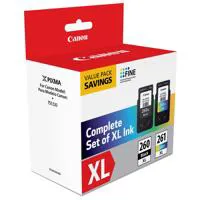
After finding three printers that I preferred were out of stock, I settled for this printer. Decided to order ink cartridges. Ink was in stock, I placed my order. The confirmation of my purchase immediately advised that the ink was out of stock. Chat advised that ink - both size cartridges - are out of stock, AFTER my order was placed. What good is a printer without ink? Canon really messed up with this printer. If printing one sheet, it is possible to catch the sheet....if you are printing more than one sheet, the sheets can end up all over the floor. The printer has a relatively compact footprint, but has no ability to "catch" the printed sheets. This printer is on my desk, above a drawer. Have learned to open the drawer to catch the printed sheets. The printer works. Haven't tried to scan, have printed photos and documents and made copies. Would have given a higher rating, but as I said, what good is a printer unless it has ink?
Sam 1.
Originally posted at
2021-03-05T19:00:00
I truly loathe this printer. The connectivity is a joke - I have to reconnect every time I use it and can never get the "easy connect" option to work.
Britt64
Originally posted at
2021-01-28T19:00:00
Rated 1 out of 5
Terrible connectivity
I have to reconnect devices every time I try to print something. Would not recommend.
Jessie300
Originally posted at
2021-01-19T19:00:00
Rated 1 out of 5
WiFi connect did work
The new printer was purchased to replace my older MG5220 (which was connected to my HP computer with a (Ethernet? cable. Sadly the new printer has no cable and relies on WiFi and yup, you guessed it... the WiFi never connected using the Canon on-line protocol making the printer useless to me. So i gave it to my college age son (who used his exceptional 21yr old computer skills to make the connection to my computer)... and will now decide on a different (cable connect) printer.
JonZ
Originally posted at
2020-12-31T19:00:00
Rated 4 out of 5
Good printer
Good printer I bought this a couple months ago it?s very good printer but when I go to print pictures out from my computer when I wanna use the cassette it tells me to load in the back tray and I don?t want to I don?t understand why it?s doing this does anybody have suggestions?
Michellem13
Originally posted at
2020-12-14T19:00:00
Rated 5 out of 5
Great features
Bought it love very easy set up as well as easy to use
Santina801
Originally posted at
2020-12-11T11:10:56
It does a good job on general black and white printing, and the color works well as well, but it uses much too much ink. Very expensive to run!
ELIZABETH B.
2020-11-11T19:00:00
Rated 5 out of 5
Very Nice Well Priced Printer
Very Nice Looking Unit that Prints Well and has Nice Features!
Tim B.
Originally posted at
2020-10-25T20:00:00
Rated 5 out of 5
All good so far
All good so far. No complaints. However, I've only barely used it. One thing I noticed is that it takes a long time to get ready for printing after pressing the power button and even after pressing the power button to turn it off it it will still take a long time to actually power down.
alessandrotesta
Originally posted at
2020-10-08T20:00:00
Rated 3 out of 5
Good price
Good little home printer. The ink runs out very fast, and its a bit slow to start. But It will work for the amount of printing we plan to do.
MJM1
Originally posted at
2020-10-05T20:00:00
Rated 1 out of 5
Canon Bad News
No tracking information was provided upon purchase of the new printer from Canon.
No sales receipt was provided, proof of purchase nor receipt.
No set up instructions were provided as well.
When we contacted the sales department and waiting 55 minutes for a response Nicole provided a verbal confirmation that the printer was ordered and it was about to be shipped at that time.
We also purchased the Canon care PAK program and then we had to purchase another $100 program when we called for help setting up the printer. The program was through Eminent Business Services and was sold by a Canon representative.
I would not recommend Canon as a reputable company BUT am happy with the printer, this is my 7th Canon printer in the past 15 years and will be my last.
Vegas A.
Originally posted at
2020-10-05T20:00:00
Rated 5 out of 5
Canon pixma TS6400 is a good buy
User friendly & ease customer agent helped me step by step to set it up
C S.
Originally posted at
2020-10-04T20:00:00
Easy set up as far as connections. Paper drawer has to be shut perfectly or will not print.
Merryworth1
Originally posted at
2020-10-04T20:00:00
Rated 1 out of 5
Didn't work right out of the box
This printer could be awesome, but I wouldn't know because it didn't work right out of the box. Could not get past choosing English as my language because as soon as I did a 5011 error came up. Apparently this error is when there is a jam. I hadn't even loaded paper into it. Spent at least an hour pulling every removable piece off checking for a missed packing tab or anything but there was nothing. Talked to tech support and they said they put in a warranty exchange. After almost 2 weeks of hearing nothing, got ahold of them again and apparently no one knew anything about it and now it's backordered. So I'm stuck with a nonfunctional printer for God knows how long. The rep did upgrade the shipping on the replacement to 2 day which was nice, but that could be 2 days from sometime next year for all I know. My experience could be a fluke, but buy at your own risk.
MJL
Originally posted at
2020-10-04T20:00:00
Rated 3 out of 5
not for dummies
no quick start guide included & had issues connecting to the related given website, even leaving this review was a pain
out w.
Originally posted at
2020-10-01T20:00:00
Rated 2 out of 5
Disappointing
Buggy and seems very cheaply made. Only works 50% of time. When able to get it to print - print quality is as expected.
My printer came with the box and printer damaged, unfortunately I need to use it and do not have time to return and wait for another as damage is cosmetic only. Still not great that it was still delivered even if it was obvious that it was damaged
Frans
Originally posted at