2026-01-27T19:00:00
Rated 4 out of 5
Great printer!
I received this printer for free in exchange of a honest review. Here is my review. This printer has been amazing. Print from my computer and phone without any issues. The quality and speed are great, and the printing quality is good too. I haven't been able to use the duplex printing, but the rest is really good. The printer is easy to install and connect quickly to WIFI. The only con is how bulky the printer is but the other qualities take over that.
Ohiogirl2527
Originally posted at

2025-12-15T19:00:00
Rated 5 out of 5
Great features
I received this Canon printer for free in exchange for providing an honest review. After testing it over the past few weeks, I can say it has been a reliable and user-friendly addition to my home workspace. Setup was straightforward - I was able to connect it to Wi-Fi quickly, and wireless printing worked smoothly from both my laptop and my phone without any issues. Print quality is sharp and clear for documents, and photos came out vibrant with no streaks. The printing speed is reasonable and meets my everyday needs for home use. I especially appreciated the duplex (two-sided) printing feature, which saved paper and time when printing longer documents. Overall, this printer has performed well, and I would recommend it to anyone needing a dependable home or small office printer.
Laurenk
Originally posted at
2025-12-13T19:00:00
Rated 4 out of 5
It's okay, could be more robust
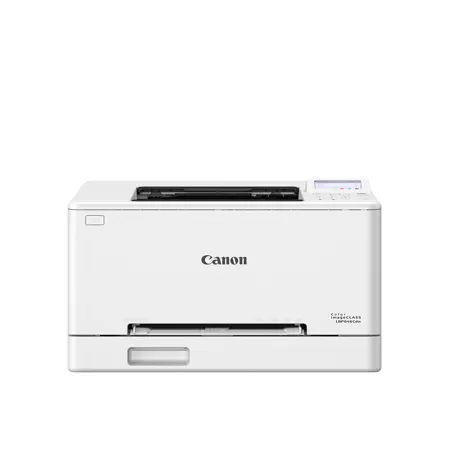
Review of the Canon Color imageCLASS LBP646Cdw - Wireless, Duplex Laser Printer
I received a?free sample of the Canon Color imageCLASS LBP646Cdw to review and am mostly pleased when using this device when printing from my mobile phone. I have tried many of the features that include full page color photo printing, duplex printing, and a mix of both full page and text. The color quality is very bright and vibrant, and the black text is very sharp.
Setup was a bit challenging. Using the keypad to enter the WiFi password is not as easy as having a full keyboard. Once it was setup if works fine on my mobile device. The issue is that I have tried many times to have it work with my laptop and I just can't get the printer to be recognized by my Windows 11 laptop. I have tried both wireless and ethernet connection without any success.
As for the printer itself, it does work great with my mobile phone. At this point in my life, I only buy laser printers as inkjets will dry out long before I use them. I am happy with the quality of the printing of this device. The printer construction does not seem very robust. I am concerned that if will not be useful in a few years. I could see if failing soon under moderate to heavy use. But that remains to be seen. I don't print very frequently as most of the information is on one app or another on my mobile phone.
In summary, for light use, home printer Canon Color imageCLASS LBP646Cdw will suite your needs quite fine.
Myoung816
Originally posted at
2025-12-12T19:00:00
Rated 5 out of 5
Great purchase work at home
The printer was very convenient and helpful being able to print for my phone, wires, asleep and my laptop. Extremely useful and time saving and a great product.
Set up was fairly easy was done setting up in less an hour
Straightforward and very convenient
Pretty speed is very fast and print. Both sides of the page is very convenient for working at home.
Was able to print multiple pages at once which saved hours on my day
MarcusR26
Originally posted at
2025-12-11T19:00:00
Rated 3 out of 5
Good Potential
I received this printer for free in exchange to write this review. The printer was a bit heavy but I was able to carry up stairs myself and set it up solo. Setup wasn't bad, though it got a little confusing towards the end. The instructions were all pictures which was a little annoying. The wireless printing is not that reliable. If the printer has been idle for some time, it disconnects from the wi-fi and the only way to get it to reconnect, I have to unplug it and plug it back up. The interface/menu seems a bit antiquated. Once I got it connected to my phone, printing has been somewhat seamless (minus the wifi connection issue). The only time I had trouble was when I printed a document with more than a few pages. The paper got jammed. I haven't had any issues when printing a single page. The connection when printing from my laptop hasn't been reliable so I end up just using my phone. I've been using it at home to print things for work and personal use. I tried using the scan function but it wouldn't connect so not sure how or if that works. Overall, it gets the job done but the wifi connection issue is a bit frustrating.
Marls
Originally posted at
2025-12-10T19:00:00
Rated 4 out of 5
Good quality, easy to use and great size
I received a free printer in exchange for agreeing to write a review Canon Color Image Class LBP646Cdw white Laser Beam Printer works great. Easy to set up and use. I am able to print from my phone, laptop, home pc, and tablet without issues. I used my home wifi and was able to print. Very impressed on how the printer works easy to choose the size and color needed. Used the duplex printing which is great no smears or color bleading saved on paper and ink. Used this for work projects and for school. Very impressed Cannon has always been ahead with technology and new styles and very dependable. I would recommend for anyone.
1jodster
Originally posted at
2025-12-09T19:00:00
Rated 5 out of 5
Excellent Home or Small Business Printer
I would like to begin by mentioning that I received this printer for free in exchange for unbiased testing and review. To start with the setup process was very easy and seamless. I easily got it onto my network and connected with all of the household computers and mobile devices. I had no trouble getting all of the devices printing right away.
I was able to jump right into testing printing from all of my devices. I have Desktop PC's, Laptops, Tablets, and Mobile Phones in the household. I found very little to no difference in time to print with any of them. They were all able to send and start the print job immediately.
One of the things most valuable to me in a printer is the overall quality of the print. The household needs for the printer vary from basic B+W needs, to more fun and color centric, to a heavier day to day use. The basic B+W printing was excellent which for me was to be expected. It was able to easily meet the needs of the heavier day to day use. Whether it was a small document to something larger it got the job done and done quickly. Where it really brings the wow is the color. Color documents came through bright and vibrant. I also printed some photos with varying colors on just the standard paper to test how far it could go. The quality was some of the best I have ever seen on a color laser. Definitely the best I have seen with a generally printed photo.
It does seamless and easy duplex printing. It has great print speed whether you are using Color or B+W. If I had to nitpick a negative, I would say it does run a little loud. Most printers do though so it wasn't a major bother. The printer is NOT an all in one. So you won't have the convenience of scan, copy, or fax.
This is likely not the printer for a family just wanting day to day use. More for a family that works from home, or has a student that requires heavier printing needs. Another perfect fit would be a business environment looking to avoid the large bulky laser printers and doesn't need the functionality of an all in one.
Justin M.
Originally posted at
2025-12-09T19:00:00
Rated 5 out of 5
Excellent
I received a free printer in exchange for agreeing to write a review. I'm really pleased with the quality of the pages I've printed so far. The color images are especially impressive. I didn't have any issues setting it up and getting it connected to Wifi or my phone. The process was very straightforward and easy to follow. Everything was ready to go within a few minutes. I printed a color photo for a school project right away and couldn't believe how vibrant the colors were. I love being able to print from my phone from upstairs and send the job to the printer in my office. I've used it only for small jobs for personal use. The printer is fairly large, so if space is a concern, you may want a more compact option. It is also very heavy to move and will need a large, sturdy surface. Overall, I am very pleased with the features and quality of the images and documents. I am confident I can print any type of document and it will look great and print quickly. I've never owned a laser printer before and you can really tell the difference in the quality. The printer also has an energy saver mode, which is helpful for leaving it on for long periods of time. The Canon app on my phone works great and sends the document to the printer quickly. I would be very pleased with this purchase to use for personal and small office use.
morgankm
Originally posted at
2025-12-08T19:00:00
Rated 5 out of 5
Does the job, Quick and easy
I got this Canon printer for free to test out and write a review, and honestly it's been great so far. Setup took just a few minutes and was super straightforward. I've been using it over Wi-Fi with both my phone and laptop, and I haven't had a single issue with the connection.
Print speed has been solid, especially with the two-sided printing. The duplex option is really fast and definitely helps cut down on paper. I've been using it in a home/office setup for things like sheet music, scripts, storyboards, and invoices, and the black-and-white prints look really clean. I haven't printed a lot in color yet, but from the few pages I tried, the colors didn't wow me as much as everything else. Still, for everyday use it's been reliable and easy to work with, which is really what I needed.
frankieb
Originally posted at
2025-12-08T19:00:00
Rated 5 out of 5
Great Printer!
I received a free Canon printer in exchange for my review. Even though I got it for free, I am a big fan of it. It was so easy to set up and connect to my wifi! I am not the biggest fan of setting up new tech but this was as easy as you can get! Printing from my laptop and phone was a breeze. I haven't tried printing from my iPad but I never print from that anyway. I print a lot of reports and forms and this printer is quality! Everything was clear and easy to read. It printed pretty fast,too. The double sided option was great for me and also printed beautifully! It is a good way to save on paper costs as well. This is my new favorite home printer. My only complaint is that you definitely need someone to help you lift it for the initial set up. It's a bit big and clunky in that regard. So you definitely need a little bit of space for it.I was worried I would drop it without help. However, once it was on my desk, I did not need any help whatsoever. Overall, this printer is a great value and prints out legible, quality reports.
Big F.
Originally posted at
2025-12-08T19:00:00
Rated 4 out of 5
Great pics but can not scan
Overall, I liked the Canon printer but found one feature that I would like.??I should mention that I was sent a free sample to use for this review.
It was much easier to set up than I expected. Most of the directions were on the screen and happened automatically. But I did have to go back a couple of times because it was unclear which prompt I should choose to make the automatic setup happen.
The quality of the print was great. Pictures were clear and deep color, documents had sharp text and everything printed pretty quickly. Even when printing on 2 sides it was quick. I was able to print from my laptop and from my phone.
I would have liked to have the ability to scan/make copies of a hard copy document and this printer did not have that feature.
auntshell
Originally posted at
2025-12-08T19:00:00
Rated 4 out of 5
Solid heavy-hitting printer with a medium form-factor
This review is for a free sample of the Canon imageClass LBP646Cdw color laser printer. The printer is medium-sized but still on the smaller side, making it ideal for a home with a designated office or a small office. It's quiet while printing, prints moderately fast, and the print quality is high. Overall, the printer strikes a good balance between print quality, speed, and ease of use.
The things that I like about this printer are the following: Setup is very easy. I did the setup and configuration manually on the printer. It took me less than 2 minutes to connect to my WiFi. It took another 5 minutes after connecting to the internet to perform a firmware update. Once that was done, I installed the Canon PRINT application from the Apple App Store.
I loaded roughly 50 sheets of paper in the lower tray and then tested the printer with a short 20-page PDF using automatic duplex printing. It was fast printing in black & white, and the top tray kept the printed sheets in proper order. The printing speed was on par with the advertised ~26 ppm. I printed a picture from my phone, and the print quality was exceptional. The print speed was slightly slower as the picture loaded wirelessly to the printer, but it was still quite fast.
Incorporating this into my home office was effortless. The LCD screen displays intuitive messages, and I have yet to experience a paper jam. Printing has been reliable, and the quality has been consistently high in both color and black & white.
The only real drawback is that this is only a printer in an age when multi-function devices have taken over. The Canon PRINT app tries to make up for the lack of scan and copy abilities, but that technology is only as good as the phone's camera and the person using it. Still, the feature-basic LBP646Cdw is a heavy hitter in a smaller form factor that emphasizes quality and fast printing with ease of use. The cost of ownership is variable with this device, with a full toner kit costing around $100 per individual color and a yield of about 500 color pages and 700 black & white.
Shane O.
Originally posted at
2025-12-07T19:00:00
Rated 4 out of 5
A Solid Printer
I received a free printer in exchange for a review. This is a great printer, and I'm very impressed with the high-quality prints it produces.
I want to start off by saying that the settings can be a little fuzzy and more complex than they need to be. You need to take your time and be patient putting in your settings because if you input the wrong information, you're going to have to start all over again.
I decided to keep my printer set to the basic standard setting since the documents I print out are 99% standard size. I also got some duel-sided printing done, and it worked flawlessly, it produced some fantastic results. I was very happy with how they printed out.
One other thing I really like about this printer is how quiet it is. Some of the printers I've had in the past sounded like an airplane's engines once it warms up and starts printing. This model has no such issue, which is a welcome relief.
I've been printing out documents and copies of photos with this printer for over two weeks, and I have yet to experience any kind of issue or any annoying paper jams. It's been working like a dream. You can opt to print in full color or black and white on the fly, whichever you prefer, you won't have an issue choosing which mode you want to use.
This printer includes some starter ink cartridges, so you won't have to spend additional money on toner right away. If you don't print out in massive high volumes, you should be good for quite a bit.
My final analysis is that if you're looking for a good quality printer that can handle a variety of different sizes and printing applications, as well as being able to print from your Wi-Fi devices, this is one that I highly recommend-and it's not going to break your bank. One last thing: it's a little large, so you might want to think about getting a dedicated table or something to have it sit on.
Jorge F.
Originally posted at
2025-12-07T19:00:00
Rated 5 out of 5
Amazing Printer!
Canon ImageClass LBP646Cdw is a solid pick for an easy-to- use printer that provides quality printing. Right out of the box, setup is surprisingly simple - even if you're not super techy. The on-screen prompts walk you through everything, and getting it connected to Wi-Fi took only a few minutes. I did receive a free printer for this review. However, I would highly recommend this product, even if I had paid full price.
Once it's running, the print quality is consistently great. Text comes out sharp, clean, and professional every time. Color printing is also impressive for a laser printer. And the best part? It prints front-to-back automatically which is super handy if you burn through a lot of paper.
Whether you're printing work documents, school stuff, handouts, or daily needed forms, it gets the job done. It's not a photo printer and it doesn't scan or copy, but if you mainly need a high-quality printer for day-to-day and work use, this is the perfect printer.
In short: easy setup, clean prints, great double-sided performance, and dependable for everyday work. A "no headaches" printer - and honestly, that alone makes it worth it.
PB6
Originally posted at
2025-12-07T19:00:00
Rated 5 out of 5
My honest review
received this Canon laser printer in exchange for writing an honest review, and overall, I've been very impressed with it. The setup process was quick and straightforward; the instructions connecting it to my Wi-Fi were super easy. I thought the wireless function might get bogged down with large documents, but it performed better than expected with little to no lag.
Print quality is excellent. Text comes out sharp, and color pages look clean and professional, which is perfect for my uses. The print speed is fast. 2-sided printing works great if I want to print out draft documents but don't want to waste paper.
If I had to pick a downside, it's that the printer is large and heavy and I looked up the price of the ink cartridges which look very pricey. Considering all things overall, I am happy how it works and would recommend it to anyone that has lots of print jobs, large documents and want crisp printing quality. That's my two cents.
Formula1Racing
Originally posted at