
This item is no longer available.
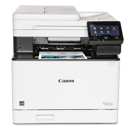
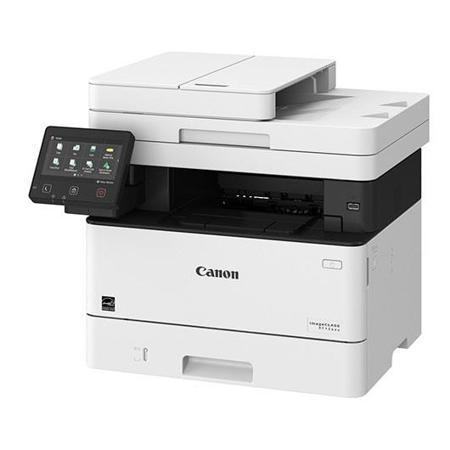
Designed for small and medium-size businesses, the imageCLASS MF426dw balance speedy performance, minimal maintenance and the ability to add an extra paper tray. A 5" color touchscreen delivers an intuitive user experience and can be customized by a device administrator to simplify many daily tasks.
Usability
• 5" intuitive color touchscreen with smartphone-like usability
• A unique, customized device experience with Application Library
• Create Wi-Fi Direct hotspot from the printer to establish direct connection to mobile device(s) without the need for external router
Quality and Reliability
• Canon's signature reliability and engine technologies keep productivity high and minimize the impact on support resources
• Intuitive maintenance videos for common tasks like consumables replacement
Workflow efficiency
• Supports mobile solutions for printing and scanning
• Scan and convert documents to searchable digital files through a single-pass duplex document feeder
• Designed for smaller print jobs with first print time as fast as six seconds
Cost Management
• Service parts designed for machine lifetime to minimize need for proactive maintenance and reduce service calls
• High-capacity, all-in-one cartridge helps reduce overall supply costs
Security
• Helps mitigate risk of confidential information loss as documents are only stored in short-term memory
• Security settings can be set behind an Administrator log-in
Sustainability
• A combination of fusing technologies and low-melting-point toner minimizes power requirements and helps achieve low-energy consumption
• Encourage environmentally conscious work practices by enabling multiple settings that can help save paper and energy
• ENERGY STAR certified and rated EPEAT Silver
Easy to Use with Application Library
Unique to the Canon imageCLASS product line, the Application Library platform allows for one-touch button creation of seven key functions: Print Template, Standby Slide (screen saver), Scan-to-Preset Destination, ID Card Copy, Consumables Information, Copy (Eco) and Copy (Bleed Reduce).
Mobile-friendly Device Access
From application-based to cloud-based to device native, the imageCLASS MF426dw offer a variety of methods for printing from a mobile phone or tablet across iOS and Android devices. The Canon PRINT Business application, which supports both platforms, offers access to additional device settings as well as the ability to scan from the printer to a mobile phone or tablet.
Fast, Single-pass Duplex Scanning
The imageCLASS MF426dw leverages a single-pass document feeder for two-sided scanning at up to 70 images per minute (ipm) in black and white or 26 ipm in color. Scanned files can be converted into multiple file formats, including Hi-Compression PDF and Searchable PDF (OCR).
100% U.S.-Based Service and Support
From cutting-edge technology to industry-leading response times, Canon U.S.A. takes pride in delivering complete customer satisfaction. Canon's award-winning, 100% U.S.-based, friendly and knowledgeable Customer Service team provides expert assistance for every level of experience. The MF426dw comes with a three-year limited warranty, giving you the support, peace of mind and value your business thrives on.